


| Latest version | 2.1.0 |
|---|---|
| Minimum Core | 11 |
| Compatible Core | 11 |
| Last updated | 1 year ago |
| Created | 4 years ago |
| Authors | |
| Languages |
English 日本語 |
| Systems |
Dnd5e |
| Project source | Project URL |
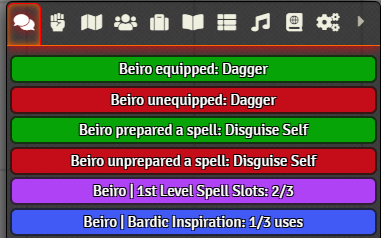
For D&D5e. When one of the following changes is made via the character sheet, a log will be made in chat. The colors can be customized in the module settings.
- Equip/Unequip an item
- Attune to / Break attunement to a magical item
- Prepare/Unprepare a spell
- Change number spell slots
- Change number of feature usage
- Change resource values
Subscribe
Login
Please login to comment
0 Comments

