


| Latest version | 2.4.0 |
|---|---|
| Minimum Core | 14 |
| Compatible Core | 14 |
| Last updated | 1 week ago |
| Created | 1 month ago |
| Authors | |
| Languages |
English Português (Brasil) Português (Portugal) Русский |
| Systems |
Dnd5e |
| Project source | Project URL |
| Report bugs | Bug tracker URL |
| Read-me | Readme URL |
| Changelog | Changelog URL |
| License | License URL |
Adventurer HUD
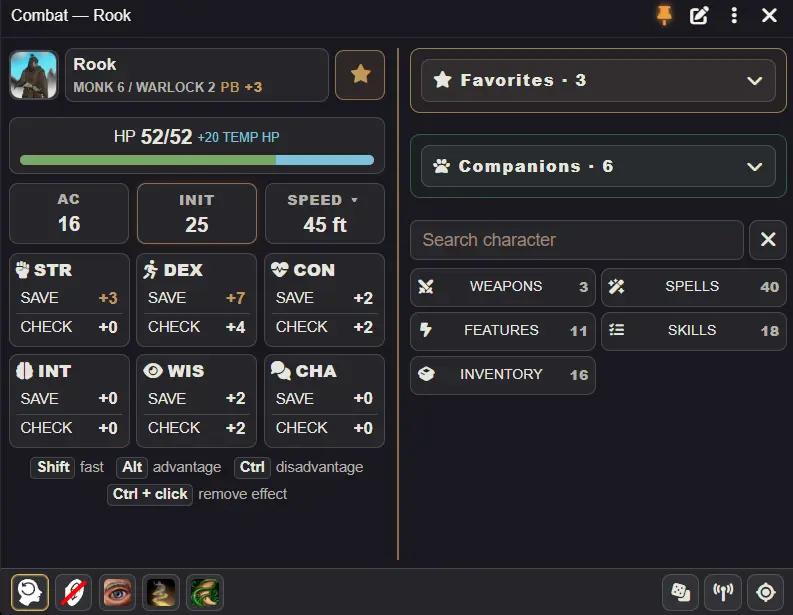
Adventurer HUD brings character actions and encounter controls into a compact, customizable interface for Foundry VTT and D&D 5e. Players can explore, fight and manage companions without repeatedly opening their character sheet. GMs get a dedicated panel for preparing encounters and controlling their participants.
Rolls and abilities use native D&D 5e mechanics, dialogs and resources.
For players
- Exploration and combat modes — quick access to checks, saving throws, skills, tools, weapons, spells, features, inventory and rests. The HUD switches modes when your character joins combat.
- Character controls — manage HP and temporary HP, view effects, movement speeds, inspiration and death saves.
- Search and favorites — search across character actions and items, and use favorites synchronized with the native character sheet.
- Ability descriptions — preview descriptions, pin and move them, open item sheets or share descriptions in chat.
- Recent actions — repeat recently completed actions through their usual dialogs.
- Dice tray — build dice rolls, add modifiers or formulas, and choose roll visibility.
For Game Masters
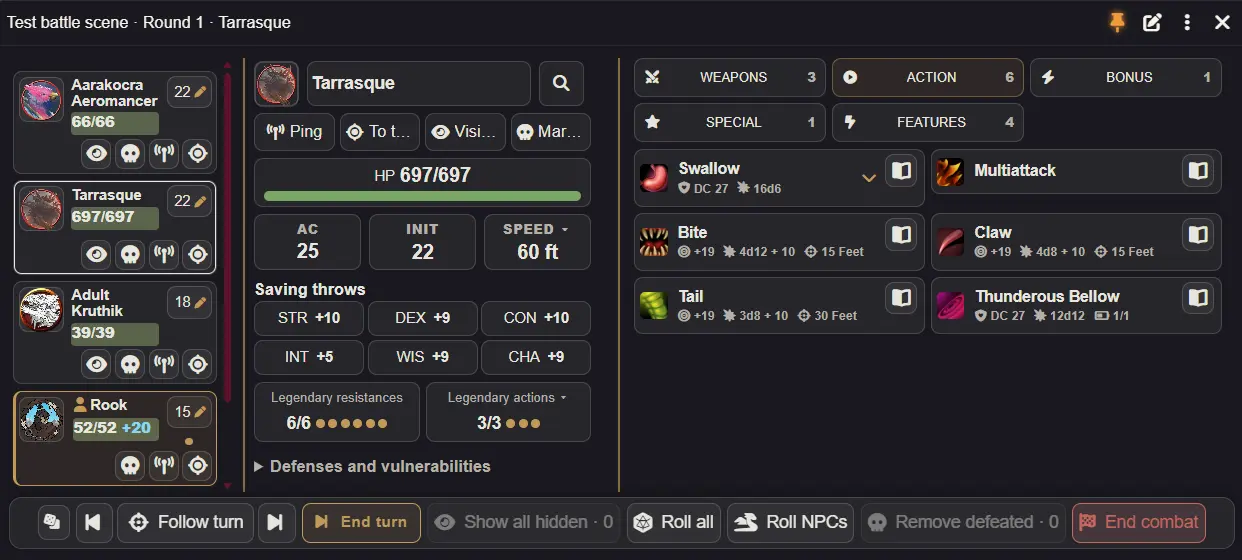
- Encounter preparation — add scene creatures, roll or reset initiative, and remove participants before starting combat.
- Drag and drop — add NPCs from Actors or compendiums, entire actor folders including subfolders, or Encounter actors with their configured quantities.
- Creature management — access abilities, spells, saves, HP, effects and defenses from one panel.
- Token controls — ping, focus a token, toggle visibility and mark or unmark defeat. Confirm before revealing all hidden NPCs or removing defeated creatures.
- Native turn order — follow the current participant, including player characters, or inspect another creature without changing whose turn it is.
Companions and shared senses
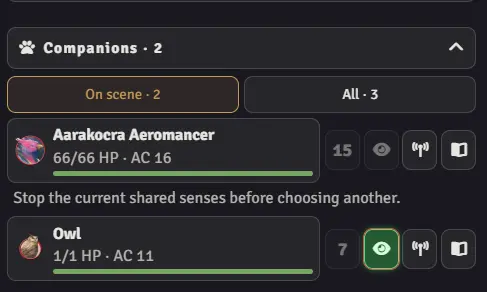
Access owned companions in the same HUD and place eligible creatures on the scene. Shared senses let you view through a companion’s configured vision while keeping your character controlled. An optional Find Familiar (2024) mode supports native familiar summons and Bonus Action use.
Subscribe
Login
Please login to comment
0 Comments