| Latest version | 2.2.0 |
|---|---|
| Minimum Core | 12 |
| Compatible Core | 12 |
| Last updated | 3 months ago |
| Created | 1 year ago |
| Authors | |
| Languages |
Deutsch English Español Français |
| Systems | All systems |
| Project source | Project URL |
Cibola 8 — AI Integration for Foundry VTT
The all-in-one creative toolkit built directly into Foundry Virtual Tabletop.
Stop Searching. Start Creating.
Every GM knows the feeling: you need a portrait for that NPC the players just befriended, a map for the dungeon you improvised, or a description for the ancient relic they just found — and you need it now.
Cibola 8 brings generative models from OpenAI, Google, Stability AI, Black Forest Labs, and others right into Foundry VTT. No tab-switching. No copy-pasting. No workflow interruptions. Just click the Cibola icon wherever you see it and create.
Fully Revised in Cibola 8
The entire module has been rebuilt around what you want to do, not which model happens to do it. Instead of navigating a list of model names, you pick a function — Remove Background, Outpaint, Upscale, Search & Replace, Search & Recolor, Erase, Inpaint — and Cibola selects the right model behind the scenes. When better models become available, they slot in without changing your workflow. You work with tools, not product names.

What Can You Do With Cibola 8?
Image Generation
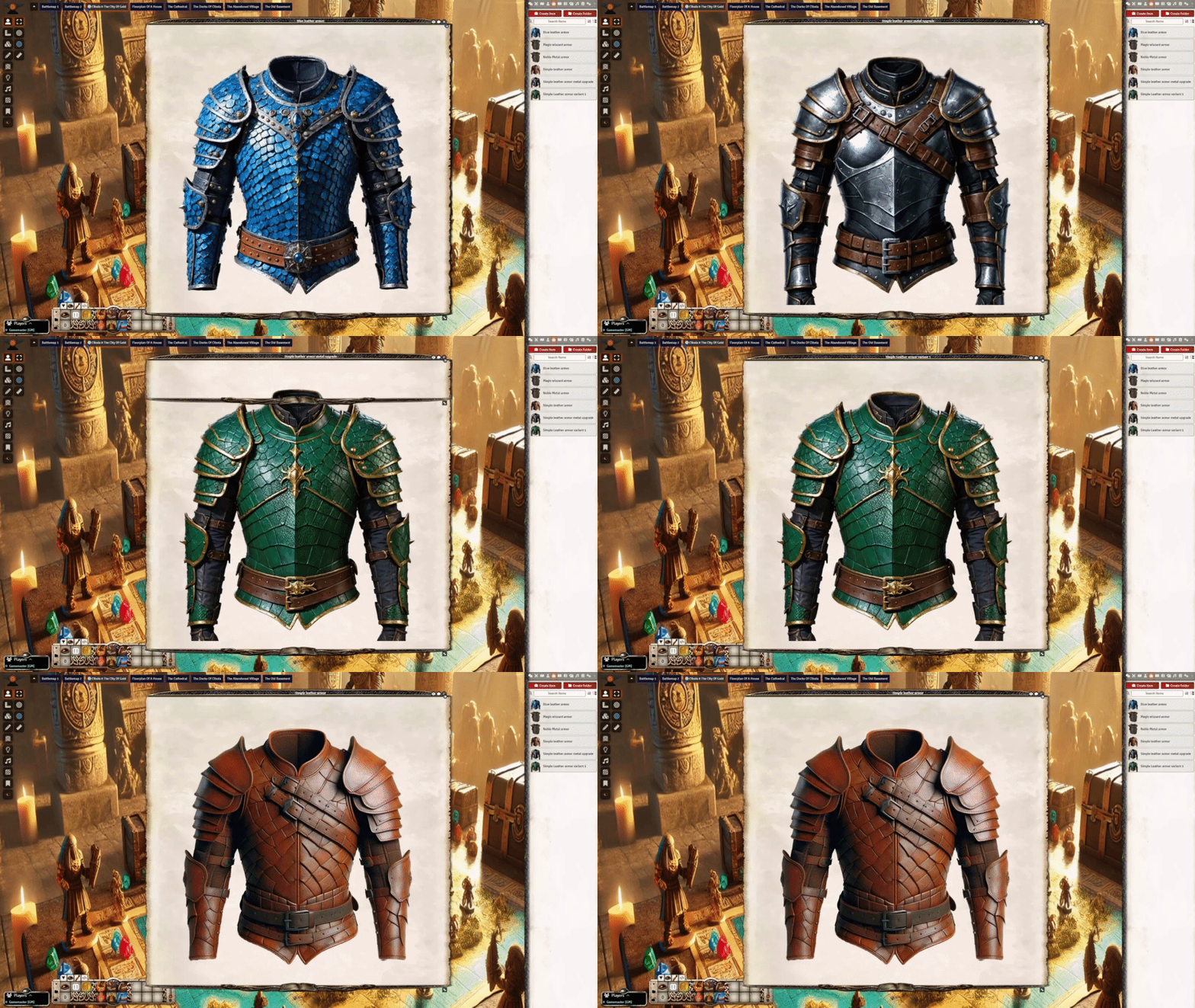
Create character portraits, item illustrations, and assets on demand. Pick from a curated selection of the best available image models — from fast drafts to high-fidelity renders — and apply the result directly to your actors, items, or tiles with one click. Adjust size, quality, style, and background to get exactly what you need.
Image Editing
Edit images directly on a built-in canvas. Outpaint to extend a scene beyond its borders, erase and inpaint to fix details, search and replace or recolor elements, remove backgrounds, and upscale to higher resolution. Every edit tool works with the best available model for that task — you pick the function, not the provider.
Scene & Map Generation
Generate battlemaps, city maps, landscapes, and theatre-of-the-mind scenes. Cibola 8 creates the image, sets it as your scene background, and can detect walls automatically — turning a text prompt into a fully playable scene in seconds.
Automatic Wall Detection
Upload or generate a map and let Cibola detect and place walls for you. Powered by computer vision (OpenCV), it recognizes room boundaries and corridors from your map image and draws the walls so you don't have to. Works with any map — generated or imported.
Text Generation
Generate NPC descriptions, item lore, journal entries, letters, and handouts. The Cibola icon appears in every text editor toolbar across Foundry, so writing tools are always one click away. Choose from multiple writing styles, word limits, and genre presets.
Translation
Translate single items, complete journal entries, or entire compendiums between languages. Localize system and module UI files into your preferred language. Run your game in any language without waiting for community translations.
Threads
Persistent, multi-turn conversations stored directly in your journal entries. Use threads as a brainstorming partner, lore consultant, or rules advisor — and keep the full conversation history for future reference.
Token Art
Generate and apply custom token artwork to your actors. Cibola 8 reads your actor's context and produces fitting art in the style you choose.
Text-to-Speech & Audio
Bring your NPCs to life with voice synthesis. Configure speaking tokens that read dialogue aloud during play. Generate narration and ambient audio for immersive sessions.
Name Generation
Generate character and place names that fit your world's setting and cultural context.
Gallery Browser
Browse, manage, search, and reuse everything you've generated. Your creative history is always at hand — nothing gets lost.
No Vendor Lock-In — Always the Best Models
Cibola 8 integrates models from multiple providers — OpenAI, Google, Stability AI, Black Forest Labs, Recraft, Ideogram, and others — into a single interface. The model roster is updated regularly so you always have access to the current best-in-class options for each task.
You can switch models freely, per generation. Use a fast model for quick iterations and a premium model when quality matters most. When a provider releases something better, it shows up in Cibola without you having to change anything. You are never locked into a single vendor or stuck with outdated models.
Privacy & Your API Key
In client-only mode, your OpenAI API key is stored locally in your browser and never transmitted to any server — not even to Cibola. Requests go directly from your machine to the OpenAI API. No middleman, no data collection, no logging on our side.
Subscription & Pricing
Cibola 8 requires a Patreon subscription to access the Cibola backend, which powers the full feature set: all image and text models, gallery, translation, text-to-speech, name generation, wall detection, and more. Usage is pay-per-use with subscriber discounts.
Alternatively, a client-only mode lets you use your own OpenAI API key for direct image generation and chat — no subscription needed for those features. Both modes can run side by side, so you can choose per request whether to use Cibola credits or your own key.
Built Into Foundry, Not Bolted On
Cibola 8 doesn't live in a separate window. It meets you where you already work:
- Header bars on actors, items, journals, and scenes — right-click for context-aware options
- Text editor toolbars — the Cibola icon appears in every rich text editor in Foundry
- Scene controls — access wall detection, scene generation, and map tools directly
- Radial menu — drag the quick-access macro to your hotbar for instant access to everything
- Context menus — features appear naturally in Foundry's existing UI patterns
Works with every Foundry VTT game system.
Roadmap & Planned Features
Cibola 8 is under active development. Planned additions include:
- Dynamic token creator for custom animated tokens
- Improved gallery with better search and filtering
- Interactive welcome tutorial with guided character creation
- Expanded speaking token features
- More image and text model integrations as they become available
The roadmap is driven by community feedback. Feature requests and bug reports are welcome on Discord or Patreon.
Get Started
- Install Cibola 8 from the Foundry VTT module browser
- Activate the module in your world
- Subscribe on Patreon and enter your Cibola token — or configure client-only mode with your own OpenAI key
- Click any Cibola icon and start creating
The built-in welcome screen walks you through setup and lets you try every feature directly.
Links
- Foundry VTT Package: foundryvtt.com/packages/cibola8
- Website & Account: cibola.world
- Discord: discord.gg/TYbUBfzzqN
- Video Tutorials: youtube.com/@Cibola8
- Patreon: patreon.com/Cibola8