


| Latest version | 1.0.3 |
|---|---|
| Minimum Core | 13 |
| Compatible Core | 13 |
| Last updated | 6 months ago |
| Created | 1 year ago |
| Authors | |
| Languages |
English |
| Systems |
Swade |
| Project source | Project URL |
| Report bugs | Bug tracker URL |
| Read-me | Readme URL |
| Changelog | Changelog URL |
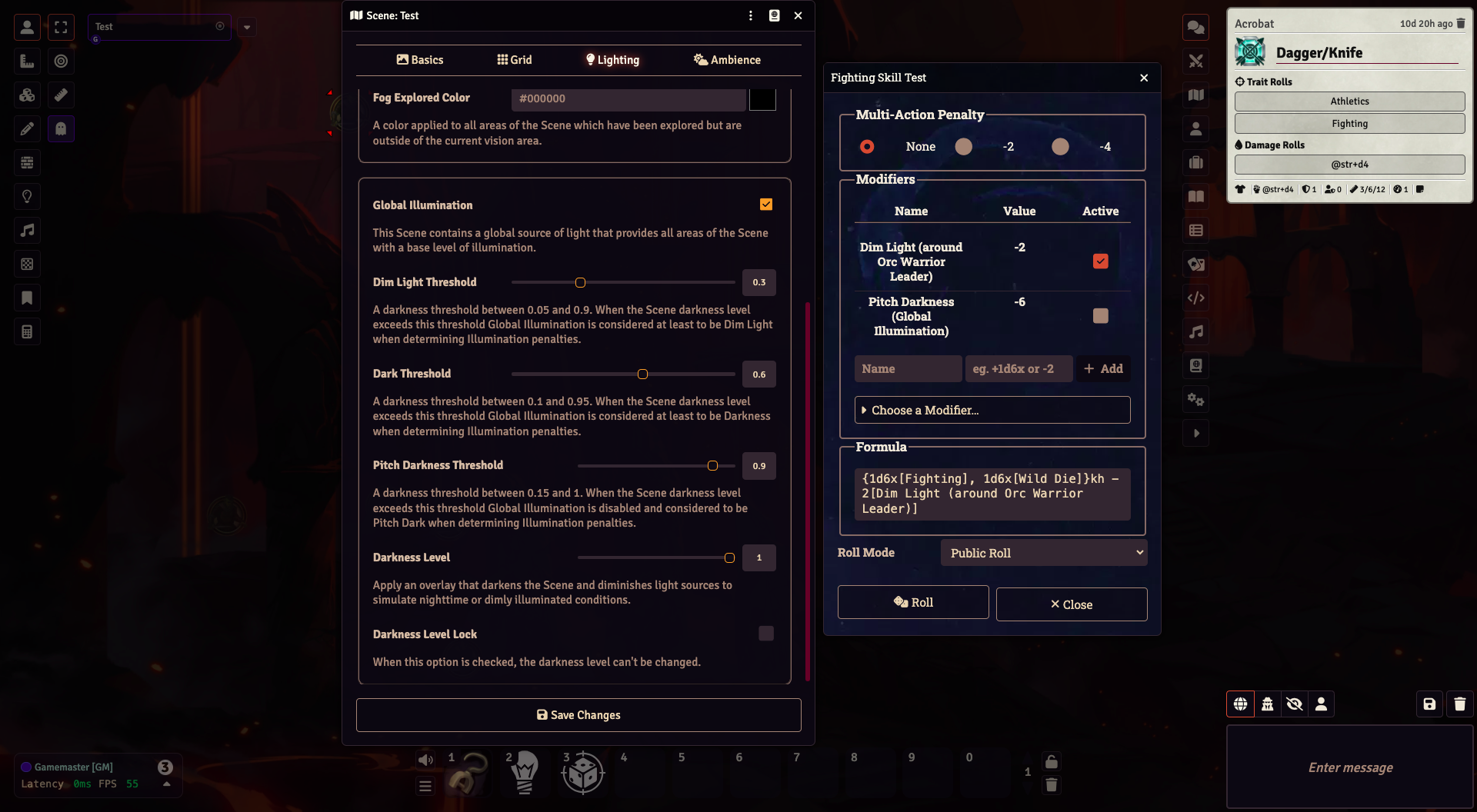
This module inserts two new Global Illumination Threshold range pickers in the Lighting tab of a Scene Configuration: Dim Light and Dark. It also relabels the Global threshold range picker to Pitch Darkness. Setting these values determines the Threshold for the Scene's darkness level of when the Scene is in Dim Light, Dark, or Pitch Darkness.
The real magic happens when an Actor makes a Trait roll. SWADE Illuminator assesses the lighting conditions (including nearby Ambient Light sources, light from nearby Tokens, and the Actor's own Token light) and adds possible Illumination penalties to the Roll Dialog. Additionally, if any Tokens are targeted, it also includes Illumination penalties based on their lighting conditions. Any penalty from the Scene's darkness level is also determined based on the thresholds configured on the scene.
The range of possible values for each Illumination level in the Scene Configuration is listed below.
| Darkness Level | Min | Max |
|---|---|---|
| Dim Light | 0.05 | 0.90 |
| Dark | 0.1 | 0.95 |
| Pitch Darkness | 0.15 | 1 |

