


| Latest version | 0.1.0 |
|---|---|
| Minimum Core | |
| Compatible Core | |
| Last updated | 1 month ago |
| Created | 1 month ago |
| Authors | |
| Languages |
English |
| Systems |
Dnd5e |
| Project source | Project URL |
| Report bugs | Bug tracker URL |
| Read-me | Readme URL |
| Changelog | Changelog URL |
| License | License URL |
Calculated Risk is a small Foundry VTT module for D&D 5e that shows your chance of success before you roll.


Settings
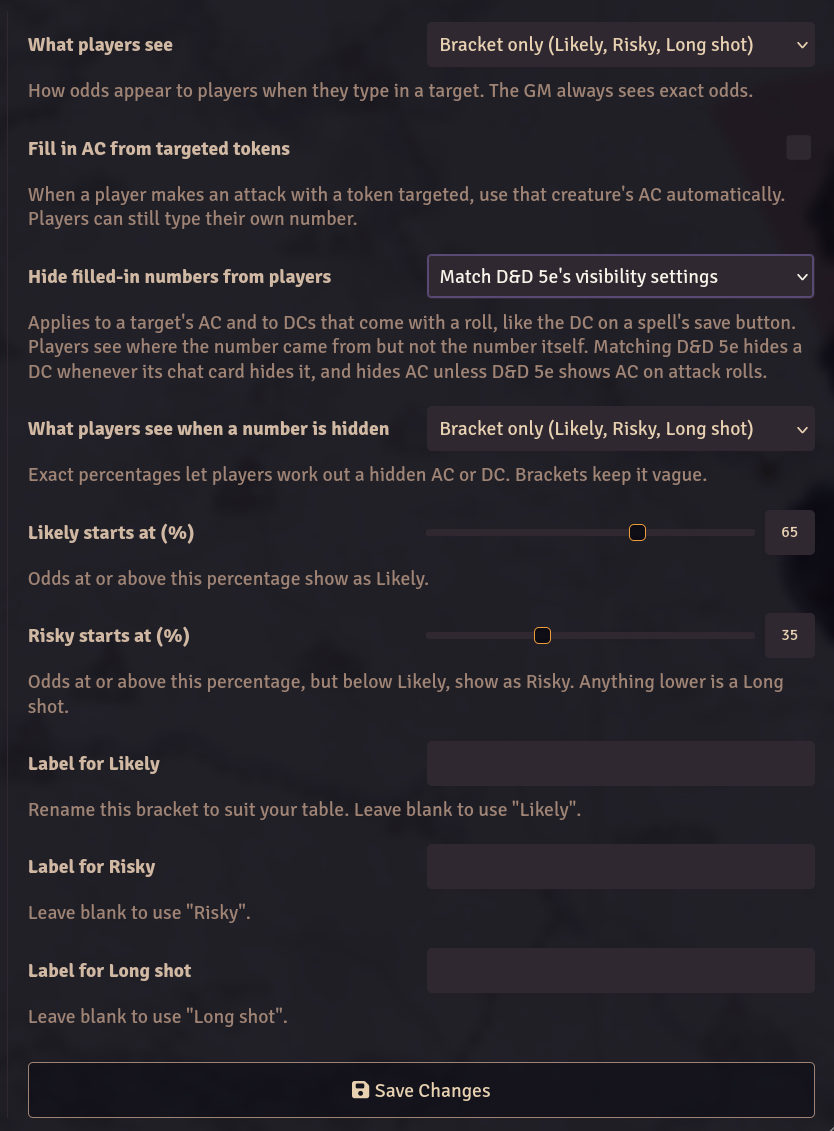
Settings are under Configure Settings --> Calculated Risk.
You can choose whether players see exact percentages, simple labels like Likely or Risky, or nothing at all.
Calculated Risk can also pull AC from a targeted token.
Hidden numbers
Some numbers are filled in for the player, like a target's AC or the DC on a spell save button. The Hide filled-in numbers from players setting decides whether players see them:
- Match D&D 5e's visibility settings (default): a DC stays hidden whenever D&D 5e hides it on the chat card, and a target's AC stays hidden unless D&D 5e shows AC on attack rolls.
- Always hide: players never see a filled-in number.
- Always show: players always see it.
When a number is hidden, players see where it came from, like the creature's name. Players can still type their own number instead. The GM will always see all values.
Subscribe
Login
Please login to comment
0 Comments

