


| Latest version | 1.5.2 |
|---|---|
| Minimum Core | |
| Compatible Core | |
| Last updated | 2 weeks ago |
| Created | 2 months ago |
| Authors | |
| Languages |
English Русский |
| Systems | All systems |
| Project source | Project URL |
| Report bugs | Bug tracker URL |
| License | License URL |
Albo's Simple Scene Notes adds lightweight, colorful map pins with notes and icons to any scene — plus a searchable legend to jump straight to them.
✨ What it does
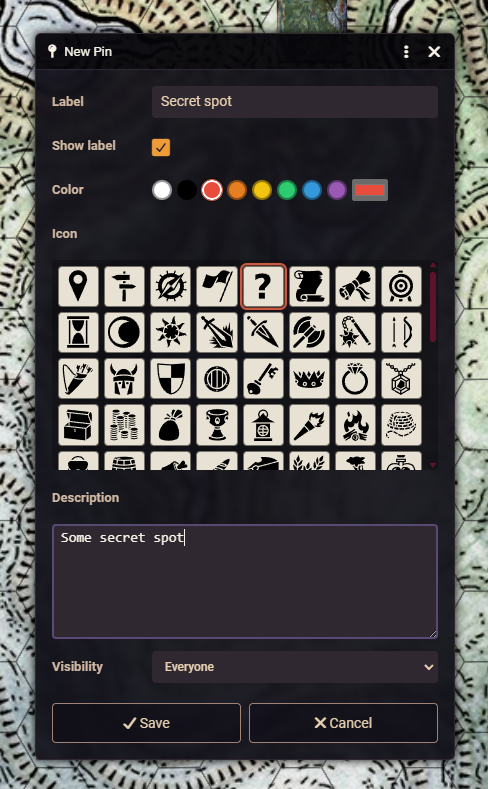
Drop a pin, give it a label and a description, pick a color and one of 96 icons — and never lose track of that tavern, ambush site or secret door again. Players can manage their own pins even with no GM online.
📌 Features
- One-click pins — a new scene-control tool; click the map, fill a small form, done.
- 96 fantasy icons — weapons, creatures, locations, potions and more, recolored on the fly to any color (8 presets + free picker).
- Everything in one small dialog — label, color, icon, description and visibility, no nested menus.
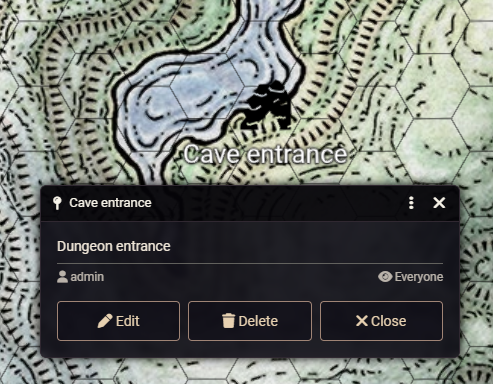
- Labels & descriptions — an optional caption under the pin and a rich description dialog with document links (
@UUID[...]), openable from any layer. - Per-pin visibility — everyone, or the author and GM only (shown semi-transparent to them).
- Drag to move — grab a pin and drop it anywhere.
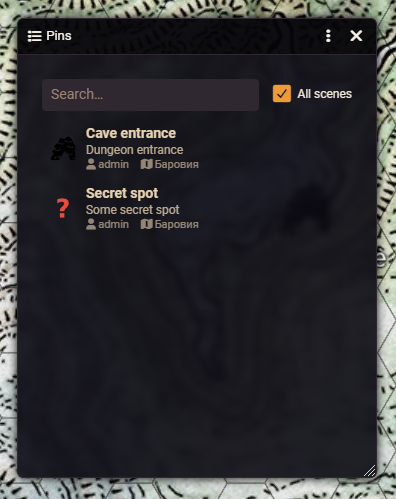
- Legend panel — a searchable list of all pins; click to pan the camera to a pin with a pulse. GMs can browse every scene at once.
- No GM required — pins live in the author's User document, so players create, edit and delete their own even when no GM is online.
📸 Screenshots
🗂️ How pins are stored
Pins are stored in User flags — no extra database, included in world backups. Deleting a user removes that user's pins.
📦 Compatibility
Foundry VTT v12–v14. No system dependencies — works with any game system.
🎨 Icon credits
Pin icons are from game-icons.net, licensed CC BY 3.0 (authors: Lorc, Delapouite, Skoll, Willdabeast, Caro Asercion, DarkZaitzev). Per-icon credits ship in the module's assets/CREDITS.md.
❤️ Support
The module is free and MIT-licensed, and it always will be — nothing is gated behind a payment. If it saves you prep time, you can leave a one-time tip at app.lava.top/albo. Entirely optional; a bug report or a feature idea on GitHub helps just as much.
📜 License
Module code is MIT. Source and issues: github.com/al6o/foundryvtt.

