


| Latest version | 1.4.0 |
|---|---|
| Minimum Core | 13 |
| Compatible Core | 13.350 |
| Last updated | 11 months ago |
| Created | 2 years ago |
| Authors | |
| Languages |
Deutsch English |
| Systems | All systems |
| Project source | Project URL |
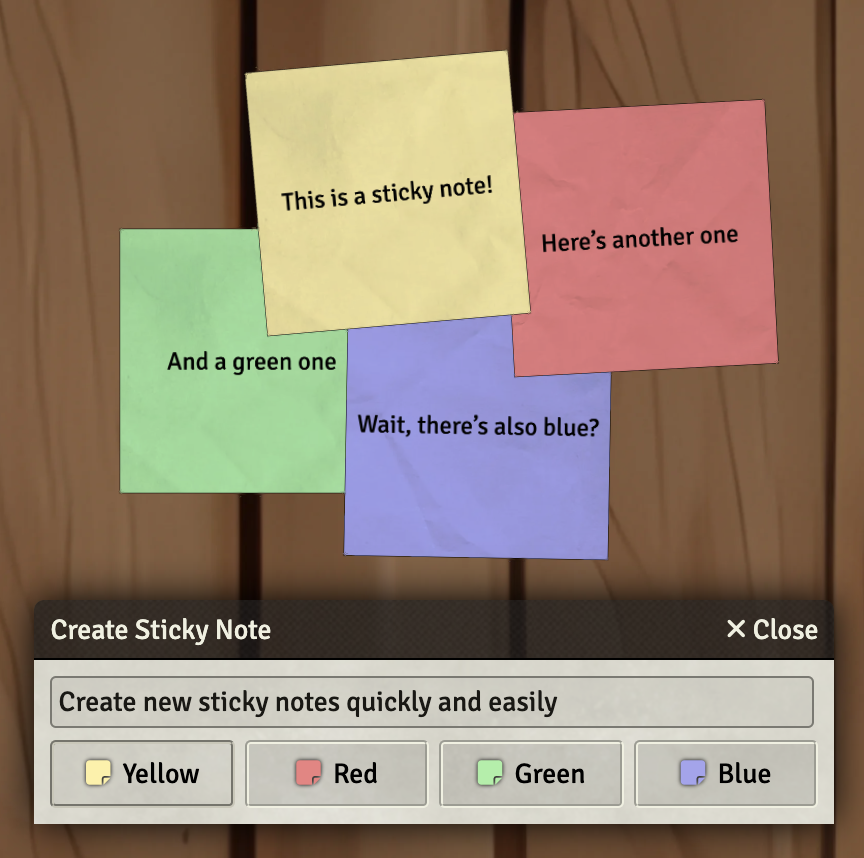
This module adds a quick way to create and edit sticky notes. Sticky notes are styled text drawings with all benefits and limitations this comes with. To create a sticky note, go to the drawing layer controls and press the “Sticky Note” button. This button is context sensitive, meaning that one of three things might happen:
- If you don’t have a sticky note or other text drawing selected, a dialog pops up with which you can enter the text and color of the sticky note. All open windows will be minimized and you can drag the note to whereever you want. With a mouse click, you stick the note to the canvas. After that, all windows that have been minimized will be maximized again.
- If you have a sticky note selected, a dialog pops up with which you can change the text or color. All other cutomizations (such as the size) will remain.
- If you have a text drawing selected, a dialog pops up with which you can convert it to a sticky note. The initial styling will be applied.
In the controls settings, there are two keyboard shortcuts:
- Create Sticky Note (default
Alt + N): This will create a sticky note, regardless of whether a sticky note is already selected. - Edit Sticky Note (default
Alt + E): This will edit a sticky note or convert a text drawing that isn’t already a sticky note.
The use of Advanced Drawing Tools is recommended. If this module is installed and active, some styling exclusive to Advanced Drawing Tools is applied to the sticky notes.
Credits
- DrawingPreviewClass taken from the dnd5e system, Copyright 2021 Andrew Clayton.
- zoestock (https://www.deviantart.com/zoestock): slightly wrinkled paper, no usage restrictions.
Support
I appreciate any feedback and questions. You can reach me on GitHub and Discord (@mrkwnzl). If Sticky Notes for Foundry VTT makes your games more accessible and fun, I’m grateful for your support:

