


| Latest version | 14.1.5 |
|---|---|
| Minimum Core | 13 |
| Compatible Core | 13 |
| File size | 0 B |
| Last updated | 1 month ago |
| Created | 6 years ago |
| Authors | |
| Languages |
Català Deutsch English Español Français Italiano Polski Português (Brasil) Português (Portugal) Čeština 日本語 繁體中文 한국어 |
| Systems | All systems |
| Project source | Project URL |
Adds several helpful token automation features, particularly (but not only) suited to maps with multiple levels.
- Teleport tokens to another location when they move into a particular region (e.g. from the bottom of a staircase to the top).
- Clone tokens from one region to another, syncing movement and other property updates (e.g. allowing players to "see" what is happening on floors below).
- Trigger macros when a token enters or leaves a particular region.
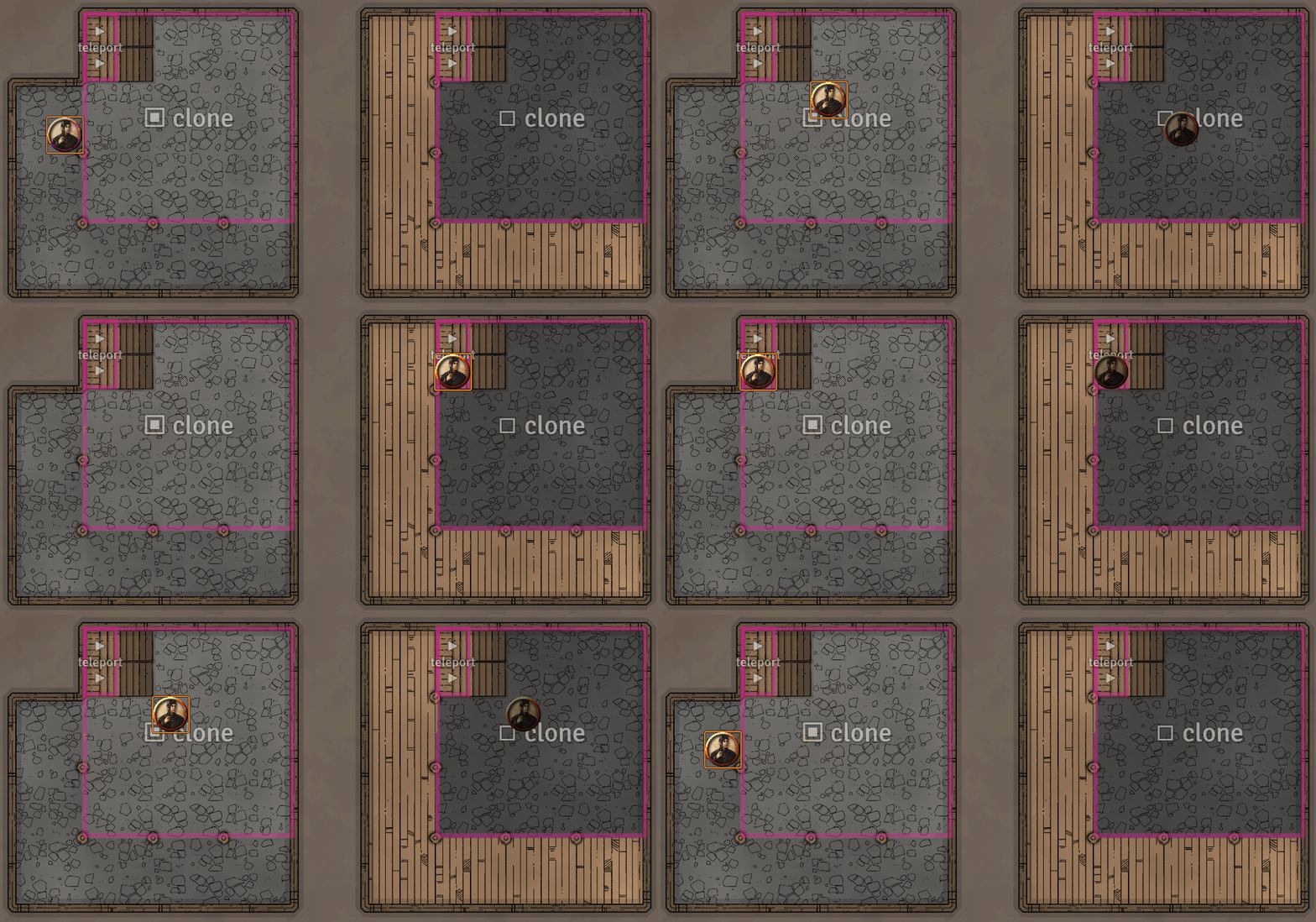
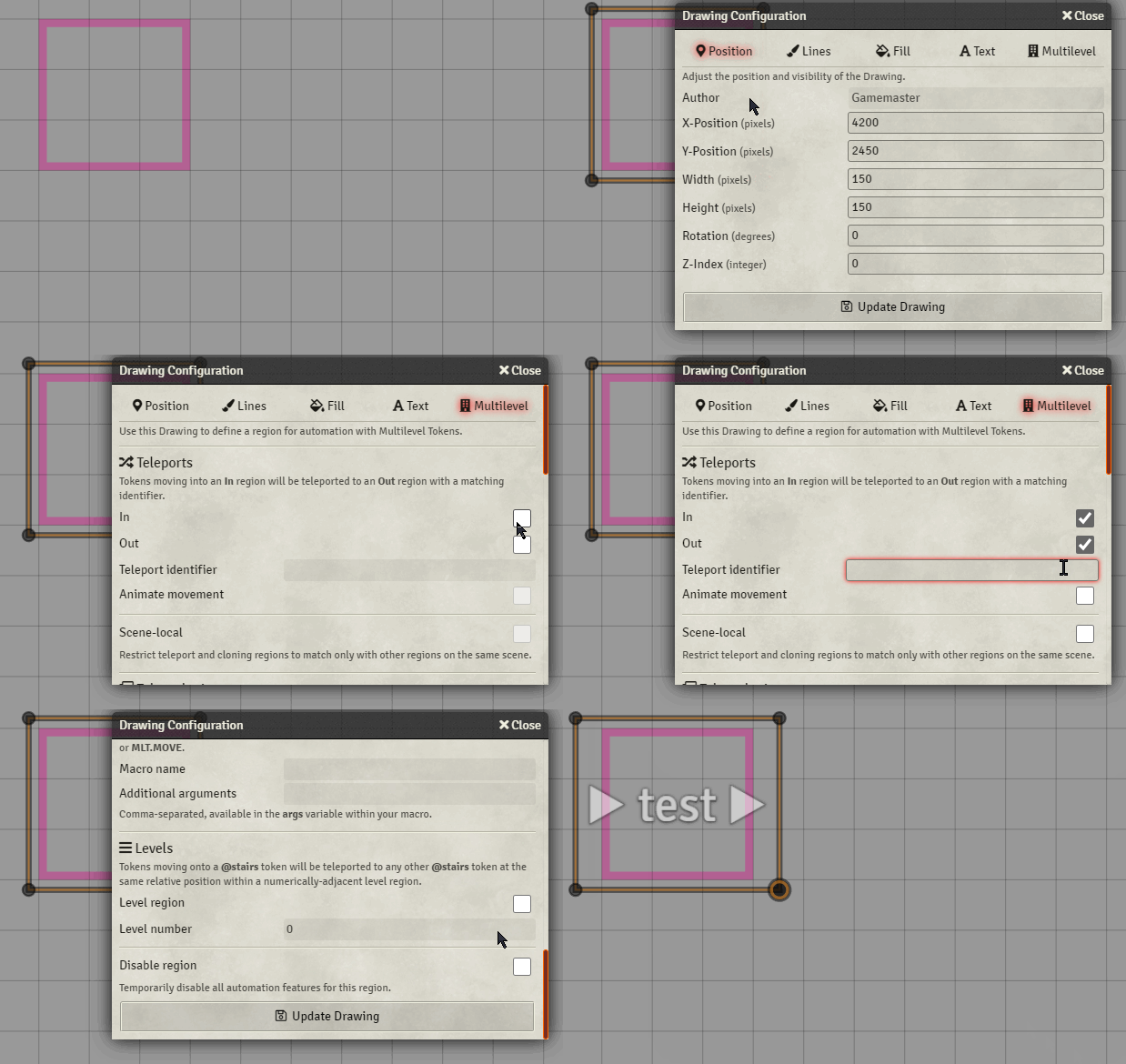
All of the features work using Foundry's built in drawing tools. A new tab in the Drawing Configuration window for any rectangle, ellipse or polygon drawing allows the designated region to be configured with special behaviour:
Follow the Project URL link for full usage instructions.


I don’t know how I’d get by without this – I’m running 5e DoIP at the moment; Chuck in a couple of multilevel and boom, teleport the PC’s into the different areas of the adventure’s maps, no need to worry about dragging them around.
The gallery effect for… galleries and stairwells never fails to impress!
This is a literal game changer. There are so many really amazing things a creative GM can do with MLT to add dynamism and verticality to a map, as well as really wacky things like using duplicates of a map with cloned tokens to have objects and actors only some players can see or interact with on the different effective “layers” of a scene. Just brilliant, really!