


| Latest version | 1.0.0 |
|---|---|
| Minimum Core | 9 |
| Compatible Core | 9 |
| Last updated | 4 years ago |
| Created | 4 years ago |
| Authors | |
| Languages |
English |
| Systems | All systems |
| Project source | Project URL |
| Report bugs | Bug tracker URL |
| Read-me | Readme URL |
| Changelog | Changelog URL |
| License | License URL |
Commander is a tool vaguely inspired by the likes of Launchy or Wox, and a similar feeling to SearchAnywhere module, that lets you run commands from a shortcut-invoked prompt.
This module provides the command-line input and the API for registering new commands, and will provide some example and general-use commands.
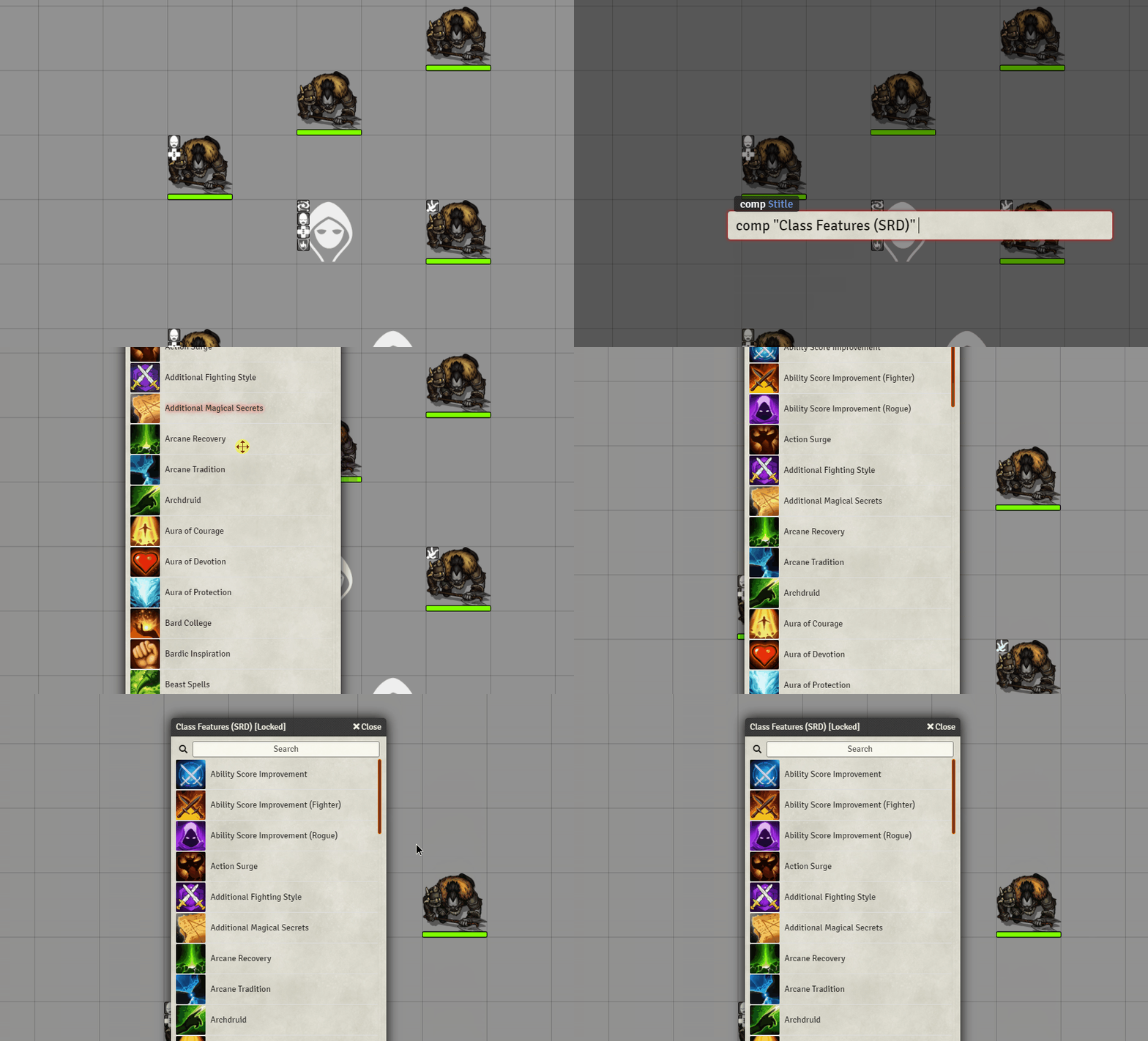
Bundled Commands (command)
- Command info (info)
- Show commands the current user can use (help)
- Open tab (go $tab)
- Open compendium (comp $title)
- Run macro by name (m $name)
- Open character sheet by Player name (player $name)
- Open character sheet by Actor name (pc $name)
- Open NPC sheet by name (npc $name)
- Apply active effect to selected tokens -just visual- (tae $effect)
It is not the intention of this module to provide commands specific to particular systems, but mostly the tooling and more generic commands applicable to anyone regardless of game system. If you have such a command that you want to share, don't be afraid to open a pull request (https://github.com/ccjmk/commander/pulls)!
For information on how to add new commands, please refer to the Wiki: https://github.com/ccjmk/commander/wiki
Executing Commands
Then you can start typing! Command suggestions will pop up as you type, you can auto-accept the selected suggestion with Tab/Enter or select other suggestions using Up or Down.
Tab when no suggestion is selected sends the Command for execution, else it auto-fills that suggestion.
