


| Latest version | 0.2.1 |
|---|---|
| Minimum Core | 14 |
| Compatible Core | 14 |
| Last updated | 7 hours ago |
| Created | 7 hours ago |
| Authors | |
| Languages |
English |
| Systems | All systems |
| Project source | Project URL |
| Report bugs | Bug tracker URL |
| Read-me | Readme URL |
| Changelog | Changelog URL |
| License | License URL |
Keep the settings you spent an evening getting right, and know when your modules put out a new version.
You install your modules and tune them exactly how you like. Then you start a new world, and everything is back to default. You do it all again from memory, and you forget something.
Settings Vault saves those settings to a file. Open the file in another world, pick what you want back, and it puts it there. Use it to move your setup to a new campaign, hand it to a friend who likes how your table is set up, or keep a copy before you go changing things.
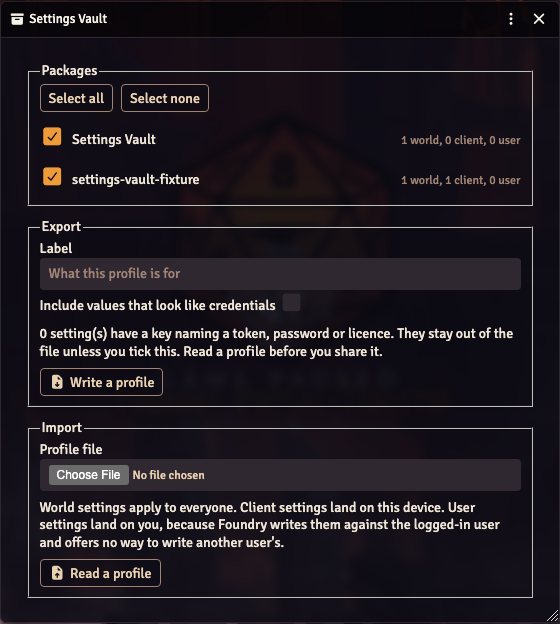
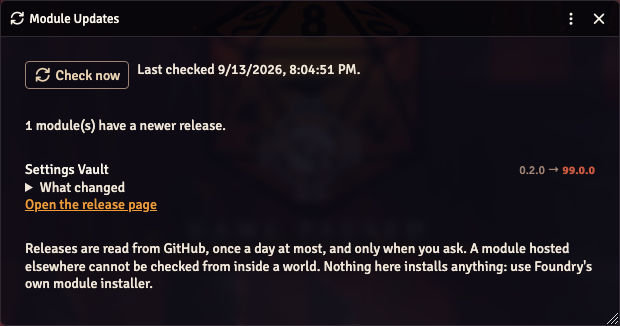
It also keeps an eye on the modules you have installed. When one of them ships a new version, you get told, and you can read what changed without leaving Foundry. It only looks when you press the button, so nothing happens behind your back.
Anything that looks like a password or a key stays out of the file unless you tick a box. So you can share your setup without sharing your secrets.
For the Gamemaster. Works on its own, with no other module needed.

