


| Latest version | 4.0.0 |
|---|---|
| Minimum Core | 14 |
| Compatible Core | 14 |
| Last updated | 2 months ago |
| Created | 3 years ago |
| Authors | |
| Languages |
English |
| Systems | All systems |
| Dependencies |
libWrapper |
| Project source | Project URL |
| Read-me | Readme URL |
Module for granting players permissions to move/rotate tiles and tokens.
Usage
Once the module is activated for tiles and/or tokens via Tile Controls and Token Controls settings a new button will be added to their HUDs:

Toggle it to enable/disable the ability for players to move the tile or token they normally shouldn't be able to:

Right-clicking the button will grant the players permission to rotate them:

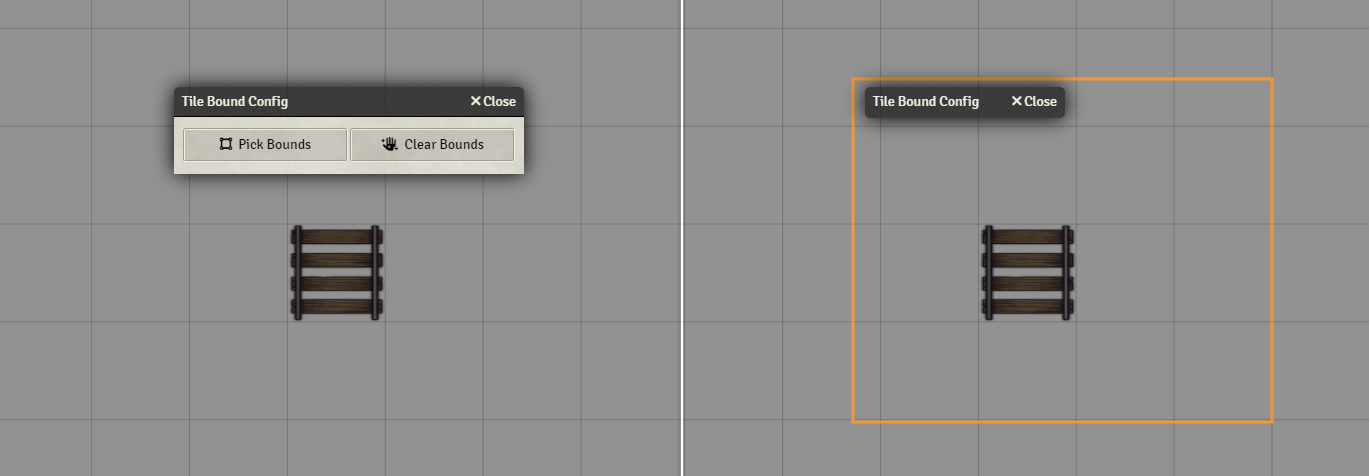
Movement can also be restricted to boundaries you can draw by either going to modules settings > Boundary Configuration or pressing the shortcut key Shift+B.
Tile Layer Controls
Move and Rotate permissions can also be toggled scene-wide using Tile Layer controls:

Insert Permission Button to HUD
This setting which is enabled by default will insert the above mentioned button to Tile/Token HUDs. However you may choose to disable this and control move and rotate permissions via flags instead:
Toggle move permissions for currently selected Tile/Tokens:
const controlled = canvas.tiles.controlled.length
  ? canvas.tiles.controlled
  : canvas.tokens.controlled;

for (const placeable of controlled) {
  const allowMove = Boolean(placeable.document.getFlag('move-that-for-you', 'allowPlayerMove'));
  if (allowMove) placeable.document.unsetFlag('move-that-for-you', 'allowPlayerMove');
  else placeable.document.setFlag('move-that-for-you', 'allowPlayerMove', true);
}
Toggle rotate permissions for currently selected Tile/Tokens:
const controlled = canvas.tiles.controlled.length
  ? canvas.tiles.controlled
  : canvas.tokens.controlled;

for (const placeable of controlled) {
  const allowRotate = Boolean(placeable.document.getFlag('move-that-for-you', 'allowPlayerRotate'));
  if (allowRotate) placeable.document.unsetFlag('move-that-for-you', 'allowPlayerRotate');
  else placeable.document.setFlag('move-that-for-you', 'allowPlayerRotate', true);
}

