


| Latest version | 1.3.2 |
|---|---|
| Minimum Core | 13 |
| Compatible Core | 14.359 |
| Last updated | 2 weeks ago |
| Created | 1 year ago |
| Authors | |
| Languages |
English |
| Systems | All systems |
| Project source | Project URL |
| Report bugs | Bug tracker URL |
This module adds a button to the Items tab that opens an Item Browser. The browser allows you to see all items from the world as well as all compendiums. Users can only see items for which they have Observer ownership or higher.
The browser shows a summary of information for each item and the list can be filtered by name, source, type, and other system specific methods.
The browser will work for all systems but has specific support for swade and dnd5e.
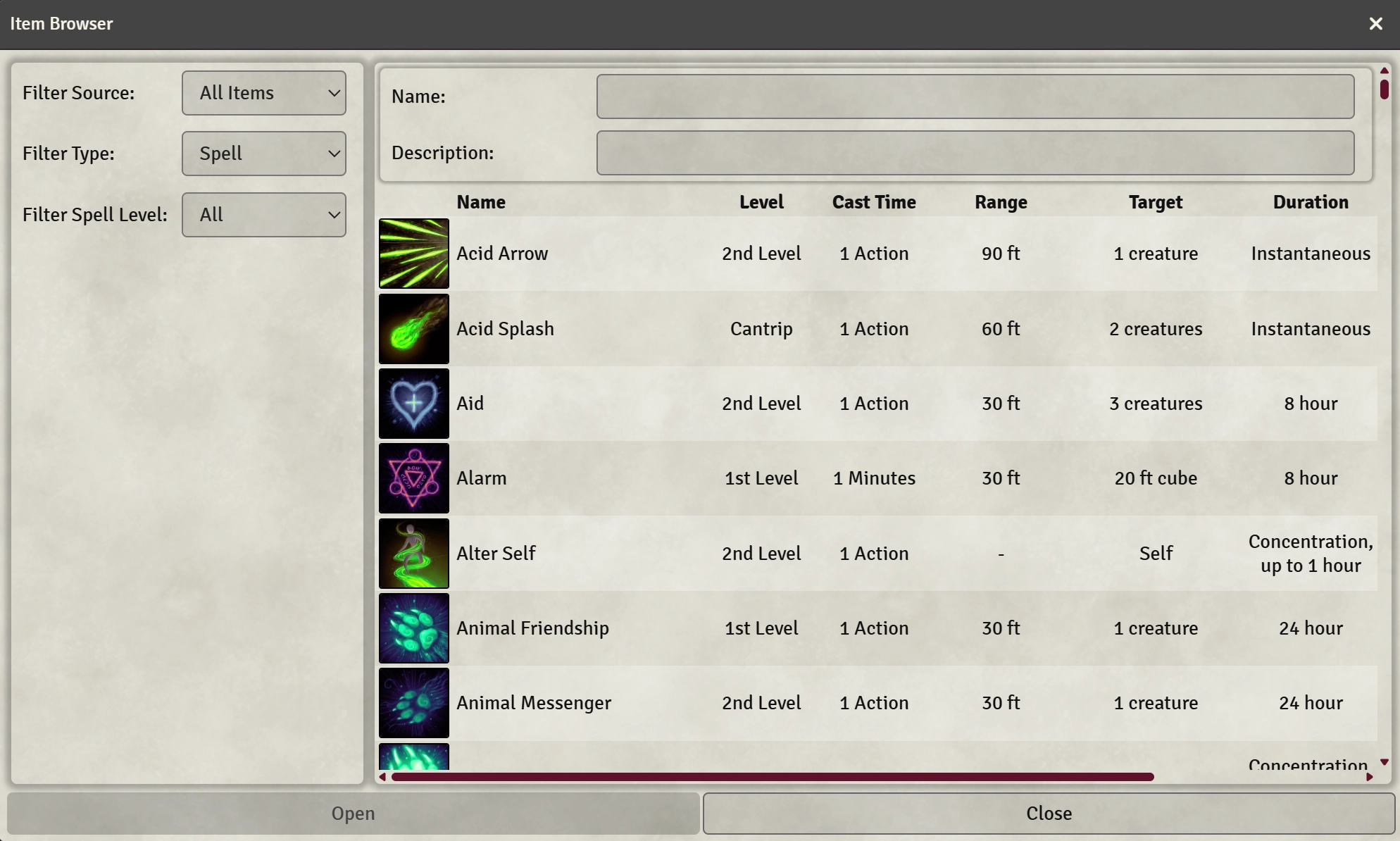
Selecting an item opens its item sheet and the browser supports drag and drop.
The browser is also exposed to the API allowing module makers to leverage it to allow the user to select items. Check out the GitHub page for more information.
Subscribe
Login
Please login to comment
0 Comments

