


| Latest version | 1.0.1 |
|---|---|
| Minimum Core | 11 |
| Compatible Core | 14 |
| File size | 239.05 KB |
| Last updated | 2 months ago |
| Created | 1 year ago |
| Authors | |
| Languages |
English Italiano |
| Systems | All systems |
| Project source | Project URL |
Grid Inch Zoom 🇬🇧
A Foundry VTT module for tabletop players who use a monitor as a digital battlemap.
It automatically keeps 1 grid square ≈ 1 physical inch on your screen, so you can place real miniatures directly on top of the display and have them match the virtual grid.
Features
- Automatically adjusts canvas zoom so that one grid square corresponds to about 1 inch on screen.
- Calibration factor to fine-tune monitor DPI differences.
- Option to choose how many inches each square should represent (default 1").
- Lightweight, applies on scene open and window resize.
Settings
- Auto apply on scene open: if enabled, the zoom is automatically aligned when the canvas is ready.
- Calibration factor: multiplier to fix differences between CSS inch and real inch on your monitor (e.g. 1.02 = +2%).
- Inches per square: set 0.5, 1.0, 2.0, etc. to match your desired physical size.
Grid Inch Zoom 🇮🇹
Un modulo per chi usa un monitor come mappa da tavolo per appoggiare miniature fisiche.
Mantiene 1 casella ≈ 1 pollice reale sullo schermo, così le miniature corrispondono perfettamente alla griglia virtuale.
Funzionalità
- Regola automaticamente lo zoom del canvas per avere circa 1 pollice per casella.
- Fattore di calibrazione per compensare differenze tra pollici CSS e reali del monitor.
- Possibilità di scegliere quanti pollici deve rappresentare ogni casella (default 1").
- Leggero, si applica all'apertura della scena e al resize finestra.
Impostazioni
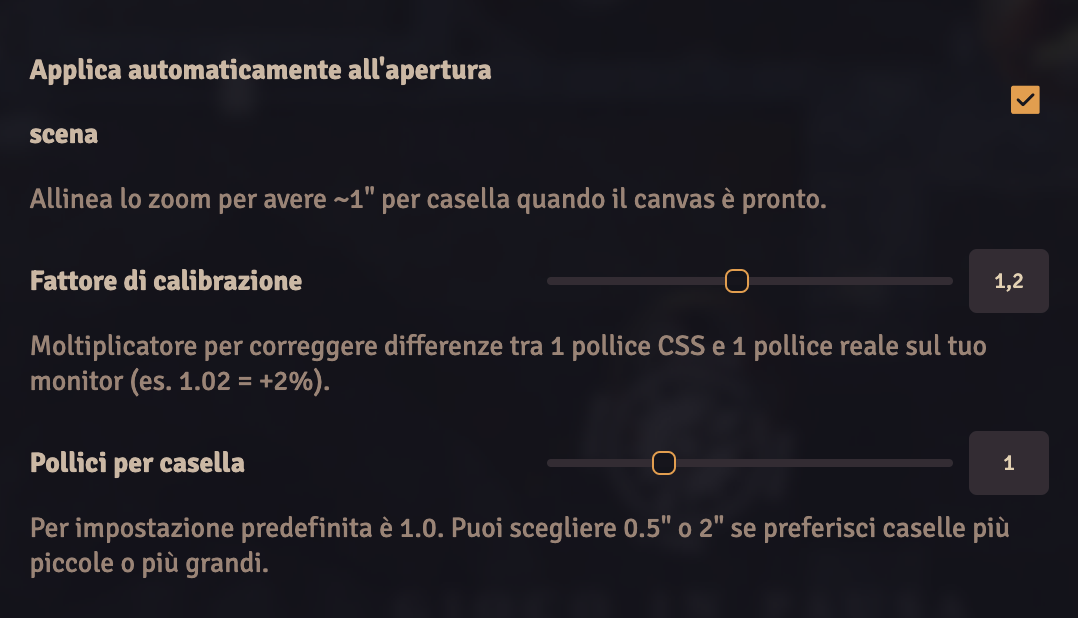
- Applica automaticamente all'apertura scena: se attivo, lo zoom viene allineato quando il canvas è pronto.
- Fattore di calibrazione: moltiplicatore per correggere differenze tra 1" CSS e 1" reale (es. 1.02 = +2%).
- Pollici per casella: scegli 0.5, 1.0, 2.0 ecc. per adattare la scala desiderata.
The settings panel (italian version)
Subscribe
Login
Please login to comment
0 Comments

