


| Latest version | 0.2.3 |
|---|---|
| Minimum Core | 9.238 |
| Compatible Core | 9 |
| Last updated | 4 years ago |
| Created | 4 years ago |
| Authors | |
| Languages |
Deutsch English |
| Systems | All systems |
| Project source | Project URL |
| Report bugs | Bug tracker URL |
| Read-me | Readme URL |
| Changelog | Changelog URL |
| License | License URL |
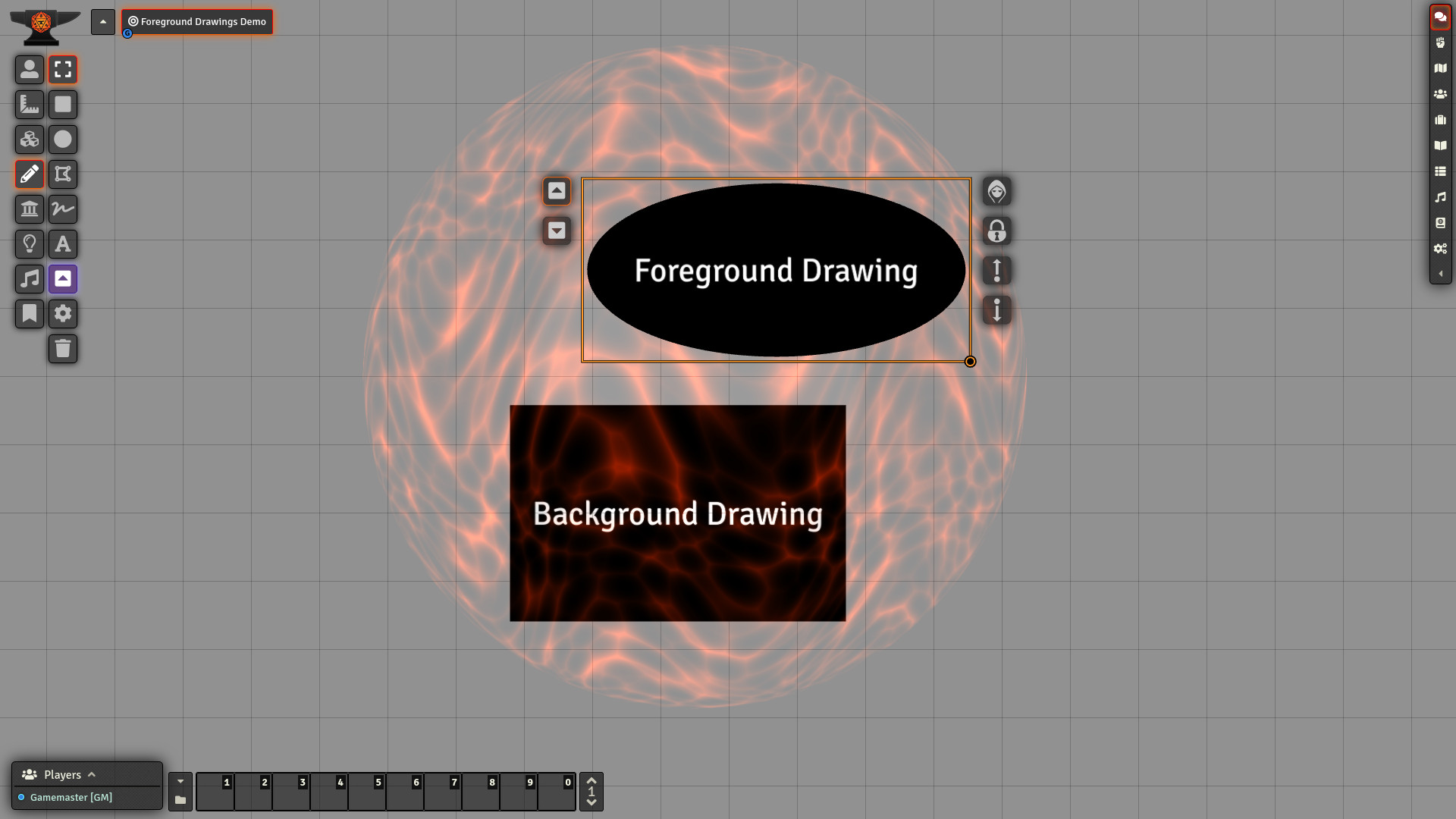
This module allows users to create drawings in the foreground while keeping the ability to also draw in the background. Unlike background drawings, foreground drawings are not affected by lighting, sight, or weather effects.
Usage
In order to create foreground drawings, toggle the foreground drawings layer by clicking the corresponding button in the drawing tools. You can go back to the background drawings layer by clicking the button again. It basically works the same as working with overhead tiles.

You can also move drawings from one layer to the other by using the buttons that have been added to the left side of the drawing HUD, again, mimicking the functionality of overhead tiles.

Subscribe
Login
Please login to comment
0 Comments

