| Latest version | 1.1.0 |
|---|---|
| Minimum Core | 13 |
| Compatible Core | 14.359 |
| Last updated | 1 year ago |
| Created | 1 year ago |
| Authors | |
| Languages |
English |
| Systems | All systems |
| Project source | Project URL |
| Report bugs | Bug tracker URL |
This module allows you to add hierarchical tags to documents and retrieve documents using those tags. Valid documents include basically anything that exists in a tab e.g. actors, items, journals, macros, etc. If you open a sheet and it has the tag editor available, it's supported. Anything documents in a scene, including tokens and their actors, are not supported.
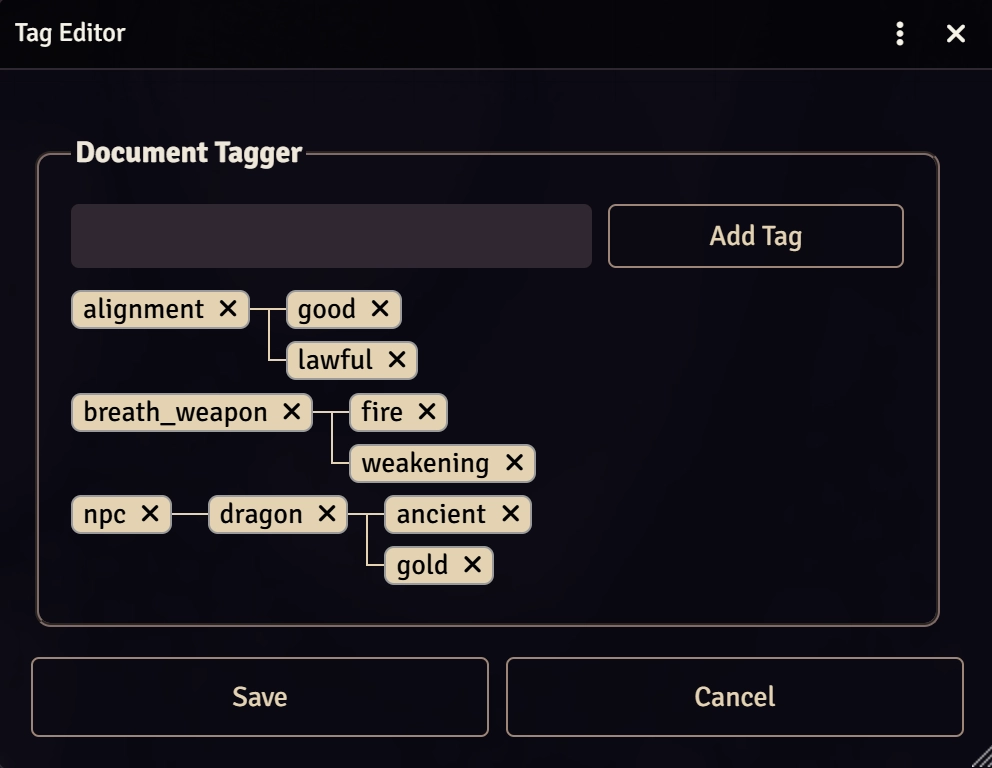
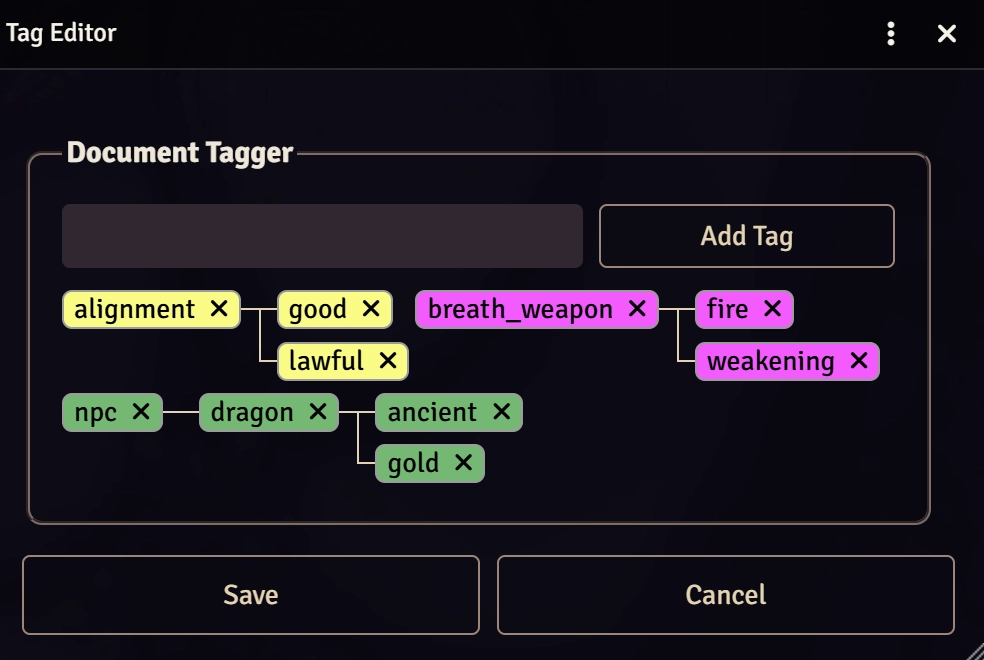
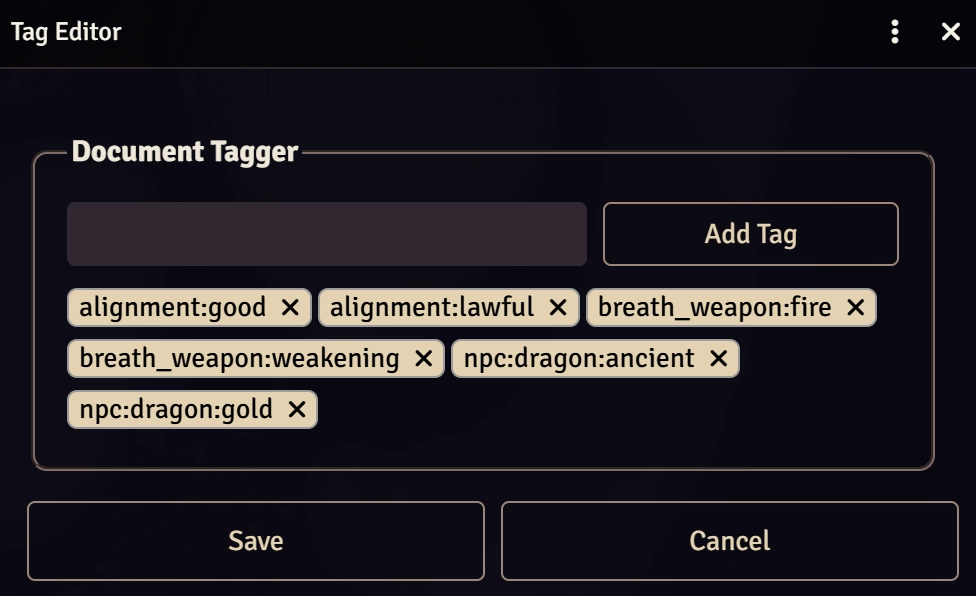
To edit tags on a document, open the sheet for said document and click the Tag Editor button from the header. From there, you can enter any tags you want. To create hierarchical tags, separate the values using a colon (:) e.g. npc:dragon:gold. If you have existing tags on any other documents, the input will offer suggestions as you type and can be selected to auto-complete the tag. To remove tags, click the X on the tag. If you remove a tag with children, all its children will be removed at the same time.
When you're finished adding tags, click Save to commit the changes.
The tag editor has multiple settings to control the way the data is drawn, as seen below.
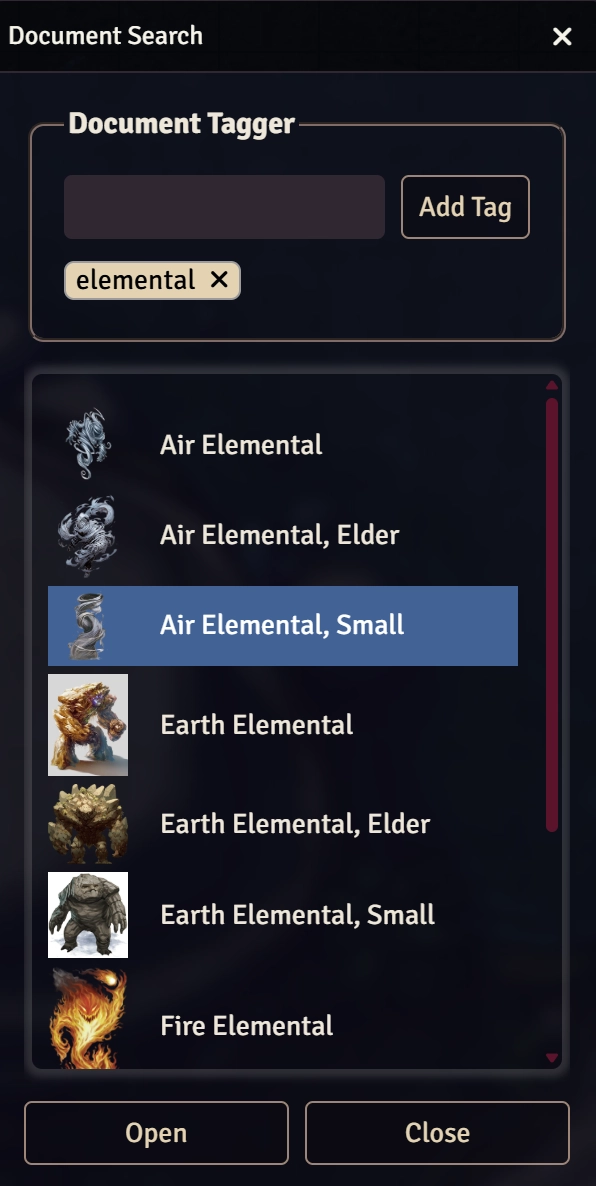
To find documents, execute the Document Search macro. This will open a dialog that will allow you to search for documents by tags. Selecting a result opens its sheet and the results support drag and drop.