


| Latest version | 2.1.0 |
|---|---|
| Minimum Core | |
| Compatible Core | |
| Last updated | 1 month ago |
| Created | 1 year ago |
| Authors | |
| Languages |
|
| Systems |
Daggerheart |
| Project source | Project URL |




Looking for the player's module? Go here >> https://foundryvtt.com/packages/daggerheart-hud
Daggerheart GM HUD
A streamlined HUD for Game Masters running Daggerheart sessions, providing quick access to adversary information and actions without cluttering the interface.
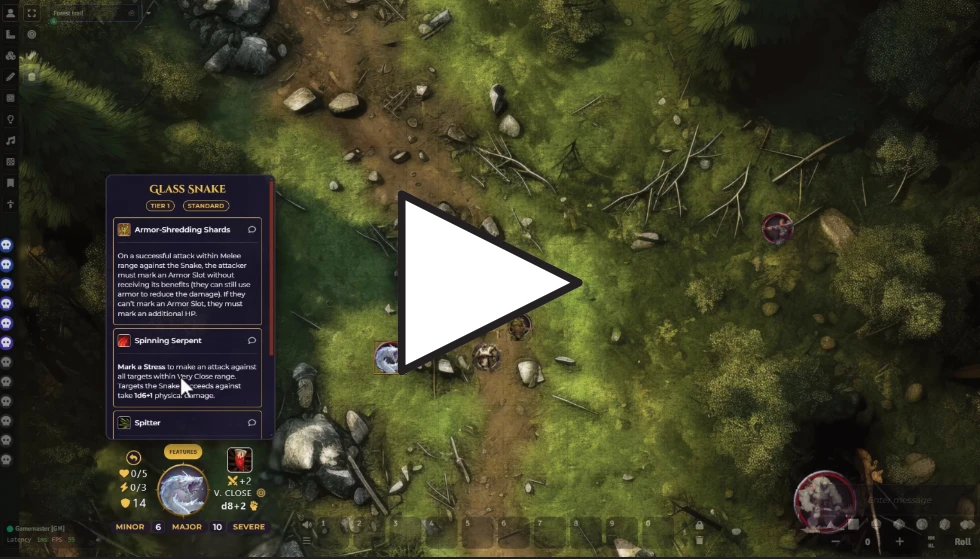
HUD Mouse Controls:
On the Core (Portrait Area):
- Click n' drag: moves HUD around the screen
- Double click: opens the adversary's character sheet
On the Resources (Left Side):
- Reaction Roll Button: Click to roll a reaction for the adversary
- HP & Stress: Left-click = +1, Right-click = -1
- Difficulty: Displays the adversary's difficulty rating
On the Attack (Right Side):
- Attack Icon: Click to roll the adversary's primary attack
- Shows attack bonus, range, damage, and damage type
Features Panel:
- Features Button: Toggle to open/close the features panel
- Feature Icons: Click to execute feature actions (if available)
- Chat Button: Send feature description to chat
- Panel: Automatically positions above or below the HUD based on available screen space
Features
- Compact Layout: Essential adversary information in a minimal interface
- Smart Positioning: HUD remembers its position and features panel adapts to screen boundaries
- Quick Actions: One-click access to attacks, reactions, and resource adjustments
- Feature Management: Browse and execute adversary features with detailed descriptions
- Draggable Interface: Position the HUD anywhere on screen for optimal workflow
- Theme Support: Multiple color themes to match your campaign aesthetic
- Ring Customization: Custom portrait frames and scaling options
GM Workflow
- Select an adversary token - The HUD automatically appears for GM users
- Quick resource tracking - Adjust HP/Stress with simple clicks
- Roll attacks and reactions - Single-click combat actions
- Access features - Toggle the features panel for special abilities
- Move freely - Drag the HUD to your preferred screen position
Settings
Theme Options:
Choose from multiple color schemes:
- Default (Golden)
- Shadowveil (Purple)
- Ironclad (Blue)
- Wildfire (Orange)
- Frostbite (Cyan)
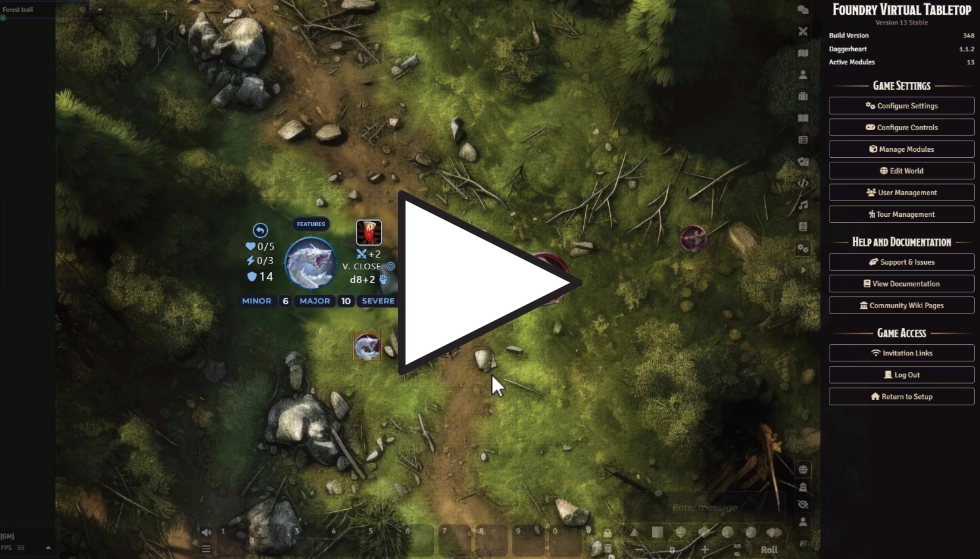
Ring Frame Customization:
- Custom Ring Frame: Upload your own portrait frame image
- Ring Frame Scale: Adjust the size of the frame overlay (-25% to +25%)
- Disable Ring Frames: don't load any ring, useful if you already use rings on the tokens (i.e., Tokenizer module)
Installation
Go to Add-on Modules and search for "daggerheart gm hud ". And while you're there, look for the player's version too: "daggerheart hud".
OR
Use the link below for a manual installation:
Manifest URL:
https://raw.githubusercontent.com/mordachai/daggerheart-gm-hud/main/module.json


REMEMBER TO ACTIVATE THE MODULE IN THE SETTINGS OF YOUR WORLD.
Requirements
- Foundry VTT v13+
- Daggerheart system
- GM user permissions (This module only functions for Game Masters)
Usage Notes
- The HUD only appears when you select adversary-type actors as a GM
- Multiple adversary selection will show the HUD for the last selected token
- The HUD automatically closes when no adversary tokens are selected
- Features panel intelligently positions itself to avoid covering the main HUD
- All position and theme preferences are saved per-user
License
MIT License
Subscribe
Login
Please login to comment
0 Comments

