


| Latest version | 2.3.0 |
|---|---|
| Minimum Core | 13.350 |
| Compatible Core | 14.364 |
| Last updated | 1 month ago |
| Created | 2 months ago |
| Authors | |
| Languages |
English Italiano |
| Systems |
Pf2e |
| Project source | Project URL |
| License | License URL |
Combat Stats (PF2e)
Every roll matters. Every hit is remembered. Combat Stats turns your table's combat log into a living scoreboard — automatically, silently, and without touching a single macro.
📊 Overview
Combat Stats tracks damage, healing, kills, and clutch moments for every PC, fight after fight, across your entire campaign. When combat ends, a polished summary card drops straight into chat — and a dedicated analytics window lets you dig deeper: compare characters, spot your top damage dealer, break down each ability's performance, and export everything to Excel.
- Zero setup — install, enable, and it just works.
- Fully customizable — colors, columns, messages, and chat behavior all bend to your table's style.
✨ Core Features
📊 Deep Stat Tracking
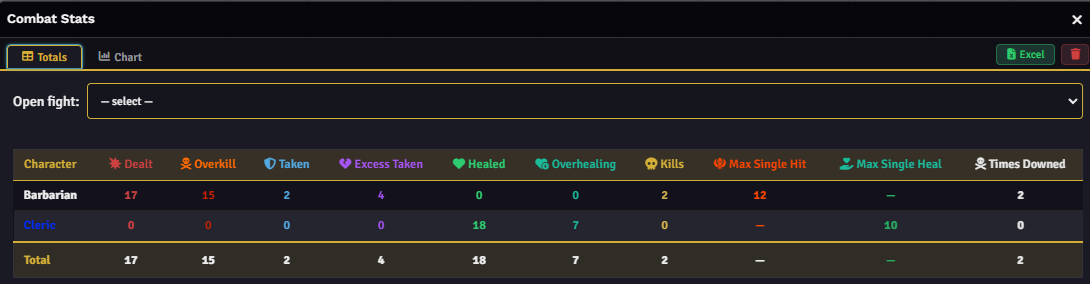
A complete breakdown per character, every fight:
- Damage dealt & Damage taken
- Healing done
- Kills, Max single hit, Max single heal, Times downed
💬 End-of-Combat Chat Card
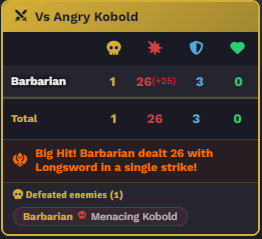
A styled recap posted automatically when combat ends.
- Configurable — choose what's displayed, independent of what's tracked.
- Themed — matches your players' Foundry colors and your custom palette.
- Big Hit Achievement — a spotlight moment for the fight's hardest strike, with a fully custom message (
{{name}},{{value}},{{source}},{{round}}) and live preview as you type. - Custom sender — post the recap under a chosen NPC's name and portrait instead of a generic system alias.
🥊 Abilities Tab — Damage Meter
A WoW Logs–style breakdown of exactly where your damage is coming from. Pick one or more characters and see every weapon and spell laid out: total damage, number of hits, average, and best hit — ranked and color-coded so your top performer is obvious at a glance.
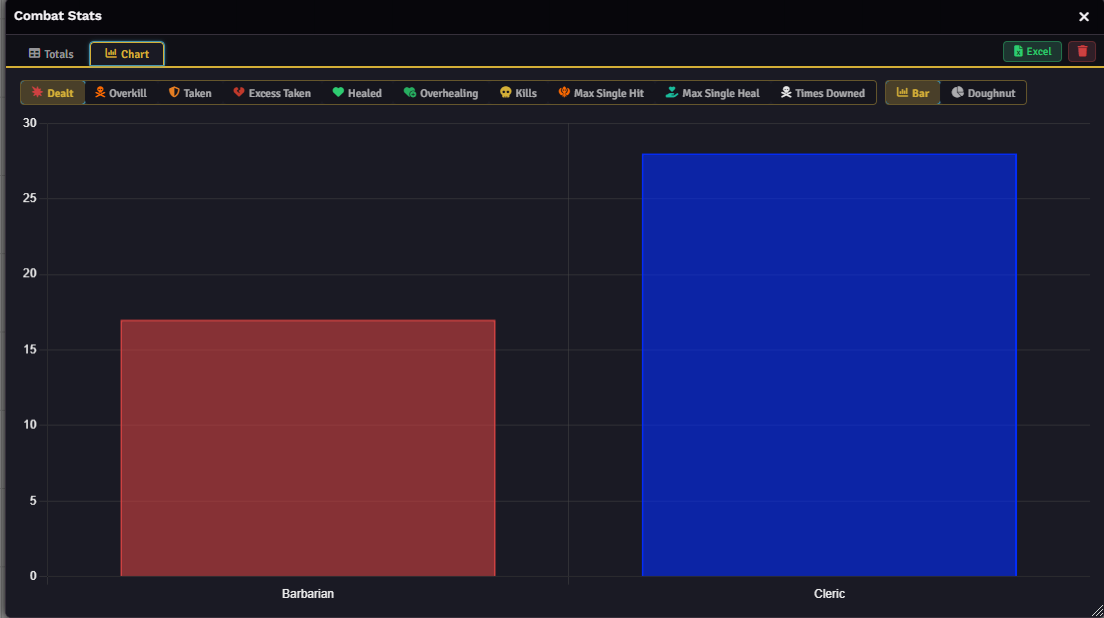
📈 Charts Window
Your campaign's stats, visualized.
- Bar, Doughnut, and Trend views — switch with one click.
- Trend charts track a metric fight-by-fight, so you can watch your party's damage output climb (or your barbarian's downs pile up) over time.
- Player colors, automatically pulled from Foundry.
- Excel export for your entire campaign history, whenever you want it.
💾 Data & Import/Export
- Excel — full campaign history as a spreadsheet.
- JSON — portable backup or shareable fight history.
- Smart merge — import without duplicates, matched by UUID.
🚀 Quick Start
- Enable the module and reload Foundry (F5).
- Go to Game Settings → Module Settings → Combat Stats.
- Run a combat — stats are tracked automatically.
- Name the fight for easy lookup later.
- End combat — the summary card appears in chat.
- Open the Combat Stats button in the scene controls for the full Charts window.
🎯 Big Hit Achievement
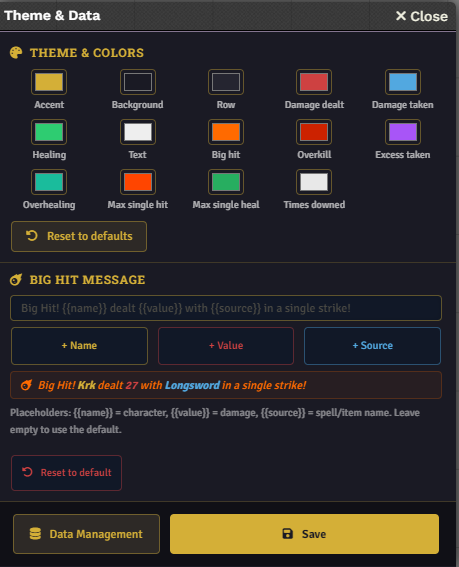
Set your own damage threshold to trigger the callout, then craft the message with {{name}}, {{value}}, {{source}}, and {{round}} placeholders — watch the preview update live as you type.
🎨 Theme Customization
11 individually customizable colors — accents, backgrounds, chart tones — all applying live as you drag the color picker. One click resets everything to default.
📦 Manual Install
- Download the latest release from GitHub.
- Extract into
Data/modules/. - Enable it in Manage Modules.
🔧 Compatibility
| Component | Version |
|---|---|
| Foundry VTT | v13+ (tested on 14.364) |
| PF2e | v7.12.2+ |
🤝 Contributing
Found a bug or have an idea worth building? Open an issue on GitHub, I read every one.
Come hang out on Discord too.

