


| Latest version | 1.3.5 |
|---|---|
| Minimum Core | 0.7.0 |
| Compatible Core | 0.7.9 |
| File size | 0 B |
| Last updated | 5 years ago |
| Created | 5 years ago |
| Authors | |
| Languages |
|
| Systems | All systems |
| Project source | Project URL |
Create Blades in the Dark-esque progress clocks. Supports both ad hoc Tile Clocks for use in a single scene and long-lasting Actor Clocks.
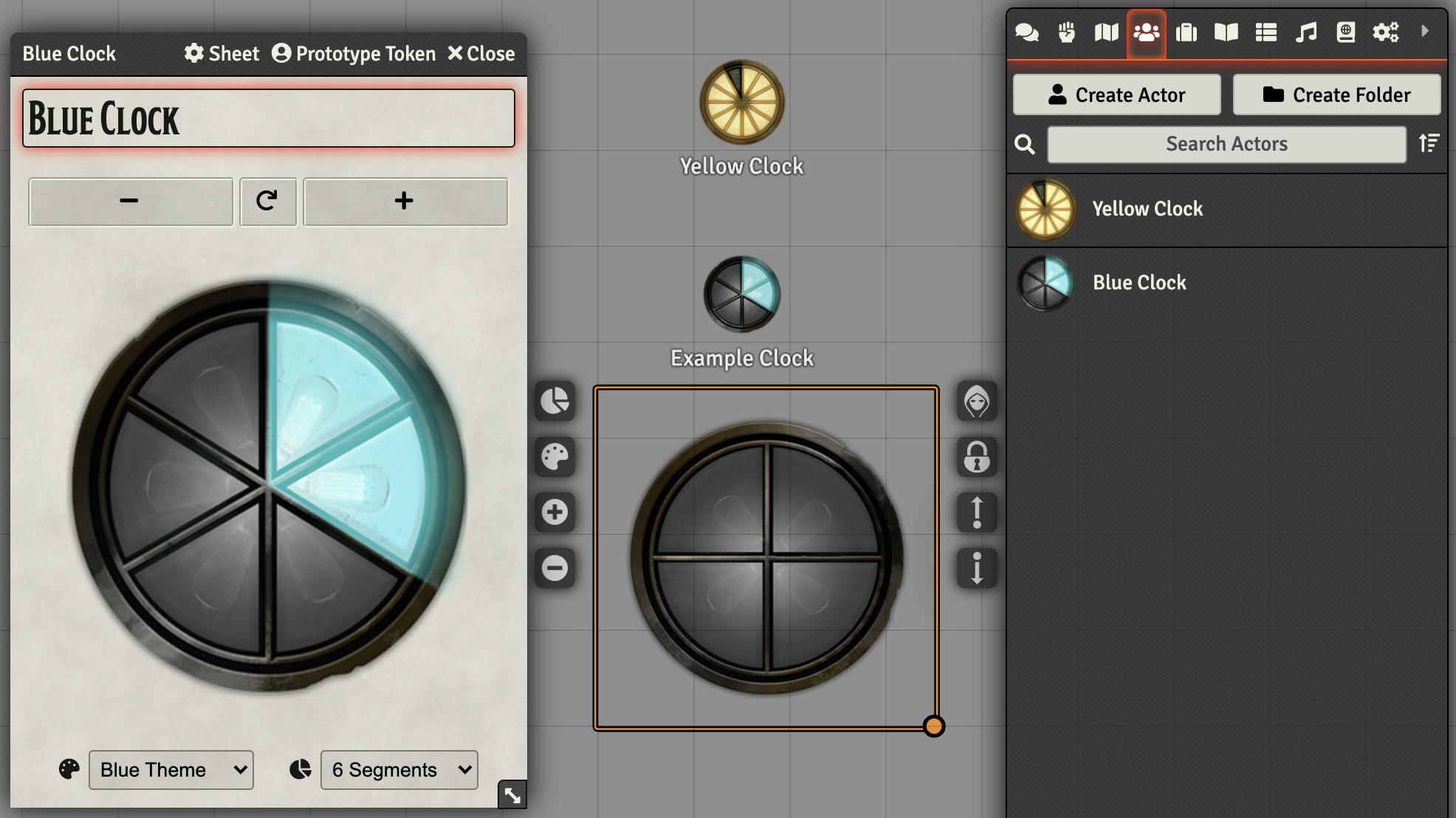
Clock Actors
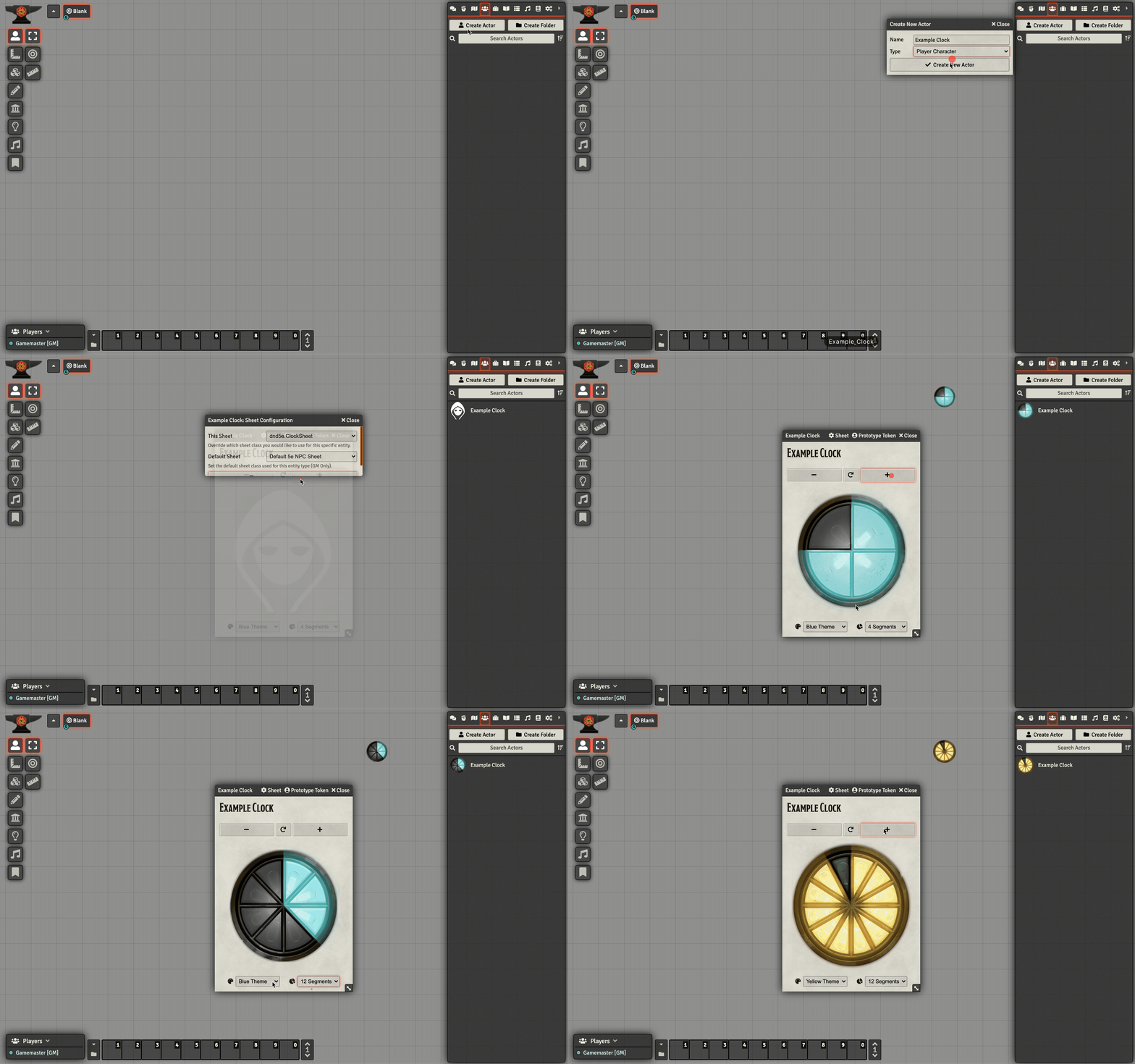
Clock Actors live in your Actors tab (and can be dragged onto a scene as a token). To get started, create a new NPC actor and select the "dnd5e.ClockSheet" sheet. You'll probably still see the mystery man character artwork; change a clock setting (such as theme or size) or hit the Reset button (between the plus/minus buttons) to generate the correct clock artwork.
Clock Tiles
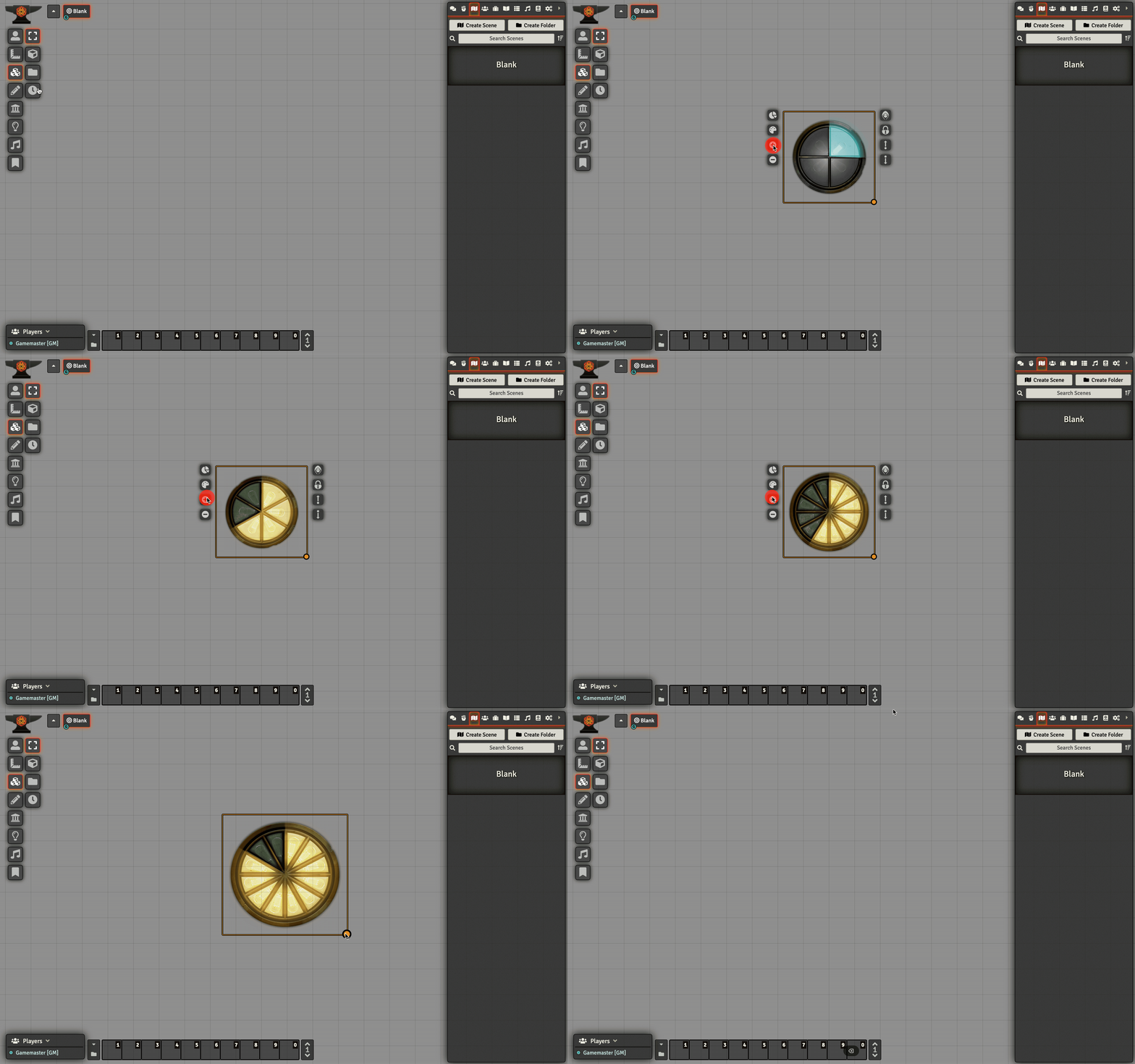
Clock Tiles are useful for quick, disposable clocks you'd like to drop onto the scene but don't plan to keep around for long. Click the new Clock button in the Tiles toolbar and a new clock will be dropped into the middle of your scene (you may need to scroll to see it). When you select and right-click the clock you'll see a new set of controls on the left that let you switch the clock's theme, cycle through clock sizes, and increment/decrement progress on the clock.
Attributions
Clock artwork by Tim Denee (@dog_blink).

