


| Latest version | 2.1.0 |
|---|---|
| Minimum Core | 12 |
| Compatible Core | 14.365 |
| Last updated | 4 hours ago |
| Created | 4 hours ago |
| Authors | |
| Languages |
|
| Systems | All systems |
| Project source | Project URL |
| Read-me | Readme URL |
| License | License URL |
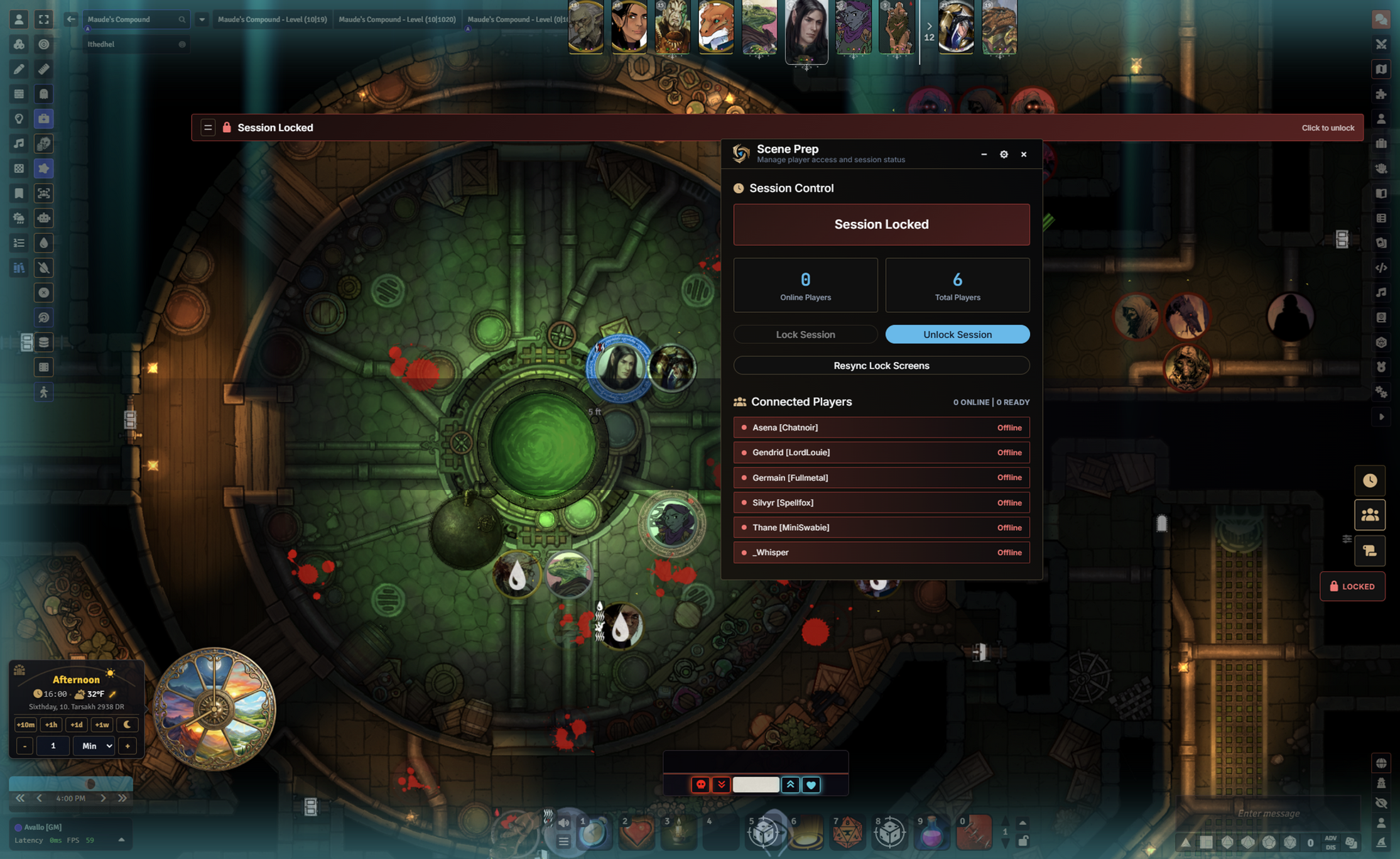
Allows GMs to lock the game and show a lockout screen to players while preparing sessions.

Features
Session Lock
- Lock or unlock the session.
- Non-GM players are held behind a full-screen lock screen and can't interact.
- Players who connect while locked get the lock screen.
- If a player doesn't see the lock screen, re-send it.
- Auto-lock on world start is optional.
GM Tools
- A floating button, red when locked and green when unlocked, draggable or anchored to a canvas corner.
- A control panel with lock/unlock/resync actions and a live player list.
- A red lock banner — click to unlock.
Player Lock Screen
- A customizable lockout message with a padlock icon.
- Player cards showing who's connected and waiting.
- An optional journal panel, and rotating tips and trivia.
- It clears automatically on unlock.
Lock-Screen Journal
- Pick a world journal page by search or drag-and-drop.
- The GM publishes a rendered snapshot with secrets stripped, so players can see it without journal permission.
- Compendium journals are not supported — world journal only.
Tips & Trivia
- One tip per line, edited in GM Settings.
- Shown to players in shuffled order, rotating every 10 seconds.
Install
- In Foundry, Add-on Modules → Install Module → paste https://github.com/AvalloSolomov/Table-Flow-Scene-Prep/releases/latest/download/module.json.
- Foundry VTT 12 and up, verified to 14.365.
- Free, works with any system.
Settings
- Open Settings from the header gear.
- Lock Screen tab: lockout message, journal, tips and title.
- General tab: show lock banner, banner top position, auto-lock on startup, button anchor position (free or a canvas corner).
Subscribe
Login
Please login to comment
0 Comments

