


| Latest version | 1.1.0 |
|---|---|
| Minimum Core | 13 |
| Compatible Core | 14 |
| Last updated | 7 hours ago |
| Created | 7 hours ago |
| Authors | |
| Languages |
English |
| Systems |
Dnd5e |
| Project source | Project URL |
| Report bugs | Bug tracker URL |
| Changelog | Changelog URL |
Skill Challenge
Skill Challenge runs a GM-called skill challenge in D&D 5e: the party needs a set number of successes before it collects a set number of failures. The GM keeps the DC. Players pick a skill from buttons with no numbers on them, roll in dnd5e's own roll dialog, and the whole table sees the skill, the total, and Success or Failure.
The GM sets a title, successes required, failures allowed, a default DC, the allowed skills and tools, an optional DC for any of them, and how often a check can be reused. The GM then calls one character at a time. A window opens at the full size of the viewport for everyone, showing the tracker, the current prompt, and the latest result. It uses Foundry's own window frame, form controls, and buttons.
The DC is held in the GM's browser, not in the world database, and it is not sent to player clients. Foundry 14 sends every world document to every client, so a GM-only journal entry can be read from a player's console. This module does not store the DC in one.
Features
- GM setup form: title, successes required, failures allowed, default DC, allowed skills and tools, optional DC for each, reuse limit
- Presets: save a setup and load it later (kept in the GM's browser, since it holds DCs)
- The GM calls one character at a time, with an optional advantage or disadvantage pre-fill
- The called player's owner sees one button per allowed skill, with no DC shown
- Rolls go through dnd5e's stock skill or tool check dialog with no target set
- Reuse limits: unlimited, once per character, or once per challenge; a spent check shows as used
- Everyone sees the skill, the total, and Success or Failure, plus a shared tracker and a history of earlier rolls
- A critical counts as two successes and a fumble as two failures, whatever the DC. A critical is a natural 20 unless a module or effect moves the roll's threshold. A world setting chooses counting twice, counting once, or off
- The GM can undo the last roll and edit DCs mid-challenge; past results stay
- One chat line per roll and one at the end, neither containing the DC
- The challenge ends when the successes or the failures fill. End cancels it at any time
- If nobody connected owns the called character, the GM gets the buttons and rolls for them
- A reloaded client reopens the window on the current step, and a reloaded GM keeps the DCs
- Standalone: no other module is required
Screenshots
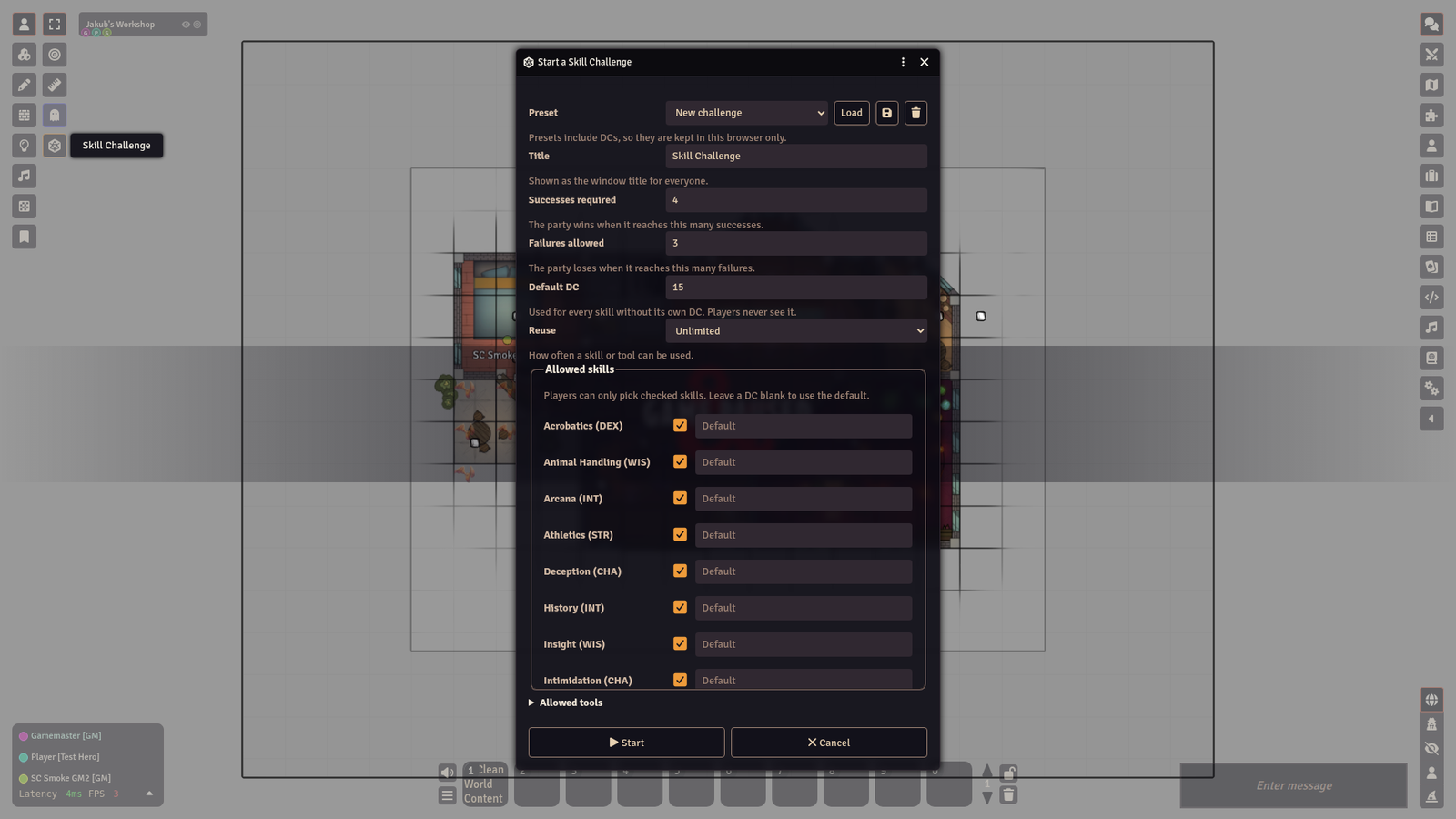
GM setup. A preset menu, a reuse setting, every dnd5e skill with an include checkbox and an optional DC, and a collapsed list of tools. Leave a DC blank to use the default.
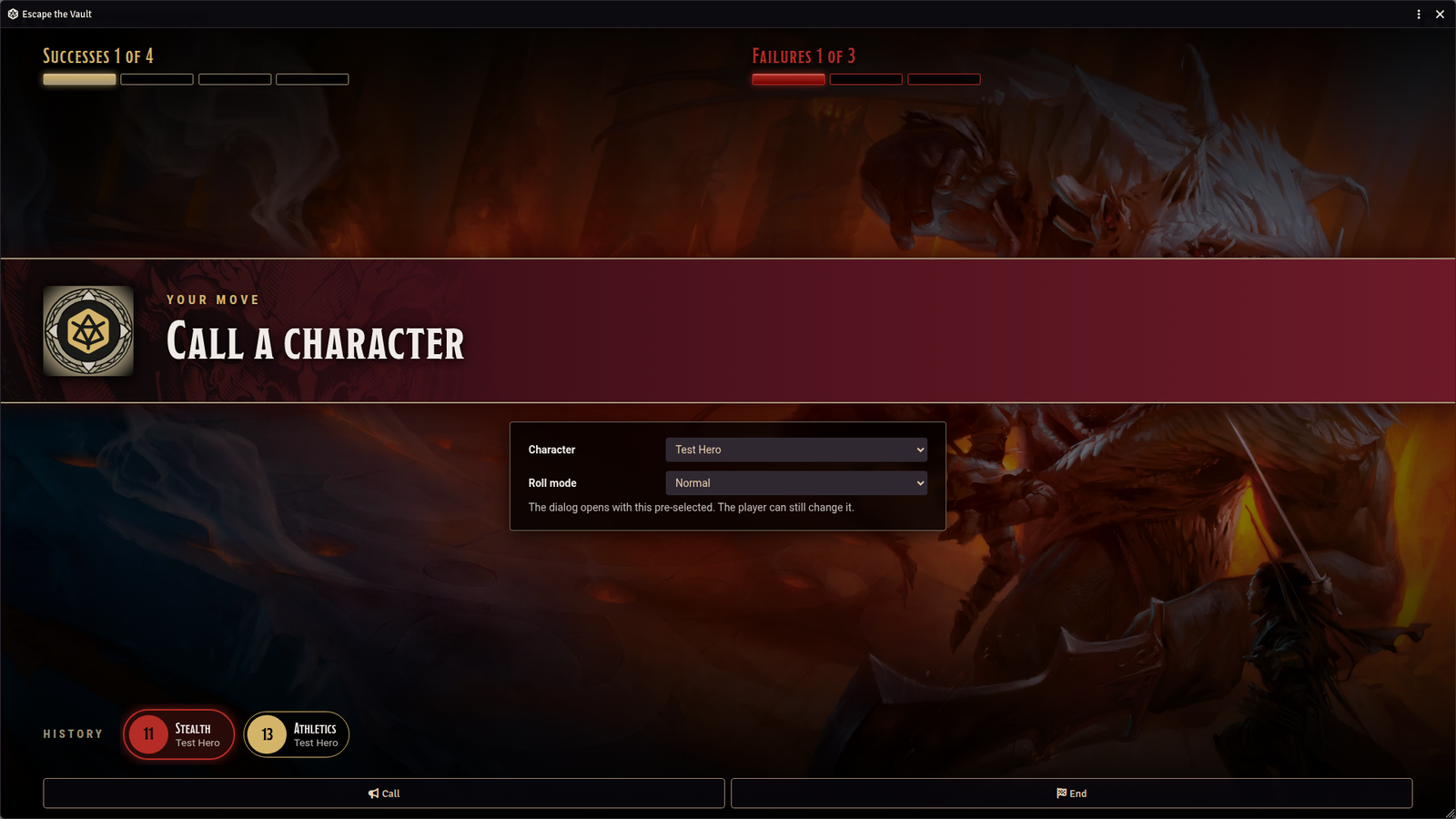
The waiting step, as the GM sees it. Pick a character, optionally pre-fill advantage or disadvantage, and press Call.
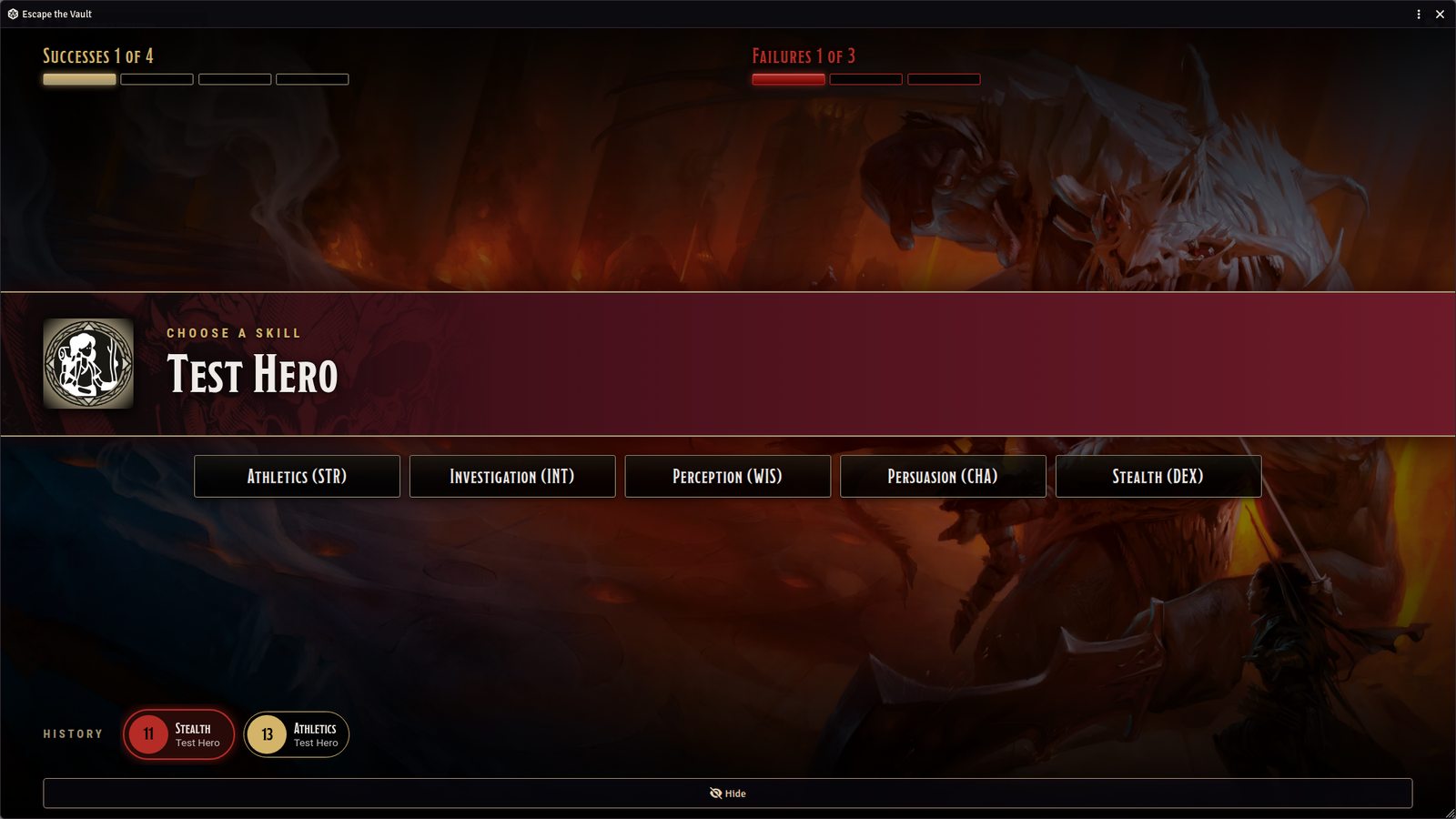
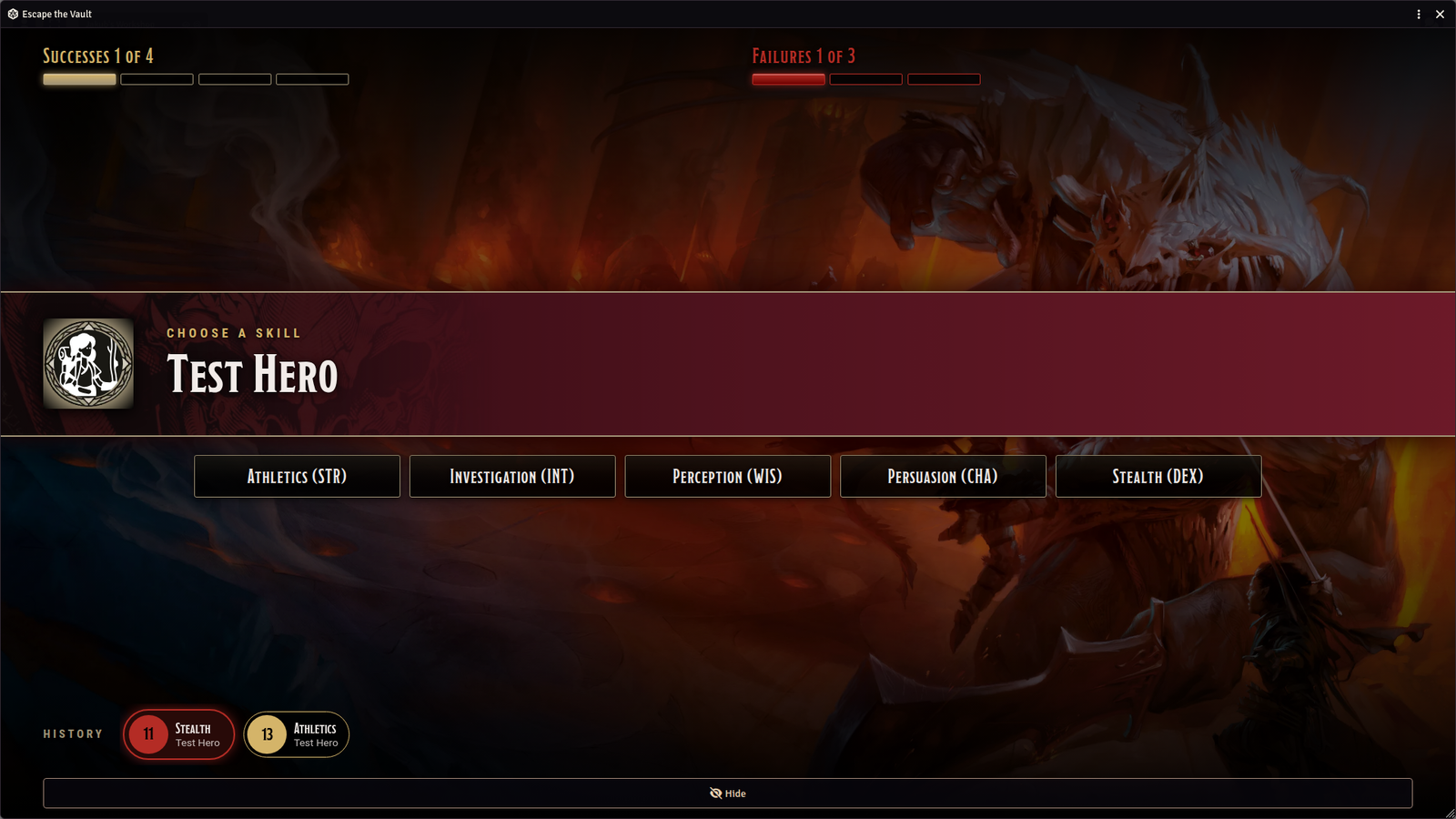
The called player's view. A banner names the character and cues the choice. One button per allowed skill, each showing the skill and its ability, and no DC.
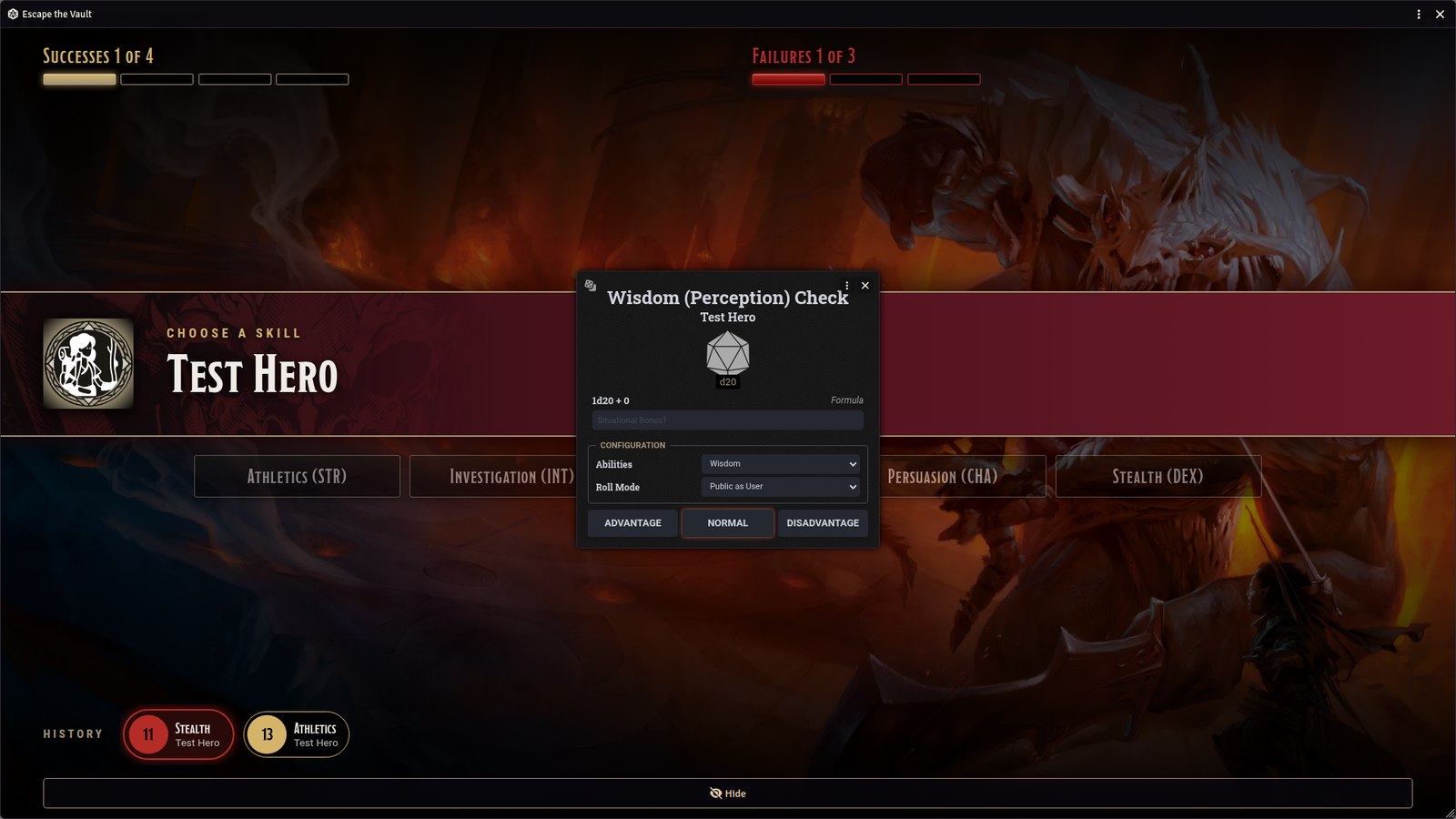
Clicking a skill opens the stock dnd5e check dialog. No target or DC appears in it.
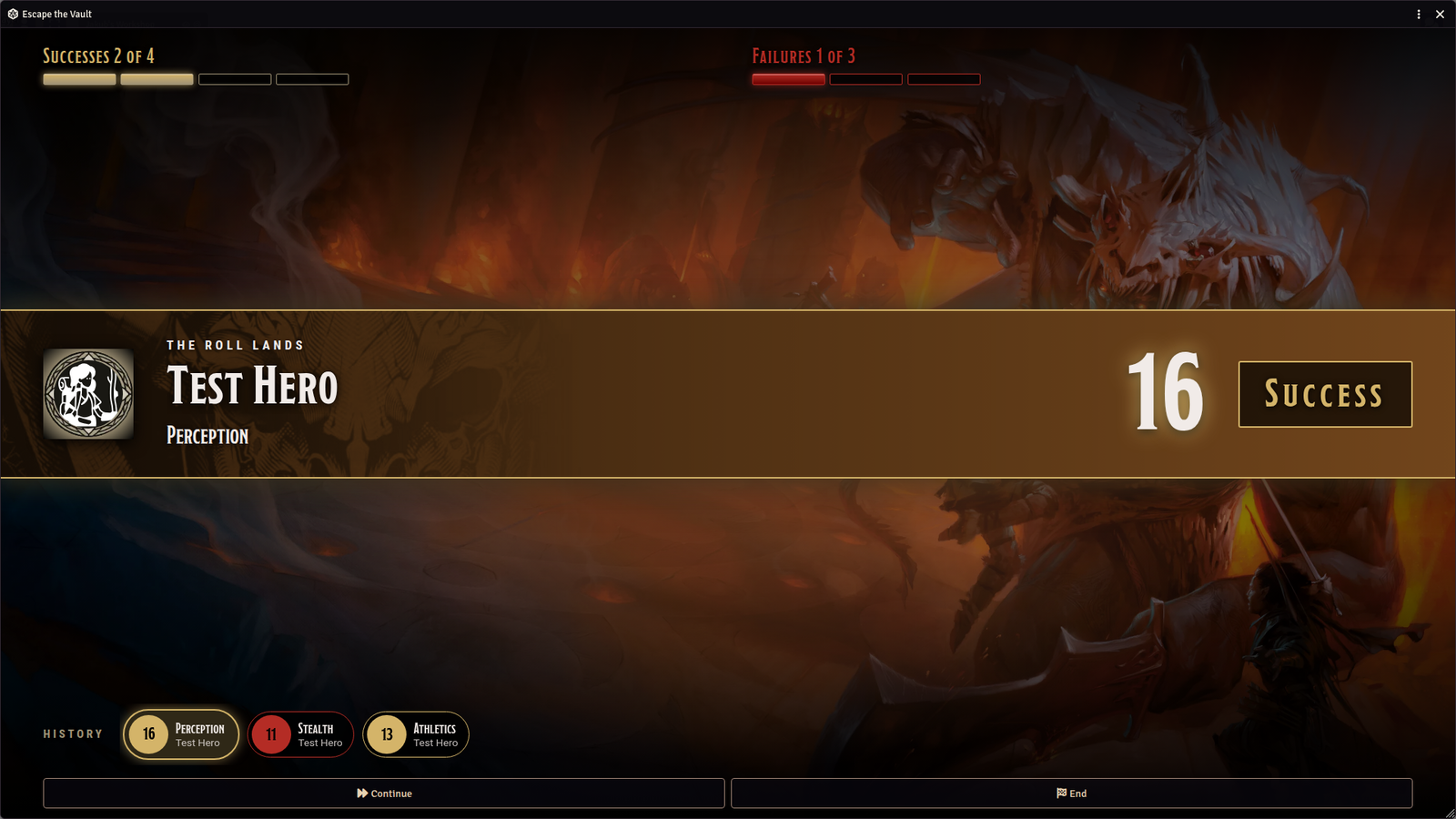
A success. The banner turns gold and everyone sees the character, the skill, the total, and Success. The GM presses Continue to call the next character.
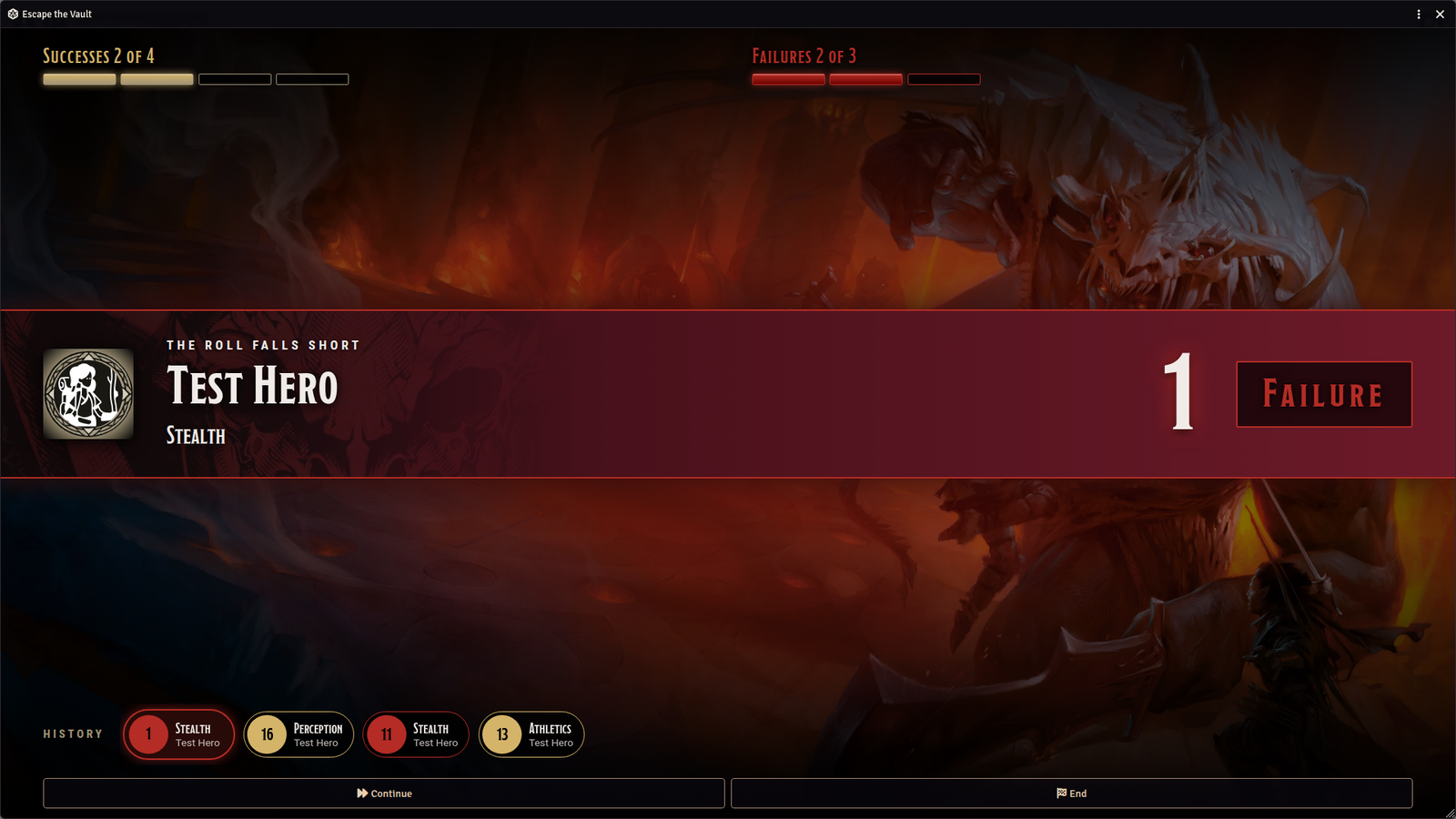
A failure. The banner turns crimson, the failure track fills a segment, and the history ribbon lists the earlier rolls, newest first.
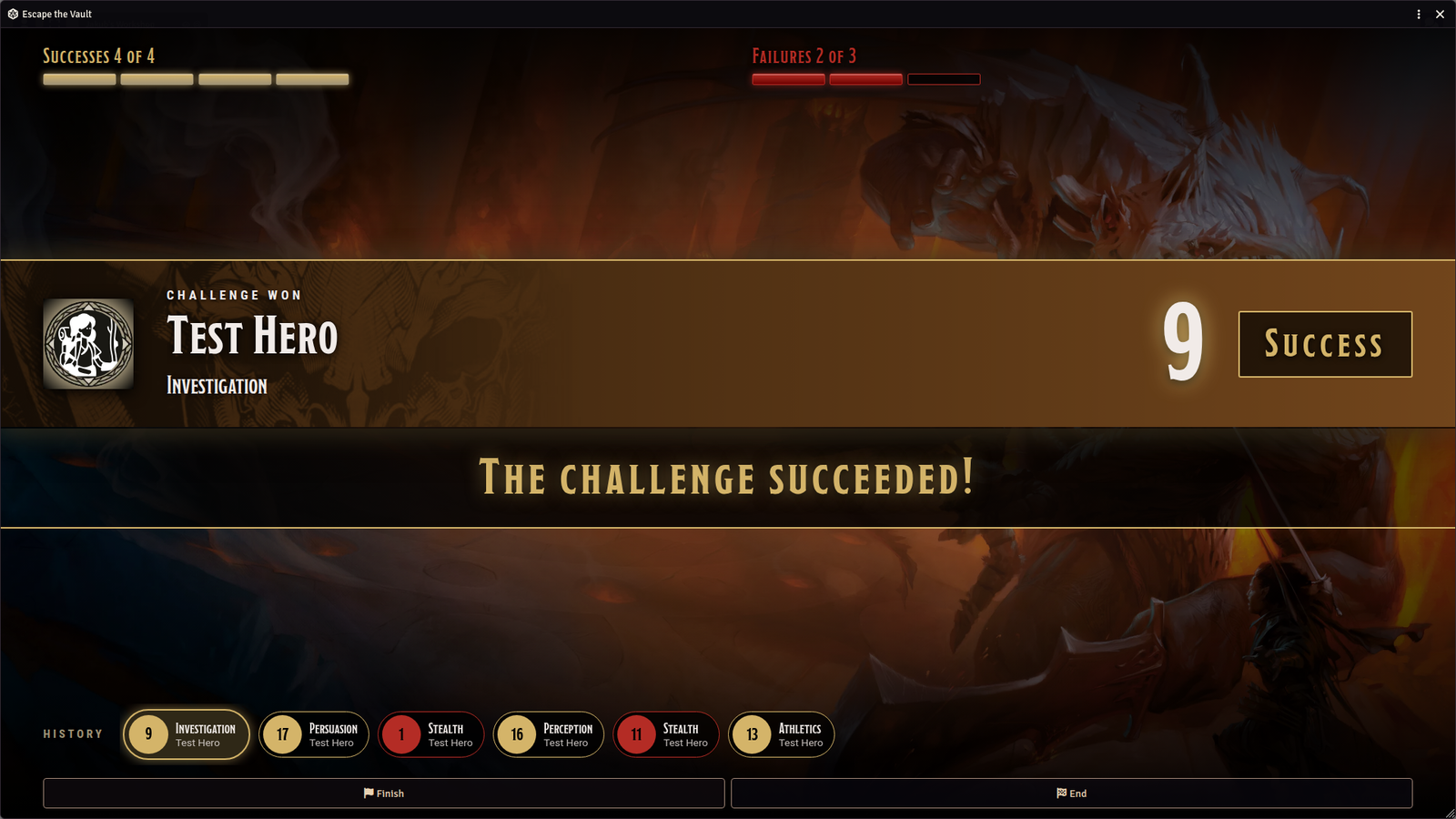
The final step as the GM sees it. When a tracker fills, the window says how the challenge ended and offers Finish.
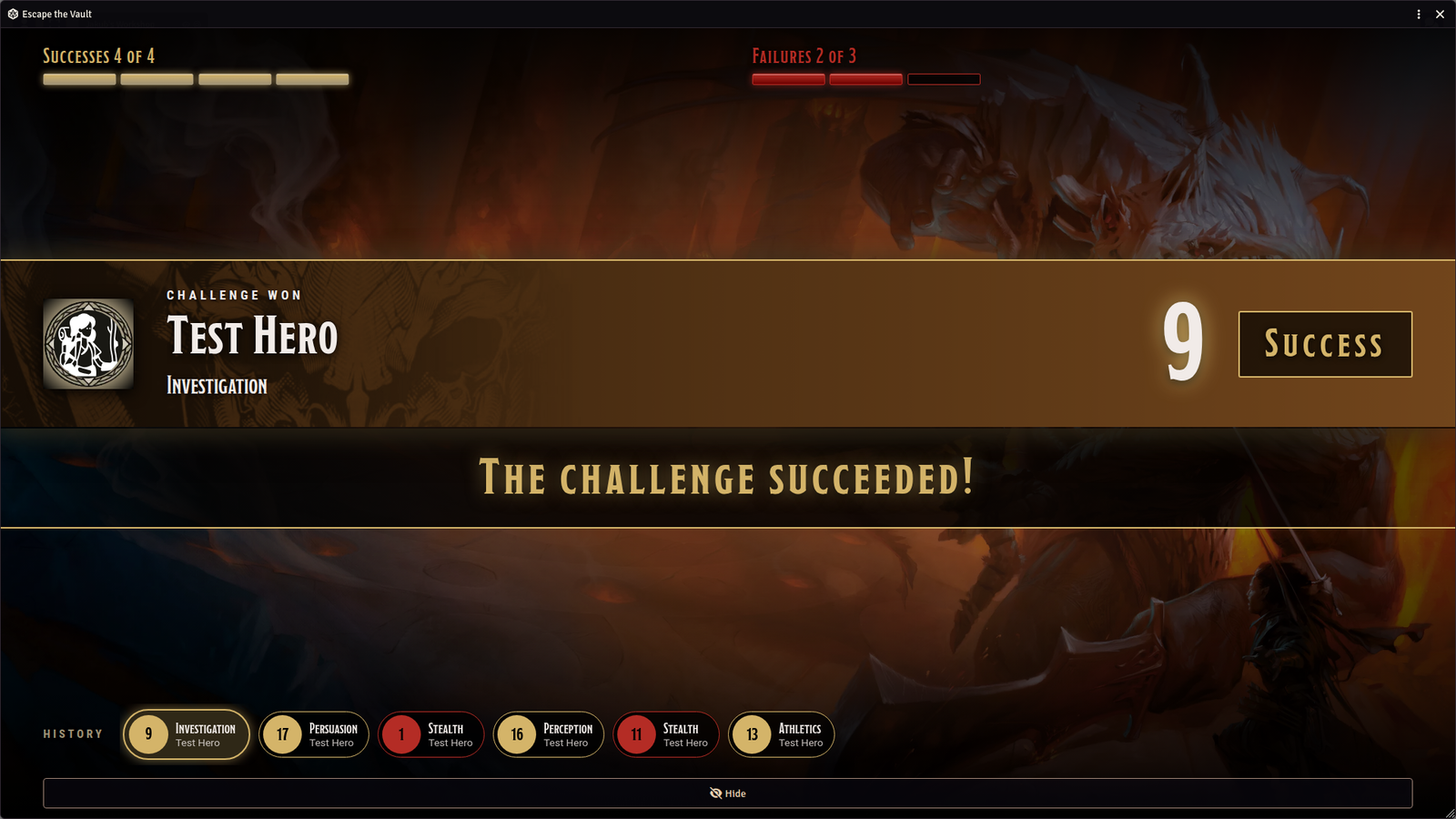
The same ending on a player's client. It shows totals and results, and no DC.
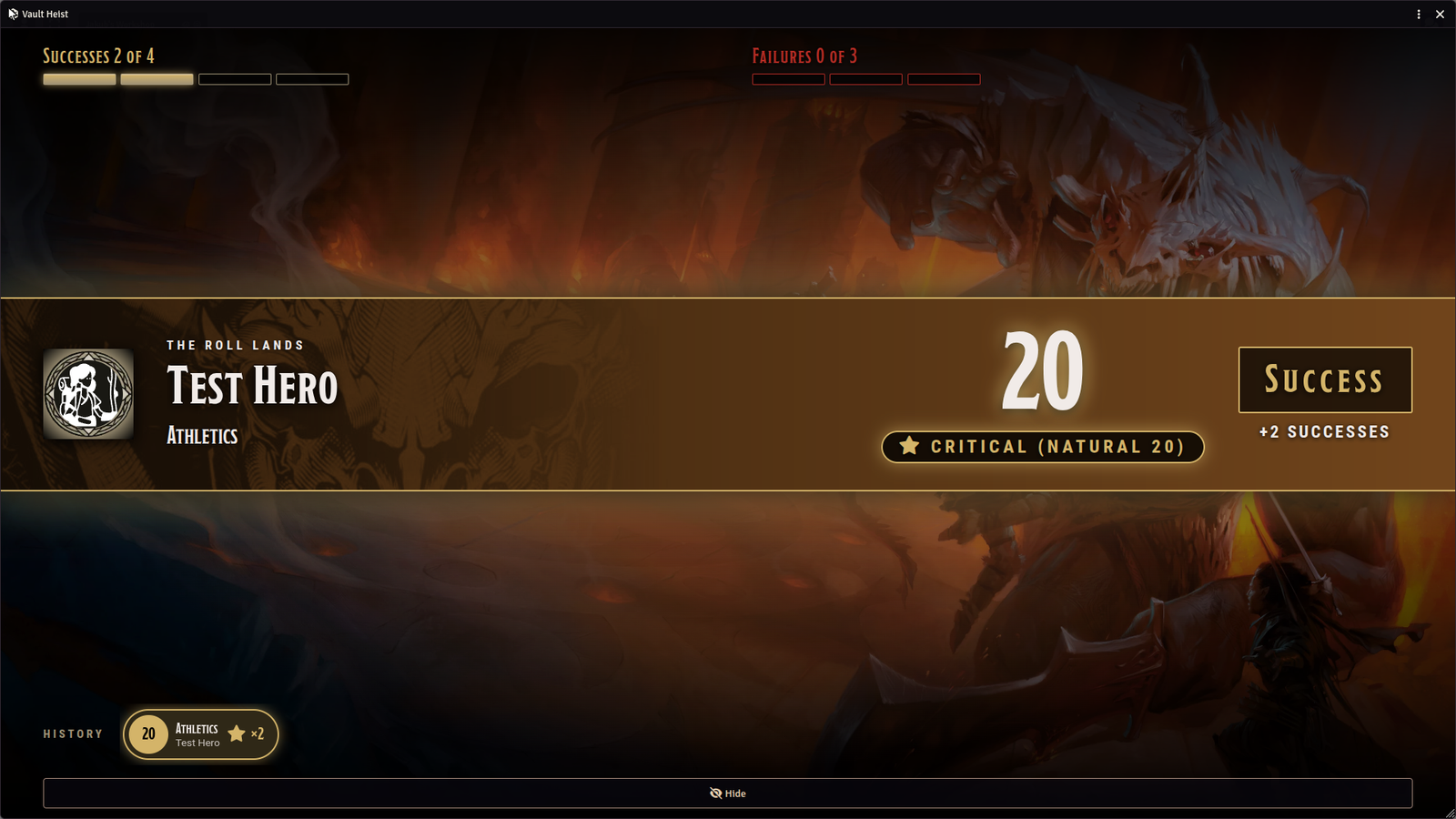
A critical. By default it always succeeds and counts as two successes.
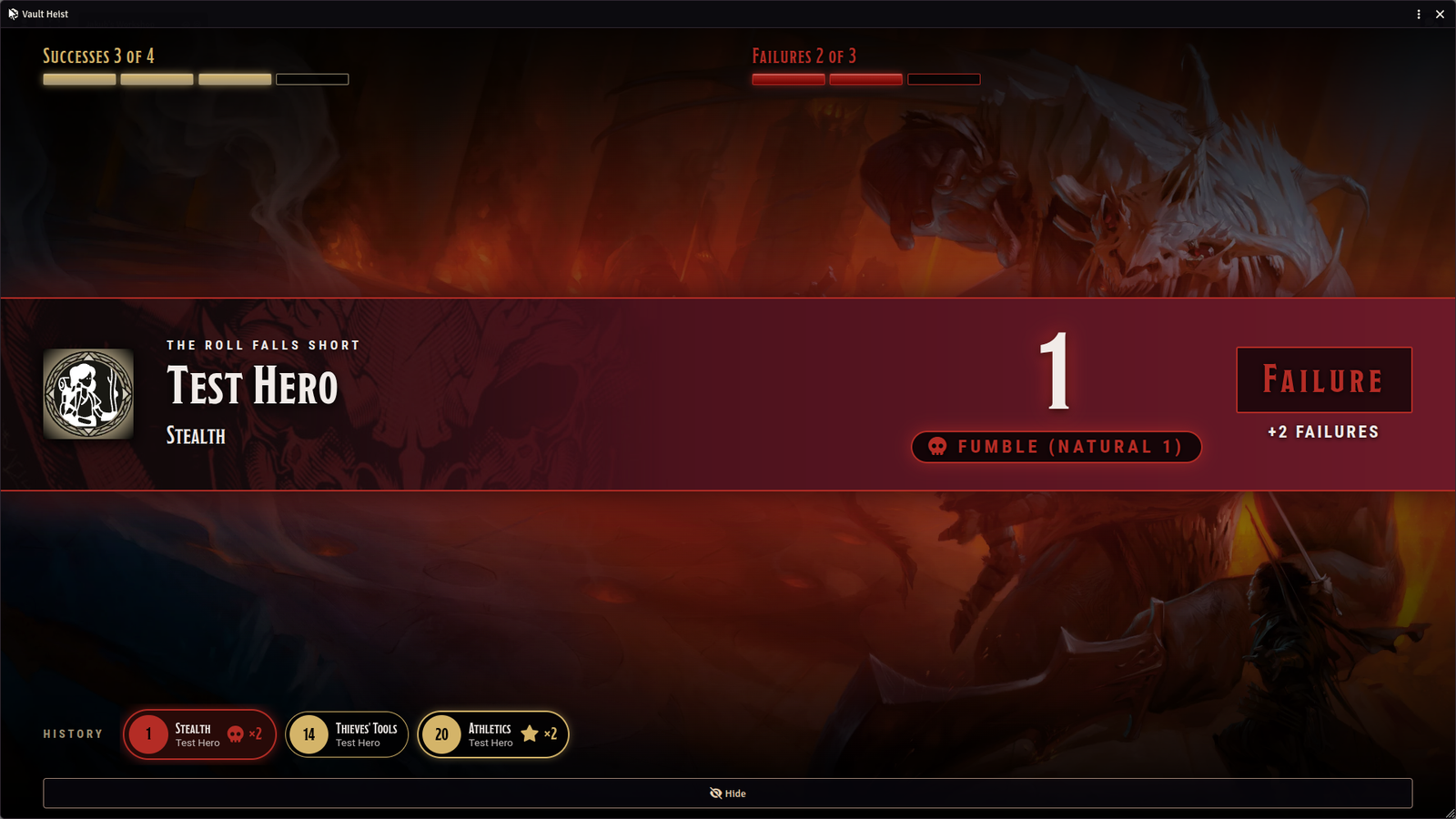
A fumble. By default it always fails and counts as two failures.
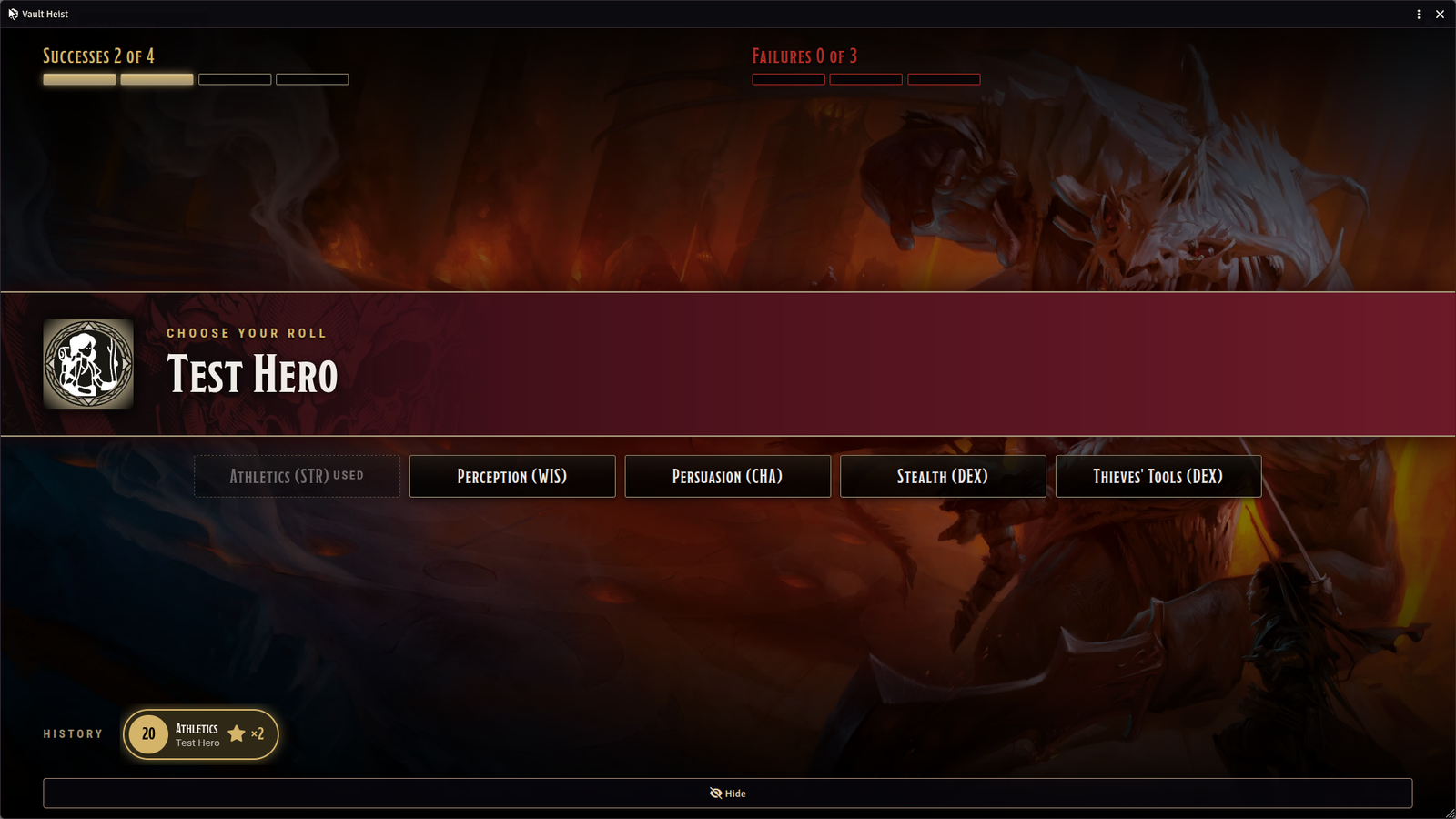
With once per character, a skill the character has used is spent. Tools are offered as buttons next to the skills.
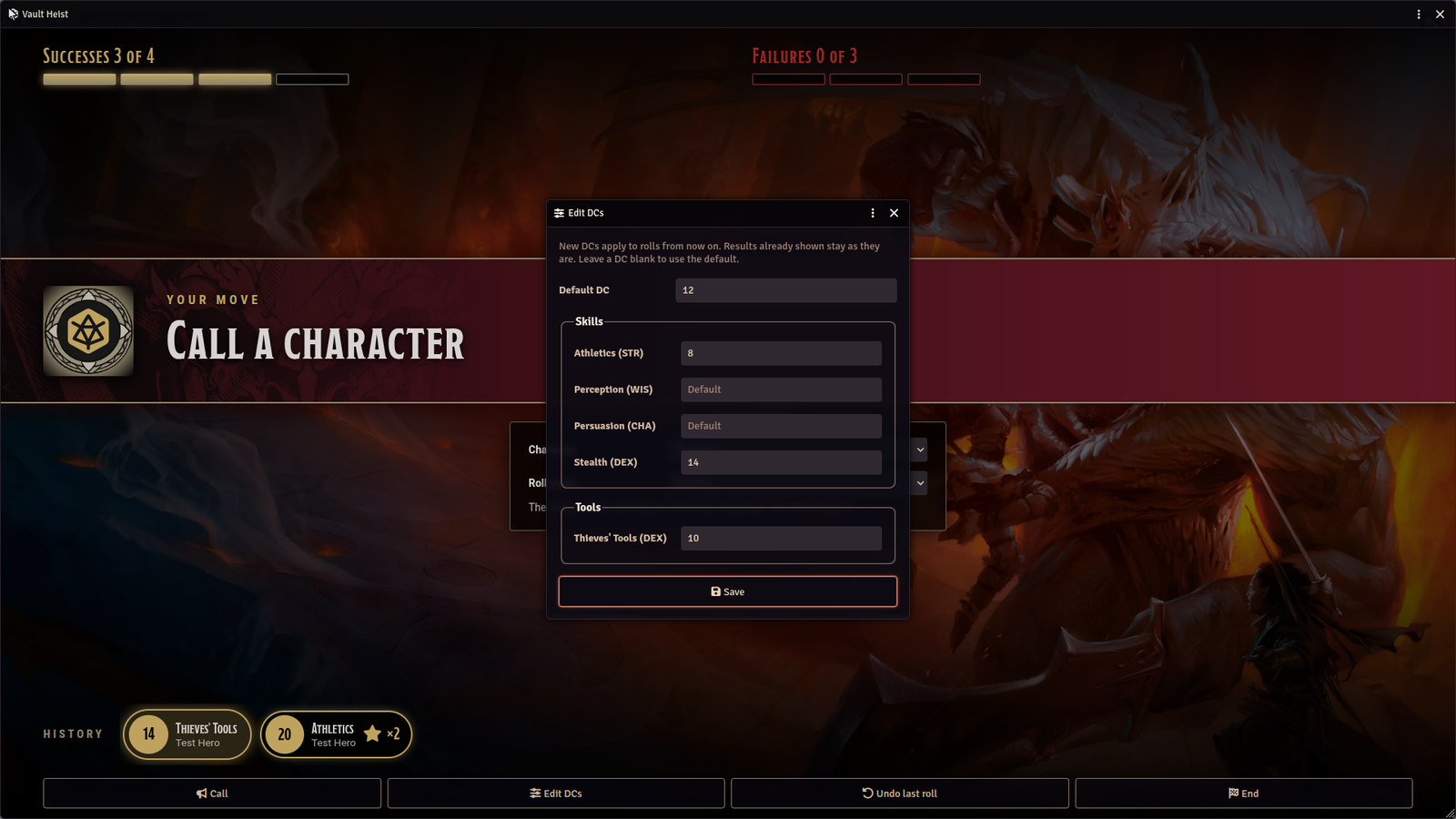
The GM can edit the DCs mid-challenge. The new DCs apply to later rolls only.
Requirements
- D&D 5e system 5.1.0 or newer
- No other modules
Compatibility
- Foundry VTT v13 to v14 in the manifest. Tested on v14 (14.368) only
- D&D 5e only. Tested on dnd5e 5.3.3. The 5.1.0 minimum comes from the roll API the module uses and has not been run on a 5.1 world
- Foundry 13 has not been tested
- Optional: Dice So Nice. The module calls it when it is installed. That path has not been tested in a live world yet
Limits
- Roll totals come from the player's client, as with any Foundry roll. It is built for a friendly table
- A player can estimate a DC range from their own totals over several rolls
- If the GM who started the challenge clears their browser data and leaves while no other GM holds the DCs, rolls cannot be counted and the challenge can only be ended
- Not included: other systems, saving throws, and a path to recover the DCs if the only GM holding them clears their browser data and leaves
- Presets are stored in the GM's own browser, because they hold DCs, so they do not move to another computer
How to get it
First Mate perk on the r2Plays Patreon. Link Patreon on your Foundry profile, then install from Add-on Modules. It will not appear in public search.
More TTRPG tools at jolly-rogenerator.app. Support development on Patreon.