


| Latest version | 1.0.2 |
|---|---|
| Minimum Core | 14 |
| Compatible Core | 14 |
| Last updated | 2 months ago |
| Created | 2 months ago |
| Authors | |
| Languages |
English Русский |
| Systems | All systems |
| Project source | Project URL |
| Report bugs | Bug tracker URL |
| Read-me | Readme URL |
| Changelog | Changelog URL |
| License | License URL |
Comic Reveal
Comic Reveal lets Game Masters create and present cinematic, full-screen comics to every connected player in Foundry VTT.
The GM controls the presentation and reveals each frame with a click or keyboard shortcut. Every player sees the same frame at the same time, while the presentation state remains synchronized across reconnects.
Comic Example
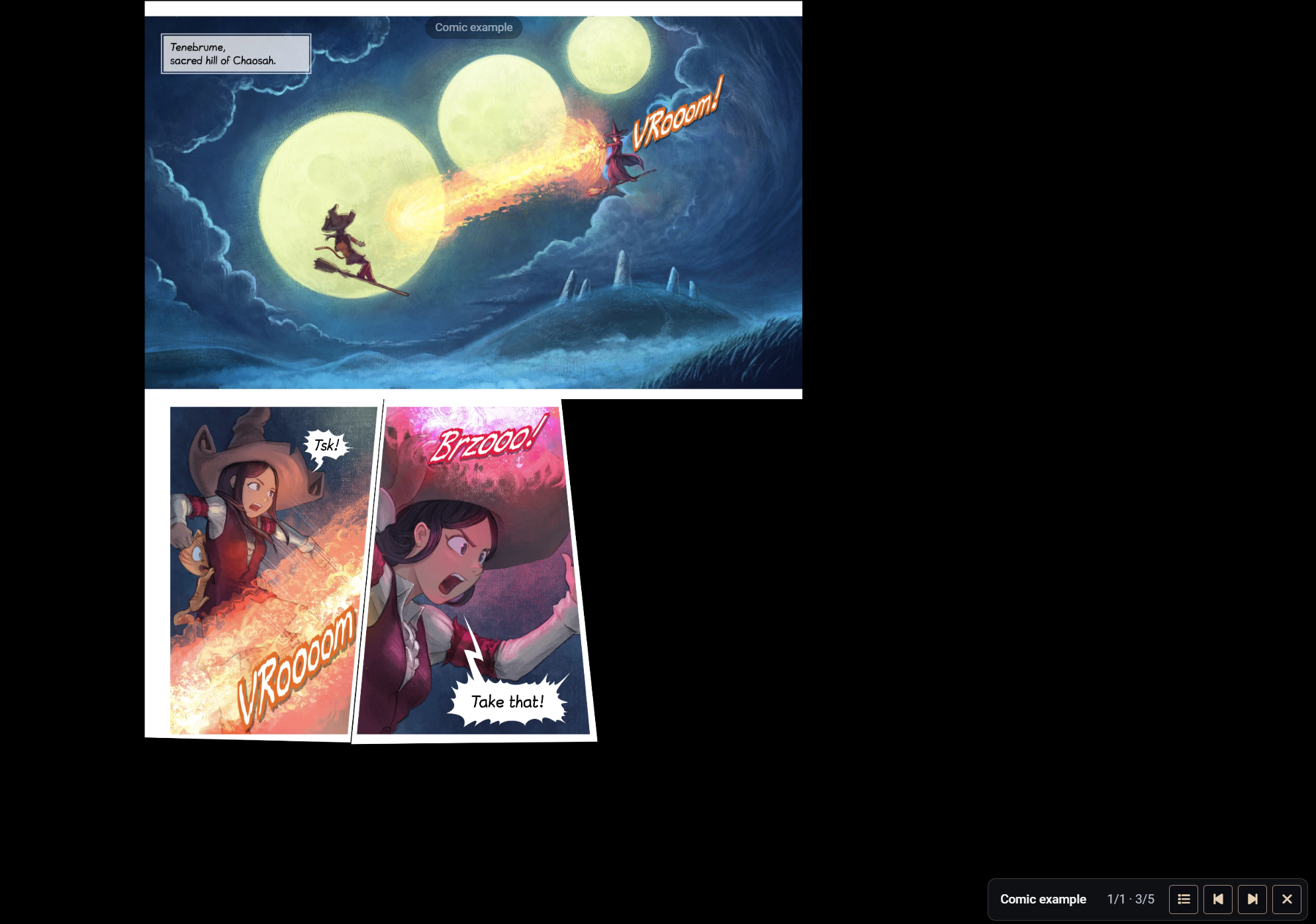 The artwork is from Pepper&Carrot — Episode 31: The Fight, by David Revoy.
Constructor
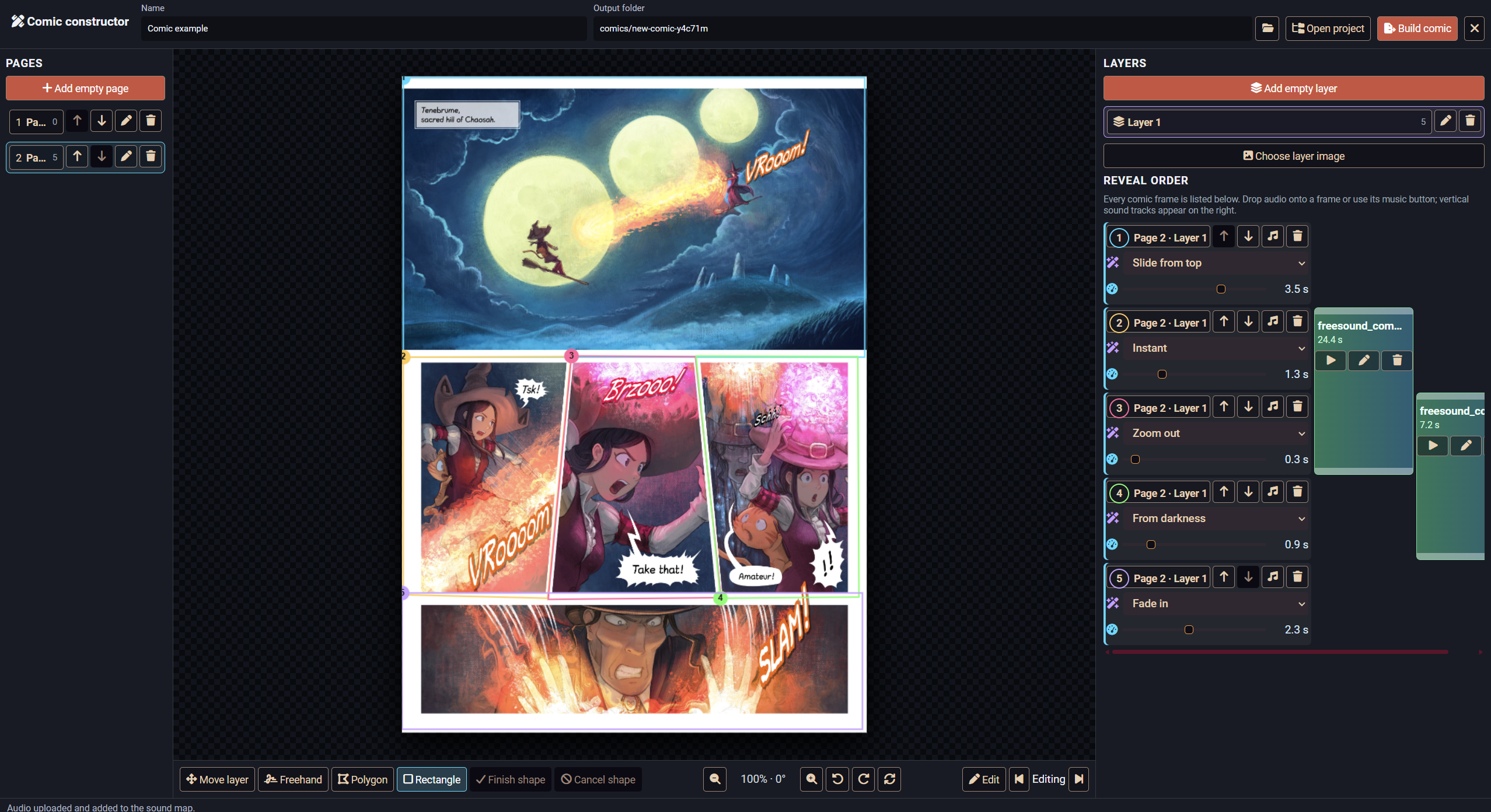 The artwork is from Pepper&Carrot — Episode 31: The Fight, by David Revoy.
Features
- Built-in visual comic constructor.
- Multiple pages with independent layouts.
- Multiple image layers on each page.
- Freehand, polygonal, and rectangular frame outlines.
- Move, resize, and rotate individual image layers.
- Paste images directly from the clipboard with `Ctrl+V`.
- Preview the comic frame by frame before exporting.
- Reorder pages, layers, and reveal frames.
- Automatic WebP conversion and cumulative frame export.
- Comic library for managing and presenting multiple projects.
## Reveal Effects
Each frame can use its own transition and duration:
- Instant appearance
- Fade
- Reveal from darkness
- Blur
- Slide from any side
- Zoom in or out
- Directional reveal from left, right, top, or bottom
- Adjustable duration from instant to five seconds
Transitions affect only the newly revealed frame and do not disturb previously visible artwork.
Sound Map
Comic Reveal includes a visual sound map alongside the frame list.
- Attach audio to individual frames.
- Extend a sound across multiple frames and pages.
- Play overlapping sound effects simultaneously.
- Drag audio files directly from Explorer into the constructor.
- Automatically copy imported audio into the project assets.
- Preview and remove individual tracks.
- Trim audio using a built-in waveform editor.
- Save trimmed selections as new sound files without modifying the original.
- Configure the default sound-effect volume.
Non-overlapping tracks share the same compact column, while simultaneous sounds are arranged in adjacent columns.
Presentation
Presentations open as a synchronized full-screen overlay for all connected players. The GM can advance or return to previous frames using mouse clicks, keyboard shortcuts, or the presentation toolbar.
Players cannot accidentally advance or dismiss the comic.
The module is system-independent and can be used for cutscenes, introductions, flashbacks, dialogue sequences, visions, illustrated recaps, and other cinematic moments.
Compatibility and Languages
- Foundry Virtual Tabletop 14
- English
- Russian
- System-independent

