


| Latest version | 1.0.1 |
|---|---|
| Minimum Core | 13 |
| Compatible Core | 14 |
| Last updated | 1 week ago |
| Created | 2 months ago |
| Authors | |
| Languages |
|
| Systems | All systems |
| Project source | Project URL |


Smart Combat NPC is a module that fully automates an NPCs turn (hostile or Friendly) in FoundryVTT v13 & v14, for the D&D5e system, allowing GMs / DMs to focus on one or more specific NPCs, whilst letting the module controls the other smaller enemies.
On each NPC (their token, not actor sheet), the module handles:
- Target Selection: attacks the nearest, lowest AC, lowest HP, most-damaged, or random target within its detection range and line of sight (includes a frustration check to make sure an NPC does not endlessly chase one target if they keep running away or are out of reach)
- Movement: closes in, holds a specified range, holds position, tries to flank (works with MidiQOL flanking), or flees, using a self-made pathfinding system to move around walls, taking elevation into account as well
- Attacking: melee, ranged, spellcaster, or mixed, allowing an NPC to be any kind of attacker, with options for multiattacking and distance based spellcasting
- Spellcasting: adjacent, close, far, and AOE spells, which the NPC casts based on distances you define, automatically upcast spells, and use AOE spells (like Fireball) to hit clusters of enemies, the AOE being driven as well by a intelligence choice making system
- Survival: self and ally healing when a certain HP threshold is reached, running away (fleeing) when it gets too low (runs to either an ally or just away)
All behavior can be changed via the settings, which are on a per-token basis, so you can change any and all behavior of an NPC based on the specific token (or simply set a general baseline of settings for one token, and then duplicate that token so that all NPCs have the same settings).
To see the full system breakdown and specifications, see the Technical Design Document (TDD) linked here: https://docs.google.com/document/d/1vvweEMDxzEXT4hvbztq1ueANC-u8hMRmjV9iMTZ-b6s/edit?usp=sharing
How To Use Smart Combat NPC
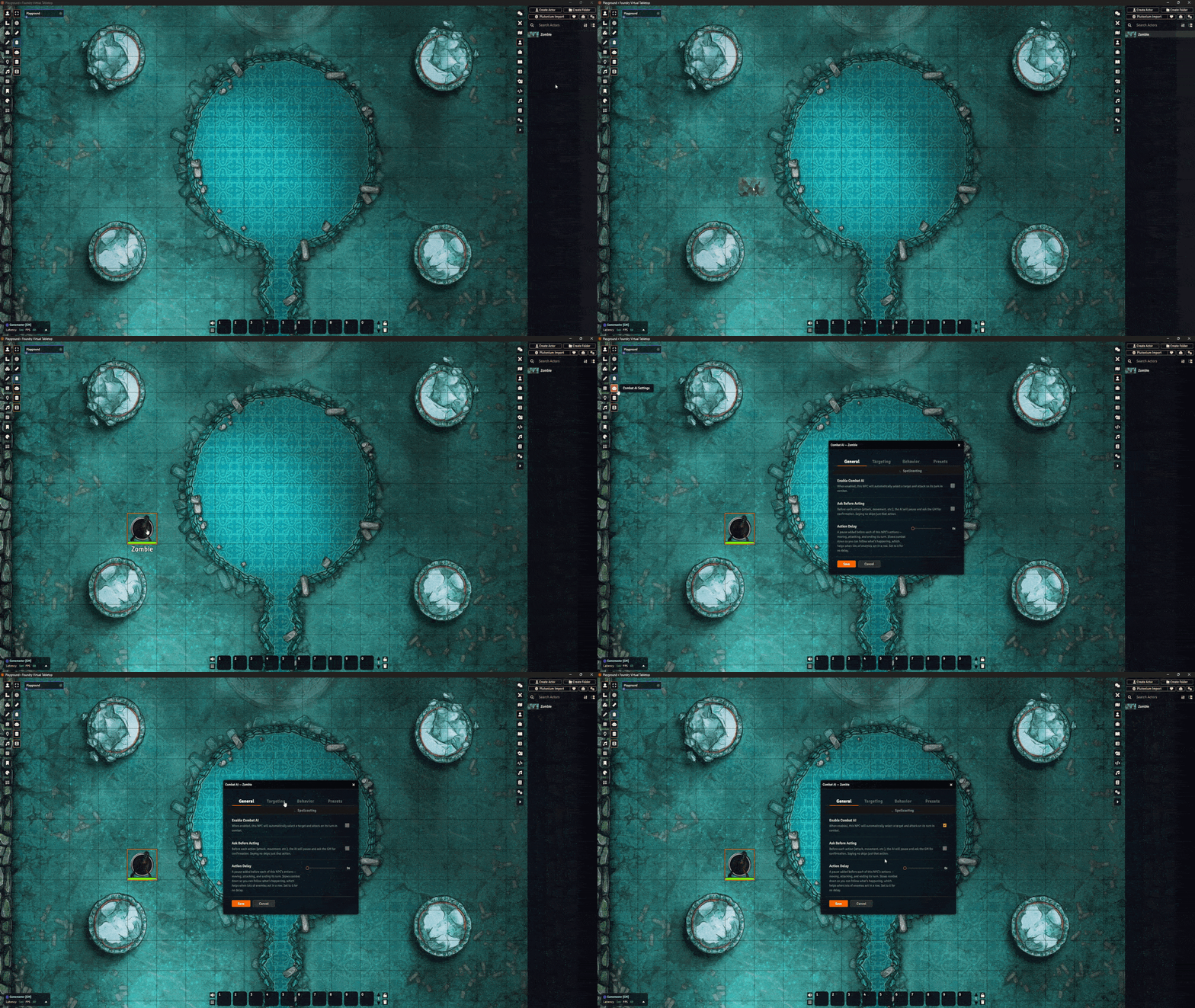
- Simply drag a NPC actor token onto a scene
- Select the token in the scene
- Click the Robot icon in the Token Controls bar on the left side
This will open the settings menu for the NPC.
As mentioned above, NPC settings are PER-TOKEN, if you want a group of enemies (e.g. 5 Goblins), who all share the same settings, simply set all the specific settings for the NPC and then duplicate the token as many times as you want / need.
Important Settings Information
There are a few specific things you need to know to not run into any issues down the line.
Generally speaking, all settings and options have text explaining what they do, but the below listed things are still important to read.
Below here I talk about all main things.
Pathfinding
Pathfinding for the NPC works in the sense of the NPC moving across the scene, and strictly avoiding walls.
The NPC will treat walls like a PC (Player Character) would, not being able to walk through one, and thus walk around it.
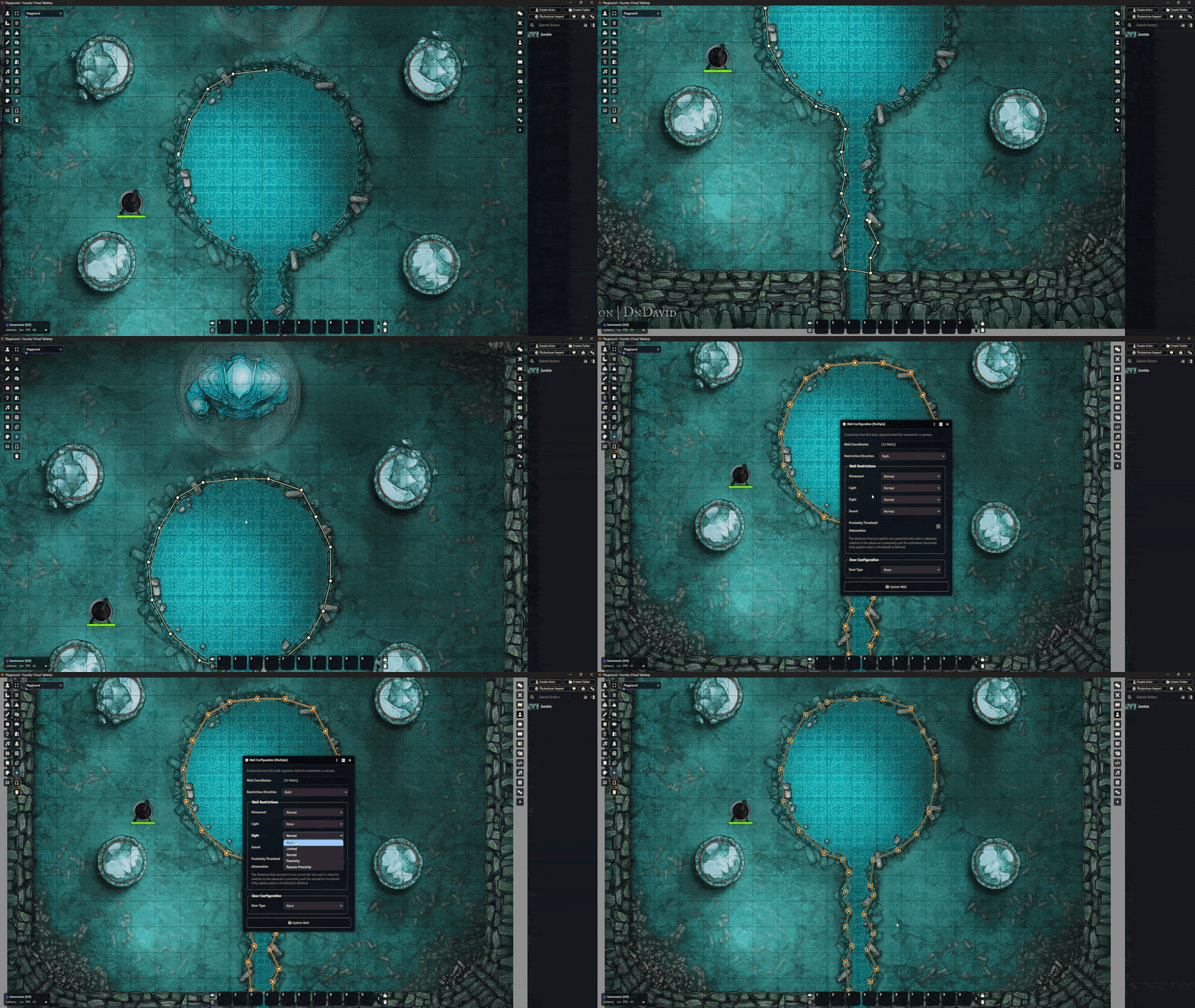
if you have a battlemap which features off-limit areas / restricted areas (e.g. a lava lake, ravine, hole, etc) where you DO NOT want the NPC to walk to, you have to do the following:
- Create a normal wall & place it around the restricted area
- Open the wall settings
- Set the following Wall Restrictions
- Movement = Normal
- Light = None
- Sight = None
- Sound = None
This will make it so an invisible wall exists on the scene, where NPC tokens are not able to walk through.
This is important to do, as without it, the NPC (depending on its settings) will simply walk across the scene to reach its target, which can mean it walking onto an area it would not be able to walk onto in-game.
Targeting & Movement
When setting up the settings for an NPC (friendly or hostile), it is important you do not enable conflicting settings (per se).
One example would be:
- Target Priority = Nearest
- Movement Behavior = Hold Position
Having these two settings on will result in the NPC targeting the nearest opponent, but not moving towards them to attack, which can cause confusion for DMs.
So, ensure you go through every single setting, and tweak all of them to ensure there are no conflicts / weird behaviors you have set that could cause confusion during sessions.
