


| Latest version | 1.2.3 |
|---|---|
| Minimum Core | 13 |
| Compatible Core | 13 |
| Last updated | 3 months ago |
| Created | 3 months ago |
| Authors | |
| Languages |
English 한국어 |
| Systems | All systems |
| Project source | Project URL |
| Report bugs | Bug tracker URL |
| Read-me | Readme URL |
| License | License URL |
sch-customize
A small collection of quality-of-life tweaks for using Foundry VTT.
Foundry VTT v13 · 🇰🇷 한국어
Features
Chitchat (side-talk)
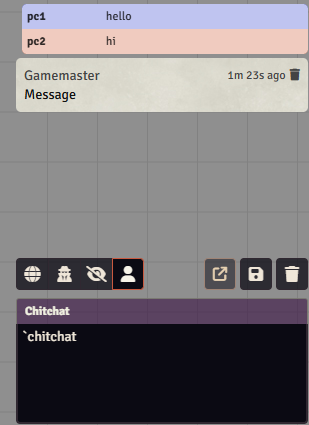
Out-of-character asides that read apart from in-character speech and rolls. Consecutive chitchat from the same user is grouped automatically.
- Triggers:
/pt,!,`, or a custom character (default/p); chitchat is treated as an OOC or Other message type. - Grouping of consecutive chitchat, per-user color, and markdown strikethrough (
~text~). - Adjustable font size, opacity, margin, and brightness; optional line break after the name.
Message grouping
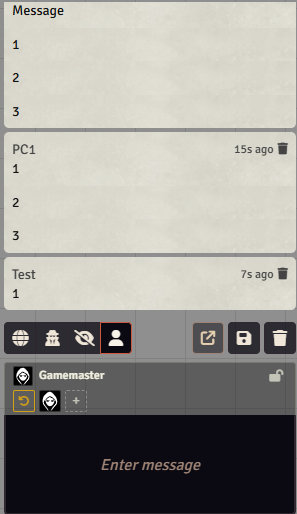
Consecutive messages from the same player are combined into a single box. Works for both regular chat and chitchat, toggleable in settings.
Speaker bar
Shown above the chat input, indicating who you'll currently speak as.
- Lock a speaker — the speaker stays fixed even if you change token selection.
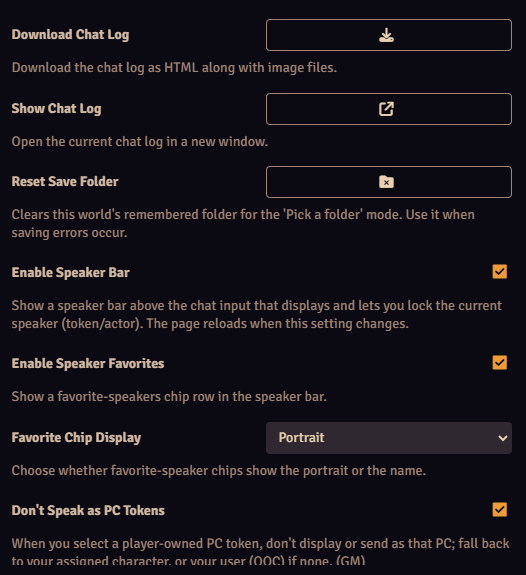
- Favorite speakers — register frequent speakers for one-click switching; shown compactly by portrait or name; a reset chip clears the lock.
Chat log archive
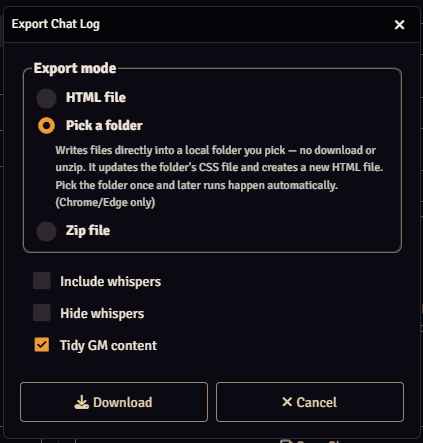
- Download — export the chat log as a simple session log (standalone / folder / zip modes), downloaded as a zip with images (portraits, etc.) bundled.
- Standalone — CSS embedded in a single HTML file; good for a short, one-off session log.
- Folder — pick a folder in the file picker; writes an updated CSS file and a new HTML file into it.
- Zip — downloads images, CSS, and HTML as a zip. If you keep a shared CSS across sessions, upload it to re-download an accumulated CSS.
- Show — open the full log recorded so far in a new window; the content is the same as the download.
- Whisper handling: include, or mask (click to reveal); an option to tidy GM-only content (mostly buttons like damage-apply).
Message editing
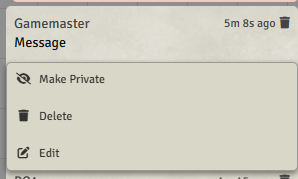
Edit a chat message you've already posted, via right-click → Edit. Edited messages get an "(edited)" badge.
Appearance
Sliders for base chat font size, plus the module's chitchat font size / opacity / margin / background brightness.
Install
Manifest URL
https://github.com/JBGeum/sch-customize/releases/latest/download/module.json
Credits & License
Original author Scheree · maintained at JBGeum/sch-customize · bundles JSZip · MIT License.
Bug reports and suggestions: GitHub Issues.

