


| Latest version | 1.6.13 |
|---|---|
| Minimum Core | |
| Compatible Core | |
| File size | 23.57 KB |
| Last updated | 1 week ago |
| Created | 6 months ago |
| Authors | |
| Languages |
English |
| Systems | All systems |
| Project source | Project URL |
| Report bugs | Bug tracker URL |
| Changelog | Changelog URL |
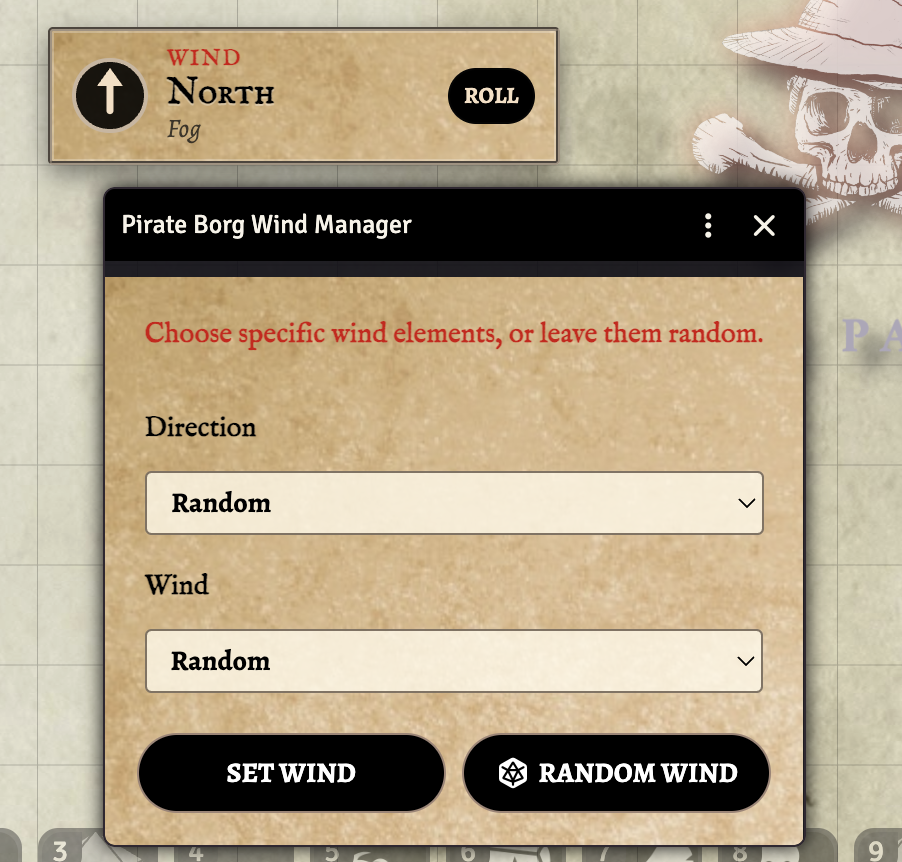
Pirate Borg Wind Manager
Pirate Borg Wind Manager gives your table one shared source of truth for wind during naval travel and combat.
Roll or set wind direction and Changing Winds conditions from a dedicated GM control, show the current wind in a draggable scene overlay, post wind results to chat, and apply wind effects directly to selected or targeted ship actors.
When Tile Scroll is installed, Wind Manager can detect likely water, wave, sea, and current tiles, then synchronize their scroll direction and speed with the active wind.
Features
- GM wind controls for random rolls or manual direction and condition selection
- Draggable scene wind overlay with quick-roll support
- Pirate Borg chat cards for wind results
- Apply Wind Effect button for ship actors
- Automatic Tile Scroll synchronization for accepted water tiles
- Public API for companion modules to read, set, roll, and subscribe to wind changes
Requires: Pirate Borg system.
Recommended: Tile Scroll for animated water tile integration.
More Pirate Borg tools at jolly-rogenerator.app. Support development on Patreon.
Subscribe
Login
Please login to comment
0 Comments

