


| Latest version | 1.0.3 |
|---|---|
| Minimum Core | 13 |
| Compatible Core | 13 |
| Last updated | 4 months ago |
| Created | 5 months ago |
| Authors | |
| Languages |
English |
| Systems | All systems |
| Project source | Project URL |
| Report bugs | Bug tracker URL |
| Read-me | Readme URL |
| Changelog | Changelog URL |
| License | License URL |
Add natural silence between tracks in your FoundryVTT playlists for a more immersive audio experience.
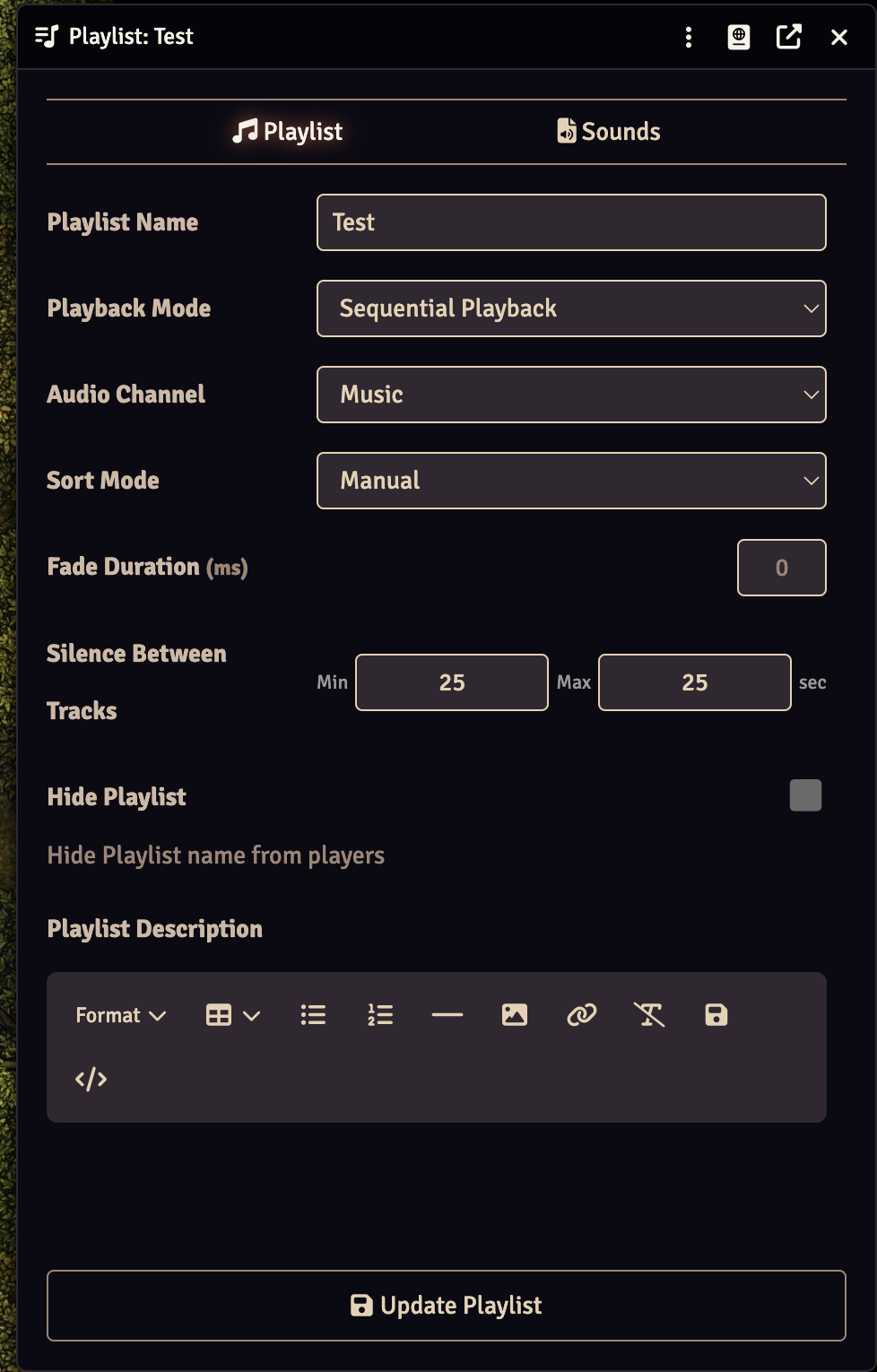
What Does This Module Do?
When playing a playlist in Sequential or Shuffle mode, FoundryVTT immediately starts the next track as soon as the current one ends. This module lets you configure a silence gap between tracks, with a randomized duration for a more natural feel.
Key Features
- Configurable silence range — Set a minimum and maximum silence duration (in seconds) between tracks
- Per-playlist settings — Each playlist can have its own silence configuration
- Randomized gaps — Silence duration is randomized within your range for natural transitions
- Works with Sequential and Shuffle modes — Automatically skipped for Simultaneous playback
- Compatible with Monk's Sound Enhancements — Works alongside other playlist modules
Requirements
- FoundryVTT v13 or higher
Usage
- Open any playlist's configuration (click the edit icon)
- Below the Fade Duration field, you'll see Silence Between Tracks with Min and Max inputs
- Set your desired range in seconds (e.g., Min: 2, Max: 5)
- Click Update Playlist
When the playlist plays, each track transition will pause for a random duration within your configured range before starting the next track.
Setting both values to 0 (the default) disables the feature and uses normal Foundry behavior.
Support
- Issues & Bugs: GitHub Issues
- Support Development: Patreon
Subscribe
Login
Please login to comment
0 Comments

