


| Latest version | 1.2.0 |
|---|---|
| Minimum Core | |
| Compatible Core | |
| Last updated | 2 weeks ago |
| Created | 6 months ago |
| Authors | |
| Languages |
English |
| Systems | All systems |
| Project source | Project URL |
| Report bugs | Bug tracker URL |
| Read-me | Readme URL |
| Changelog | Changelog URL |
| License | License URL |
Corn's Target Direction Pointer
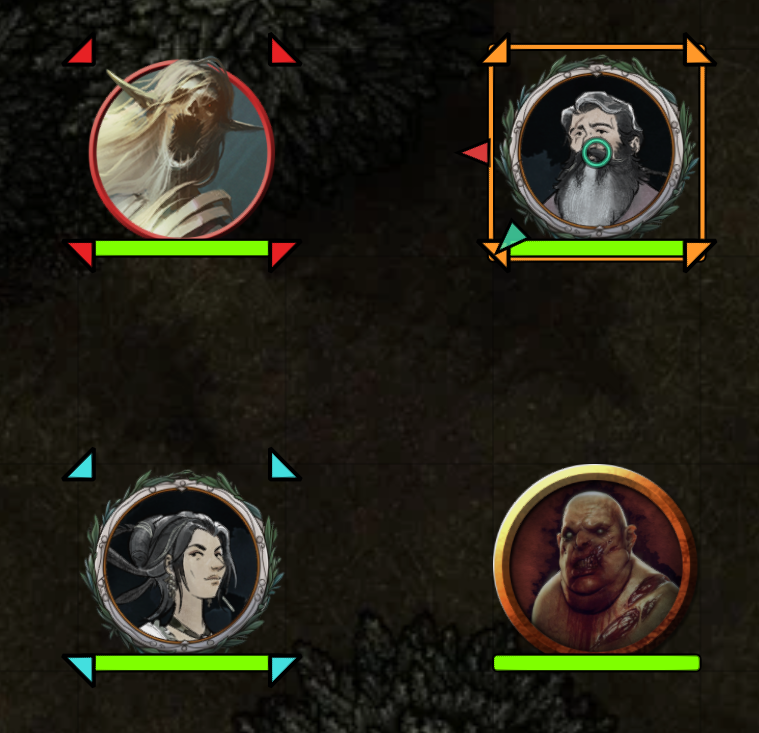
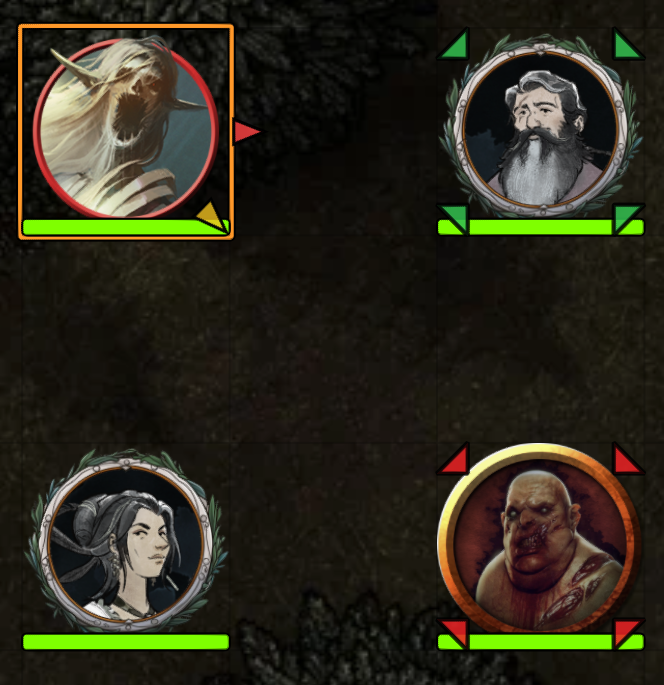
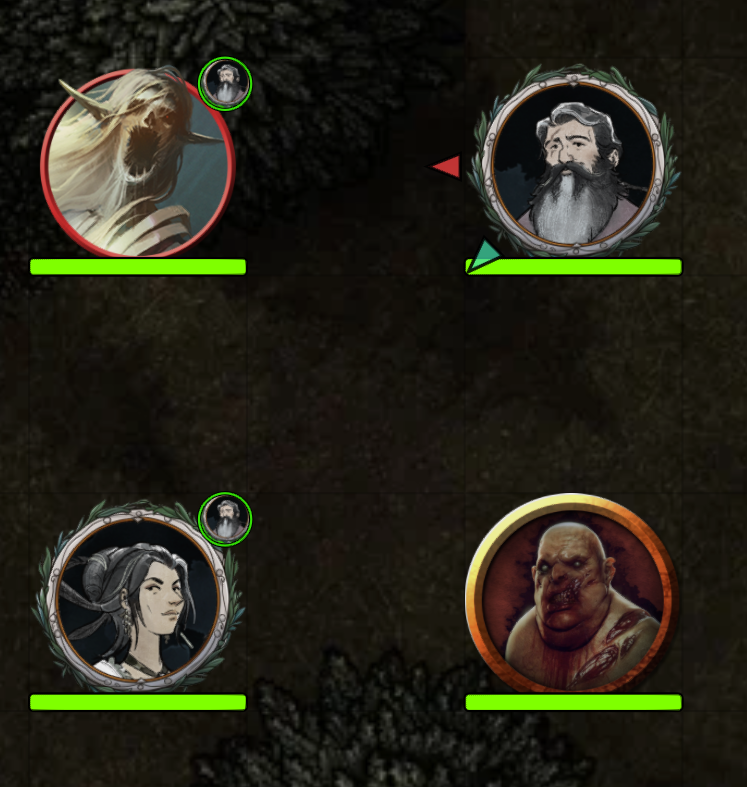
Draws small directional arrows on the border of your token, pointing toward each of your current targets. Self-targeting draws a ring at the token's centre instead.
Color
Arrow color is based on the relationship between source and target:
- Red: Hostile and Friendly targeting each other
- Teal: Friendly targeting Friendly
- Yellow: Hostile targeting Hostile, or anything involving Neutral/Secret
Colors are configurable in Module Settings.
Scaling
Arrow width scales with token size. Arrow length scales with distance to the target, up to a configurable maximum. Arrow opacity decreases with distance.
GM Mode
When "GM Show All" is enabled (default), the GM can see targeting arrows on every player's character token. The GM's own controlled tokens also display arrows.
Other
- Optional breathing animation (configurable or off)
- Keyboard toggle with no default binding (set your own in Configure Controls)
- Works in and out of combat
- System-agnostic
Settings
All settings are per-client: arrow width, min/max length, distance scaling, opacity range and falloff, animation speed and depth, outline thickness, border offset, and all three colors.

