


| Latest version | 2.6.1 |
|---|---|
| Minimum Core | |
| Compatible Core | |
| Last updated | 5 months ago |
| Created | 9 months ago |
| Authors | |
| Languages |
Cebuano Deutsch English Español Français Italiano Português (Brasil) Suomi Svenska polski Čeština 中文 正體中文 한국어 |
| Systems | All systems |
| Project source | Project URL |
| Report bugs | Bug tracker URL |
| Read-me | Readme URL |
| License | License URL |
A simple calendar module for keeping track of game days and events. Forked from the original Simple Calendar by Vigoren, and updated for compatibility with Foundry 13+.
Simple Calendar Reborn
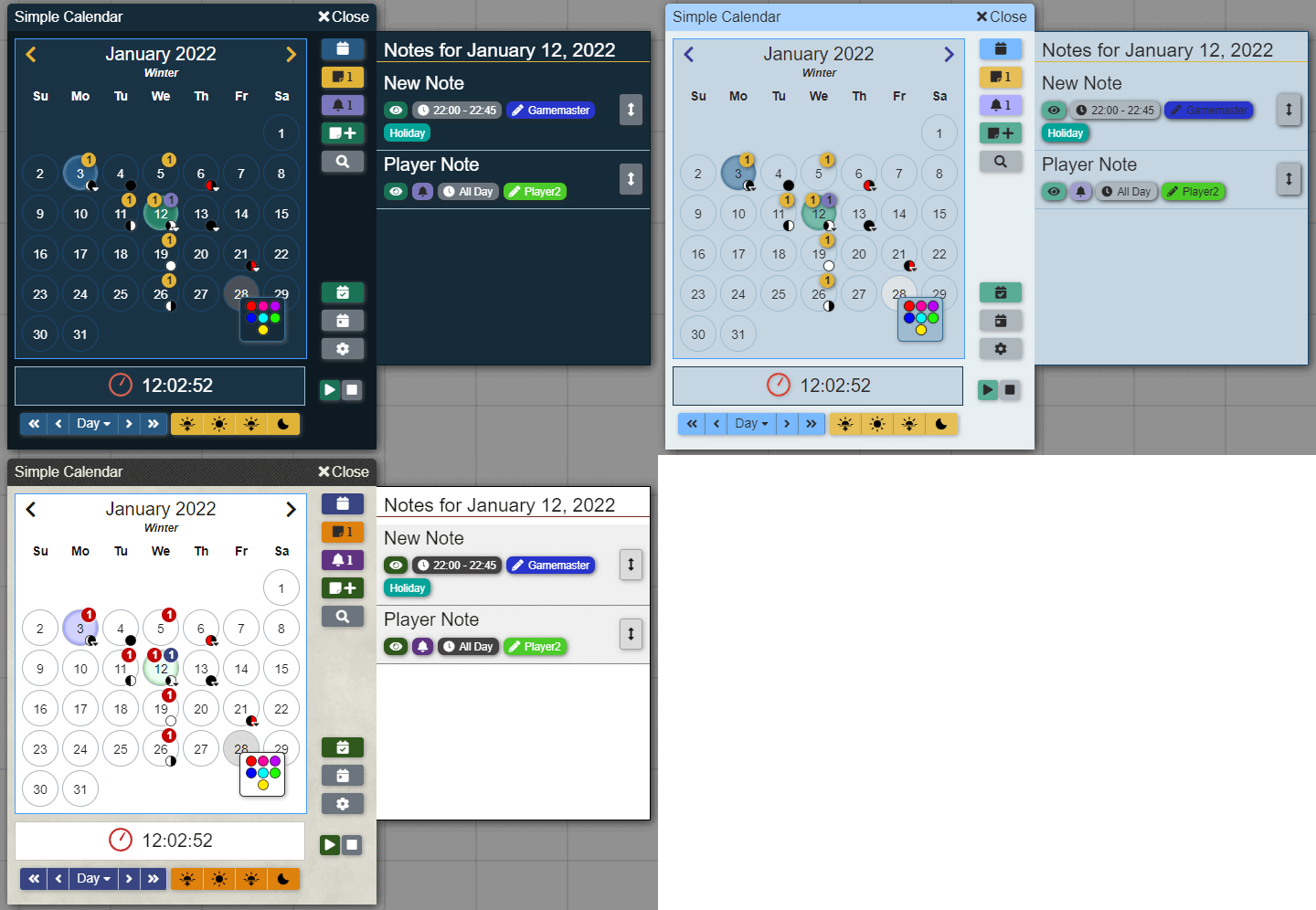
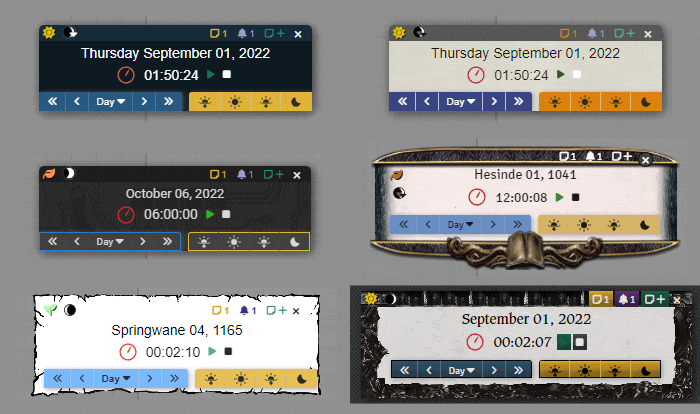
Simple Calendar Reborn is the ultimate timekeeping module for FoundryVTT, forked from Simple Calendar, that works with all game systems!
It comes prepackaged with many preset calendars to get your world up and running quickly. Or if you have a completely custom-built calendering system for your world, Simple Calendar Reborn can handle that as well!
Get started and create the perfect calendar to enrich your world for your players!
Months your way
- Your world can have as many months as it needs!.
- Customize each month to specify everything from how many days it has, its name to if the month is considered intercalary (falls outside normal months) or not.
Custom Years
- Set the current year or add a prefix/postfix.
- You can also name each year to give your world a unique touch!
Unique Weekdays
- You set how many days are in a week and customize the name of each weekday!
Set Your Own Leap Year Rules
- Customize if your world has leap years and if so how often they occur.
- Set how many days a month has during a leap year. You can even have months only appear or disappear during leap years!
Seasons
- Determine how many seasons there are in your world.
- Customize their names, when the season starts, and assign an icon and color to make each season unique.
- You can also specify Sunrise and Sunset times for each season and Simple Calendar Reborn will do the math to gradually shift those times between season!
Create Custom Moons
- Set up as many moons as your world needs and give it a unique name, cycle length and color.
- Go deeper into the settings and customize each phase of the moon!
Unique Time? No Problem
- Customize the number hours in a day, minutes in an hour and seconds in a minute.
- Configure how the real time clock interacts with your world, so as seconds pass in the real world time passes in your world!
Notes and Events
- Add notes and events to your calendar so that you never forget an event again.
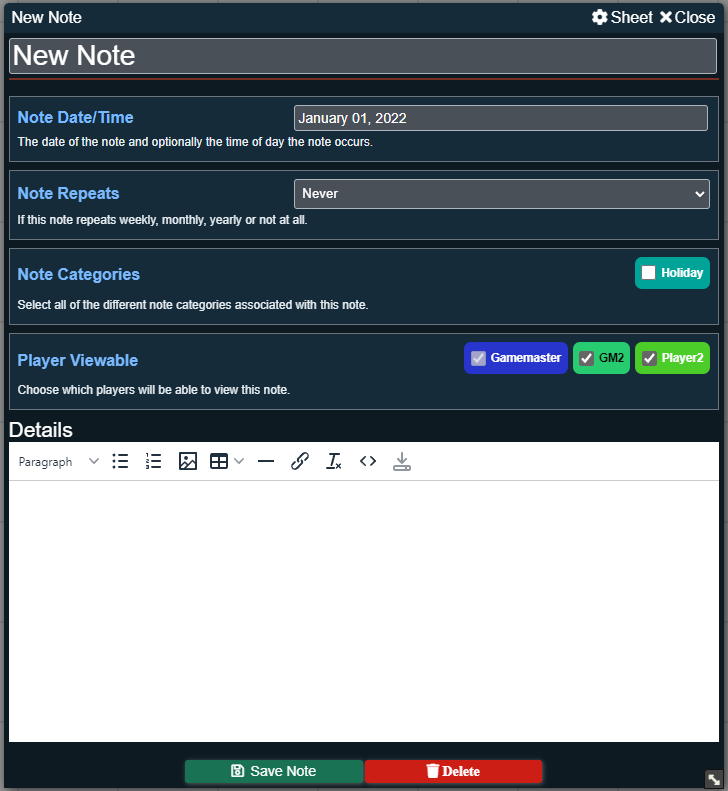
- Specify how often notes can repeat, categorize your notes for easy identification and select who can view each note.
And much more!
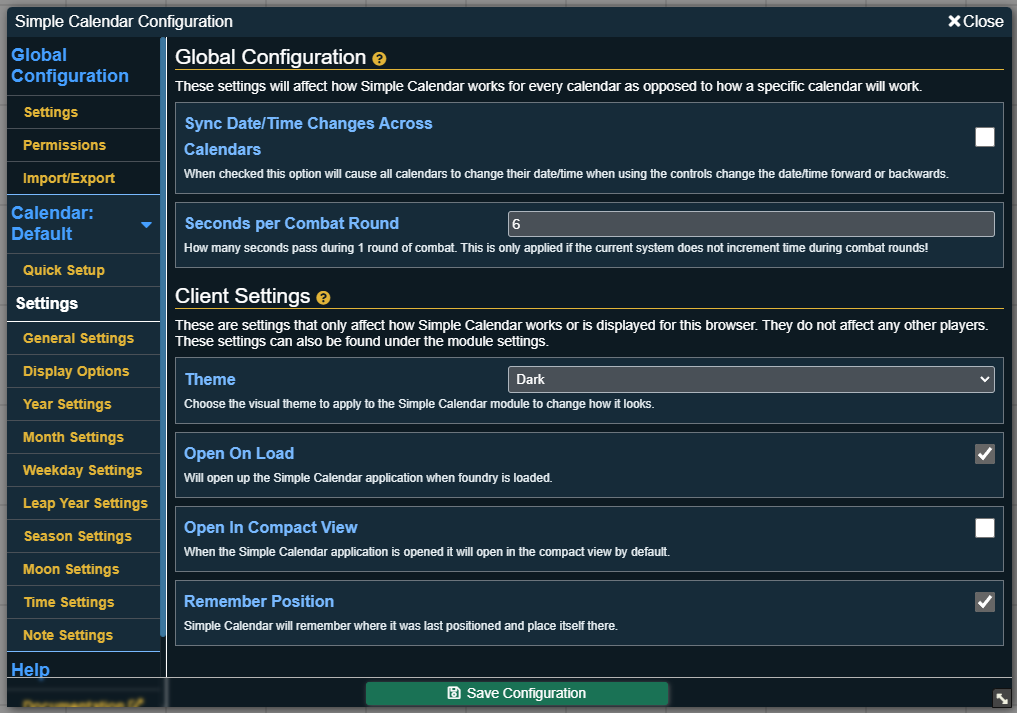
There are many ways to customize your calendar and how it interacts with FoundryVTT and other systems and modules. Be sure to check out the full documentation to learn all the way!
Documentation
Simple Calendar has a dedicated site for everything from how to use the module as a player, to configure the module as a game master to how to interact with the API for use with other modules / systems. Check out the links below!
- Documentation
- Using Simple Calendar
- Configuring your Calendar
- Notes
- Hooks
- API (For use by other modules, systems or macros)
Installing The Module
There are 3 ways to install the module:
Through Foundry
Foundry has a built-in directory of modules that you can install. The easiest way is to use this feature and search for "Simple Calendar Reborn" and install!
module.json
Through the same built-in module installer in foundry, you can specify the link of the module to install instead of searching the directory. To install using the module json file, use this link https://github.com/Fireblight-Studios/foundryvtt-simple-calendar/releases/latest/download/module.json
Zip File
To install the most recent version of the module, view the releases section to the right of the main GitHub page.
Selecting the latest release will bring you to a page where you can download the module.zip asset. This will contain everything you need to manually install the module.
Migration from Simple Calendar
Simple Calendar Reborn supports migrating data from a previous Simple Calendar installation. Simply go into the Simple Calendar settings on your previous installation and export a config backup that can be imported into Simple Calendar Reborn, retaining all custom calendar configurations and notes.
Support
Have questions? Ran into a bug? There are a couple of ways you can get help!
- The first option is in the official FoundryVTT discord. The friendly folks in #module-discussion and #module-troubleshooting can help with lots of questions, or ping the maintainer, Arctis Fireblight for help.
- You can also put in an issue on the GitHub for the project and I will help you out!
If you wish to support the development of Simple Calendar Reborn there are a few ways you can help:
- Share your good experiences with the module with others!
- If you wish and are able to you can support the developer monetarily by donating on Ko-fi. Simple Calendar will always be free to use by anyone, these are just options for those who want to donate to the development.

