


| Latest version | 2.3.0 |
|---|---|
| Minimum Core | 13 |
| Compatible Core | 14.367 |
| Last updated | 2 weeks ago |
| Created | 3 years ago |
| Authors | |
| Languages |
English 日本語 |
| Systems | All systems |
| Project source | Project URL |
| Report bugs | Bug tracker URL |
| Read-me | Readme URL |
Z-Scatter
Automatically force snap tokens in the same square, for better token management in the grid.
Installation
In the setup screen, use the manifest URL https://raw.githubusercontent.com/elizeuangelo/fvtt-module-z-scatter/master/module.json to install the module.
How to Use
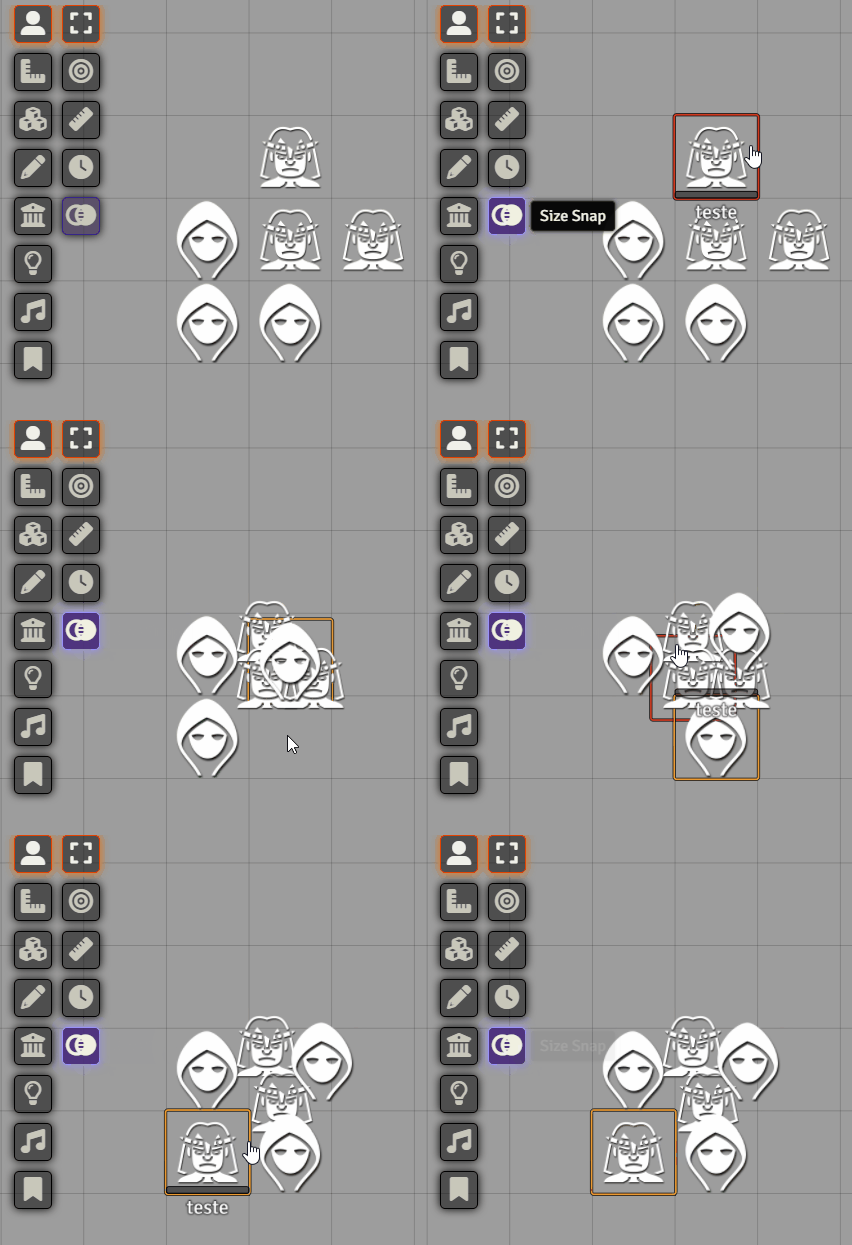
There is a new Token Control called "Size Snap" wich can be toggled by the DM.
When activated, you can put multiple tokens of the same size in the same space in the grid, and the module will acomodate them in a ordenable manner.
Subscribe
Login
Please login to comment
0 Comments

