


| Latest version | 1.0.1 |
|---|---|
| Minimum Core | 10 |
| Compatible Core | 11 |
| Last updated | 3 years ago |
| Created | 4 years ago |
| Authors | |
| Languages |
English |
| Systems | All systems |
| Project source | Project URL |
| Read-me | Readme URL |
Allows for overhead tiles to have occlusion mode of "Vision" and "Fade".
Usage
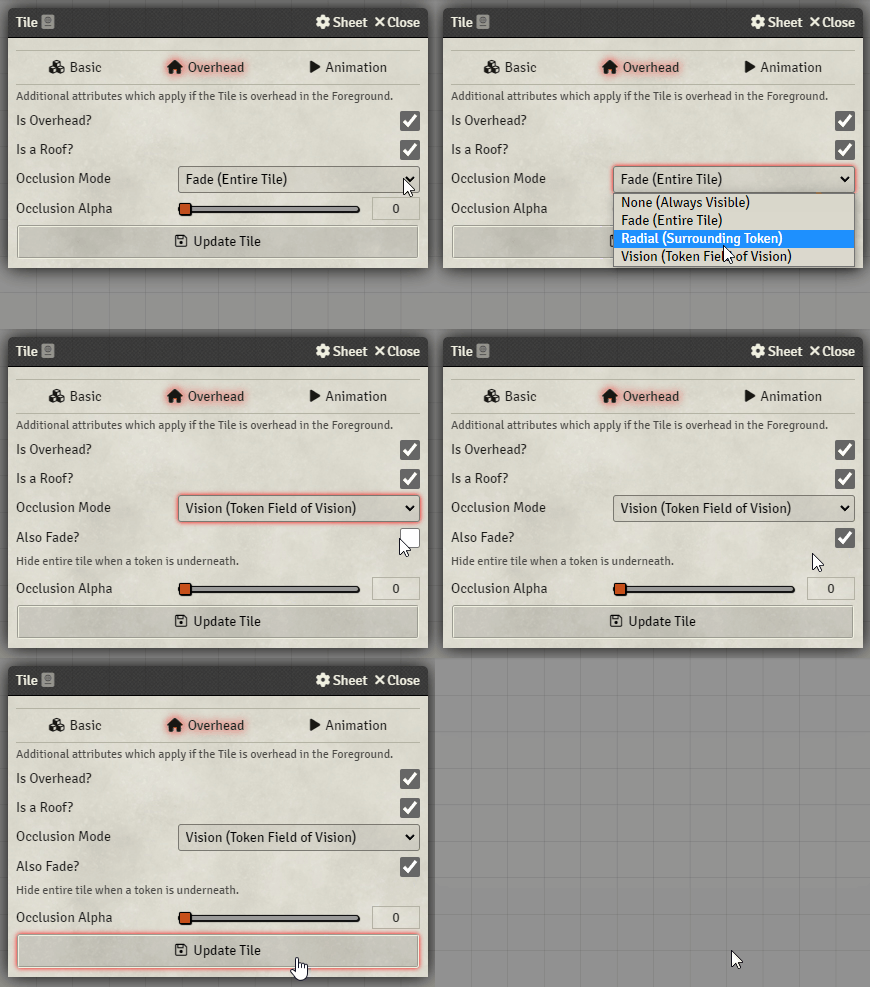
Open the tile configuration. Select the overhead tab and set occlusion mode to Vision. A checkbox will appear to toggle also fade. Example of how to do this is shown bellow
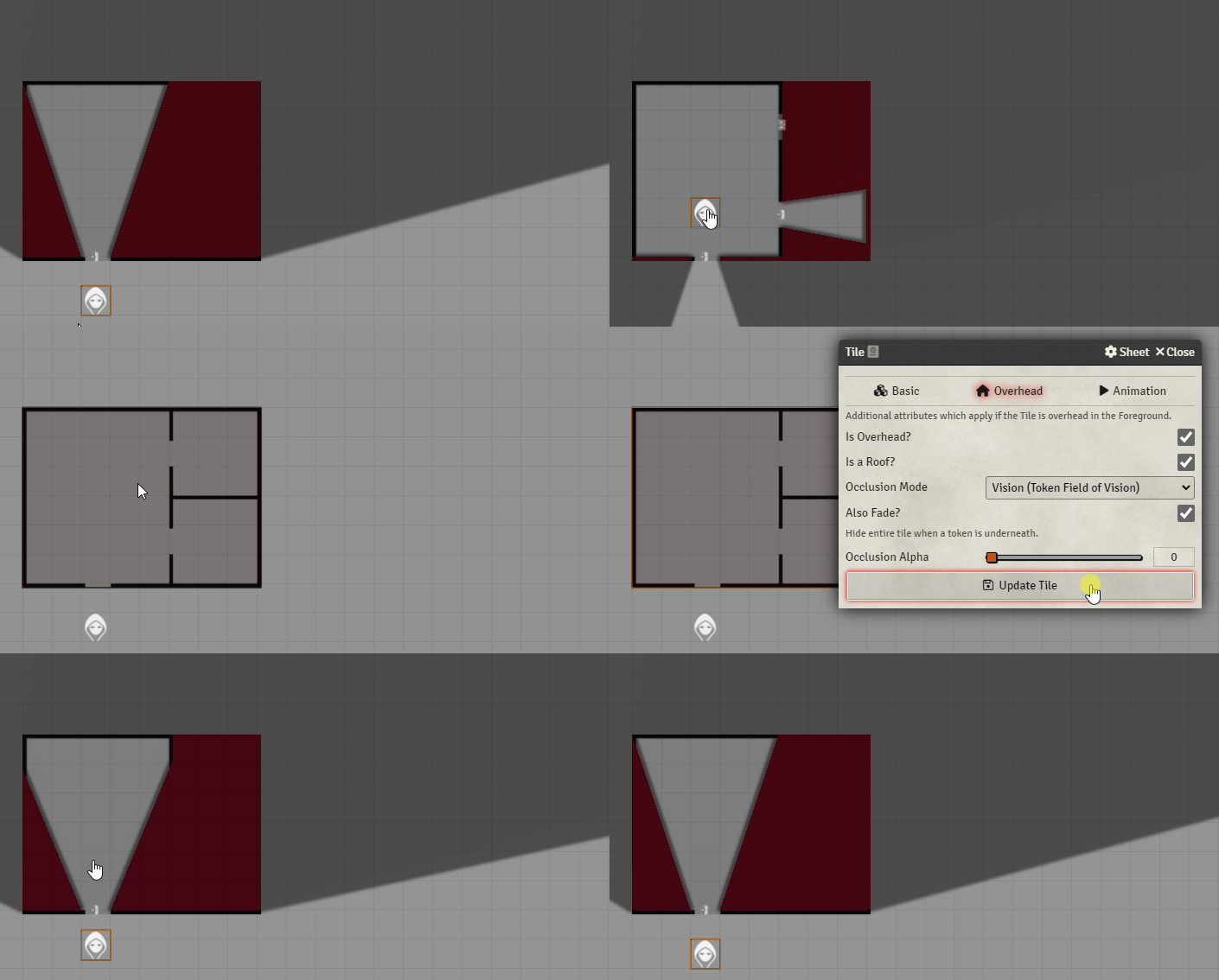
In the gif below, the roof is a red tile. When occlusion mode is set to vision, the roof tile still covers up the rooms on the map that the token cannot see. When you select the also fade checkbox, the roof tile will disappear showing the room underneath.
Subscribe
Login
Please login to comment
0 Comments

