| Latest version | 10.273.1 |
|---|---|
| Minimum Core | 9 |
| Compatible Core | 10 |
| File size | 0 B |
| Last updated | 4 years ago |
| Created | 4 years ago |
| Authors | |
| Languages |
|
| Systems | All systems |
| Project source | Project URL |
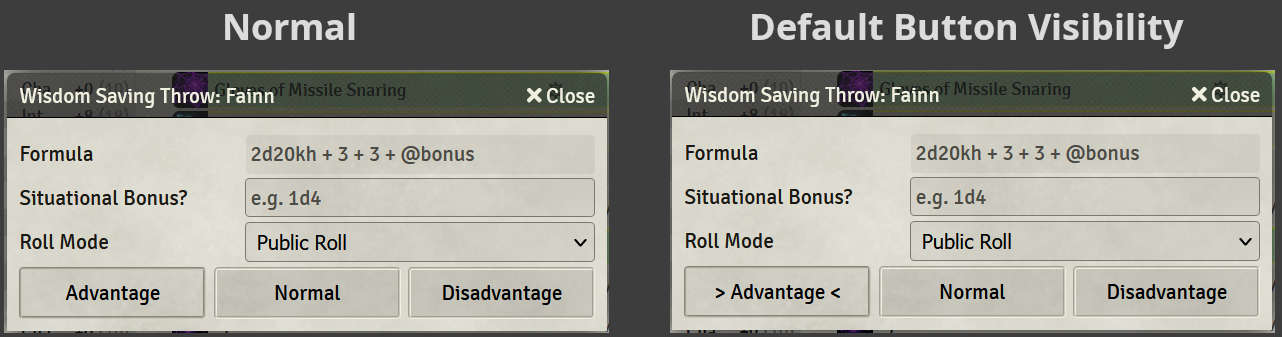
Just make default buttons easier to notice. All this module has is a tiny bit of CSS to indicate very clearly which button in any given dialog (of Foundry's normal CSS classes) is the default one. This is completely system-agnostic, and just affects styling of Foundry UI.
My own use case: when my players with things like a passive advantage on Wisdom saves goes to roll, they'll see which button they should probably be clicking. Instead of muscle-memory clicking "Normal", or having to ask. Also helps me as a GM to remember to roll Disadvantage when players apply such to the monsters.
Note that in this specific use case, the default button being set to "Advantage" is provided by midi-QOL's Effects while playing in D&D 5e. But this default highlight will still work with any system using Foundry's normal CSS classes.