


| Latest version | 1.0.0 |
|---|---|
| Minimum Core | 0.7.0 |
| Compatible Core | 0.7.8 |
| File size | 0 B |
| Last updated | 5 years ago |
| Created | 5 years ago |
| Authors | |
| Languages |
|
| Systems | All systems |
| Project source | Project URL |
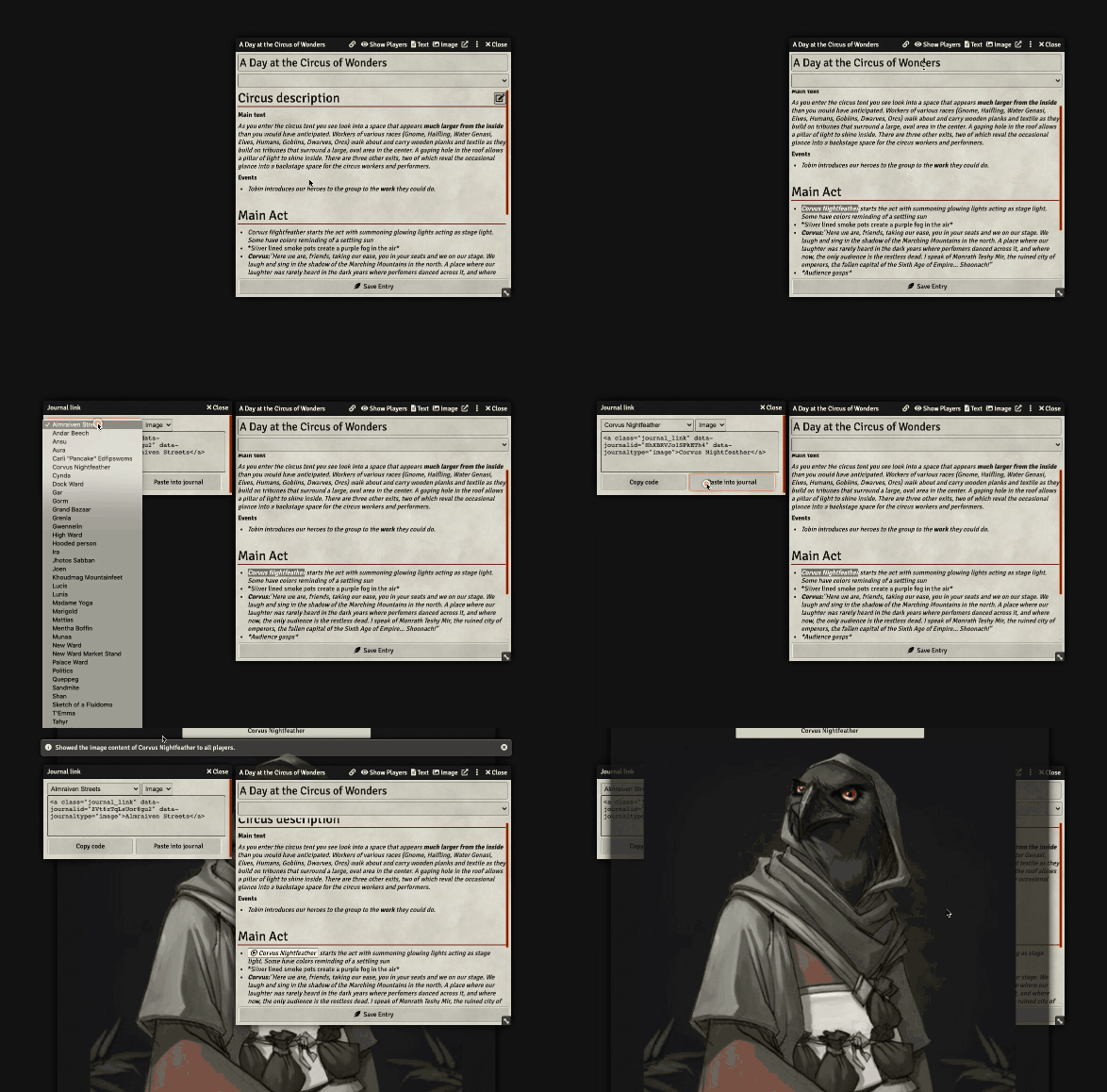
Adds the ability for GMs to create buttons in journals that immediately show other text or image journals to all players.
As a GM this basically saves you one precious click whenever you'd like to show your party a journal without interrupting the flow of your narration. Please note that the journal will always be shown, regardless of the viewer's permission for this journal.
How to use
Press the link icon in your journal to open the link generator. You can either copy and paste the button HTML code into your journal or replace your current journal text selection by pressing the Paste into journal - button.
Feature limitations
- The
Paste into journal- button can't be used while editing a journal with the text editor - The
Paste into journal- button can only replace unique text in the journal
Demo
Subscribe
Login
Please login to comment
0 Comments

