


| Latest version | 1.2.1 |
|---|---|
| Minimum Core | 12 |
| Compatible Core | 14.365 |
| Last updated | 4 weeks ago |
| Created | 1 year ago |
| Authors | |
| Languages |
English |
| Systems | All systems |
| Project source | Project URL |
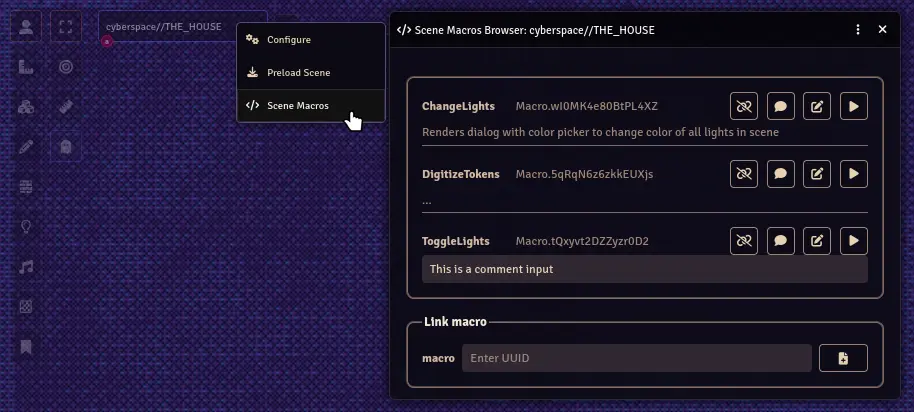
A simple module to open a window for each scene, accessible via the right click context menu for a scene in the top navigation bar or the sidebar scenes tab. In this window you can link macros to a scene by pasting the macro uuid. Rather than having to remember what macros might be useful for a particular scene, or sorting the macro directory with scene relevant folders, the Scene Macros Browser keeps track of macros you want to use in a given scene. You can also add comments to these macros, say for example their relevancy to the particular scene. These comments only apply to macros linked to that scene and do not change any data in the underlying macro.
Use the buttons for a particular macro in the browser to unlink it, give it a comment, open the editor or execute the macro. Additionally, left clicking on a macro name or uuid in the browser will copy the uuid to your system clipboard.
This module is designed for GM use only.

