


| Latest version | 2.1.0 |
|---|---|
| Minimum Core | 13 |
| Compatible Core | 14 |
| Last updated | 10 hours ago |
| Created | 10 hours ago |
| Authors | |
| Languages |
English 한국어 |
| Systems | All systems |
| Project source | Project URL |
| Report bugs | Bug tracker URL |
| Read-me | Readme URL |
| Changelog | Changelog URL |
Patreon · Discord · Wiki · 한국어
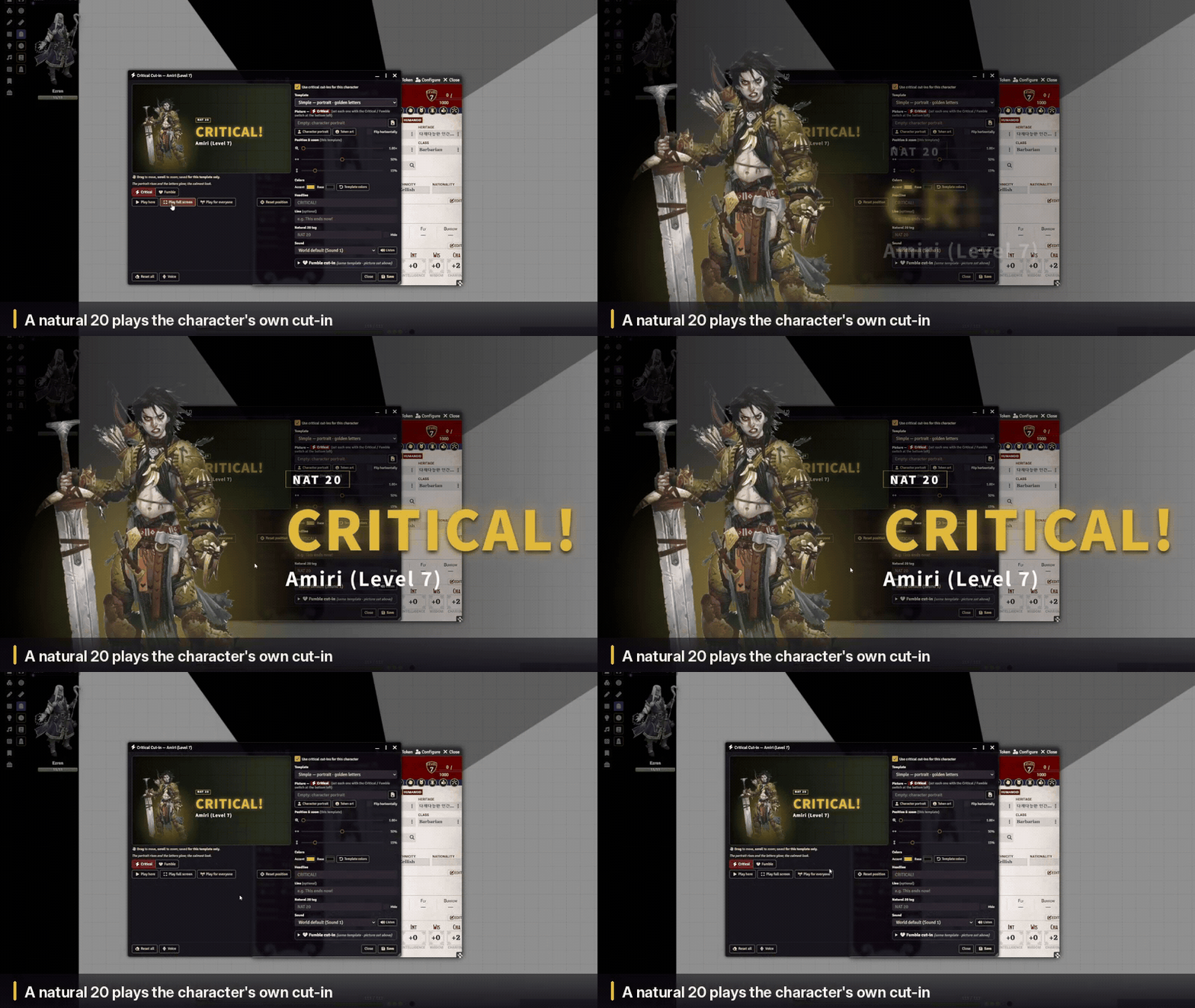
JRPG-style cut-ins for Foundry VTT, in any game system. A natural 20 or a critical success plays a full-screen cut-in with that character's own picture — ready the moment you turn it on, with no templates to draw and no layers to set up.
Features
- Critical cut-ins — a natural 20 or critical success plays a cut-in with that character's picture. PF2e reads degrees of success, D&D 5e its crit range, Call of Cthulhu 7e its 01 criticals; other d20 systems use the natural 20. Waits for Dice So Nice; Esc skips one.
- Ready to use — the motion, colors, timing and sound are already designed. Pick the character's picture and you're done.
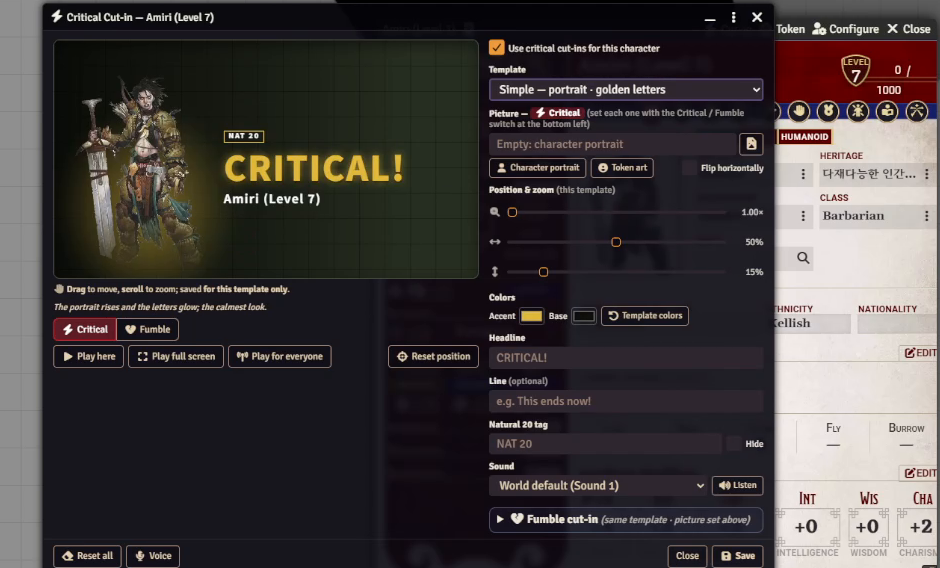
- Per character — picture, position and zoom (drag and scroll), headline, quote, natural-20 tag, colors and sound, with a live preview. Built-in sounds, no audio files needed.
- Moving pictures — a video (webm or mp4) works as the character's picture and plays on a loop.
- Character voices — a short shout on an attack, a hit, going down or a spell. No voice files come with the module: voice packs are copyrighted, so find packs you may use online, put them in your Foundry data folder and pick that folder.
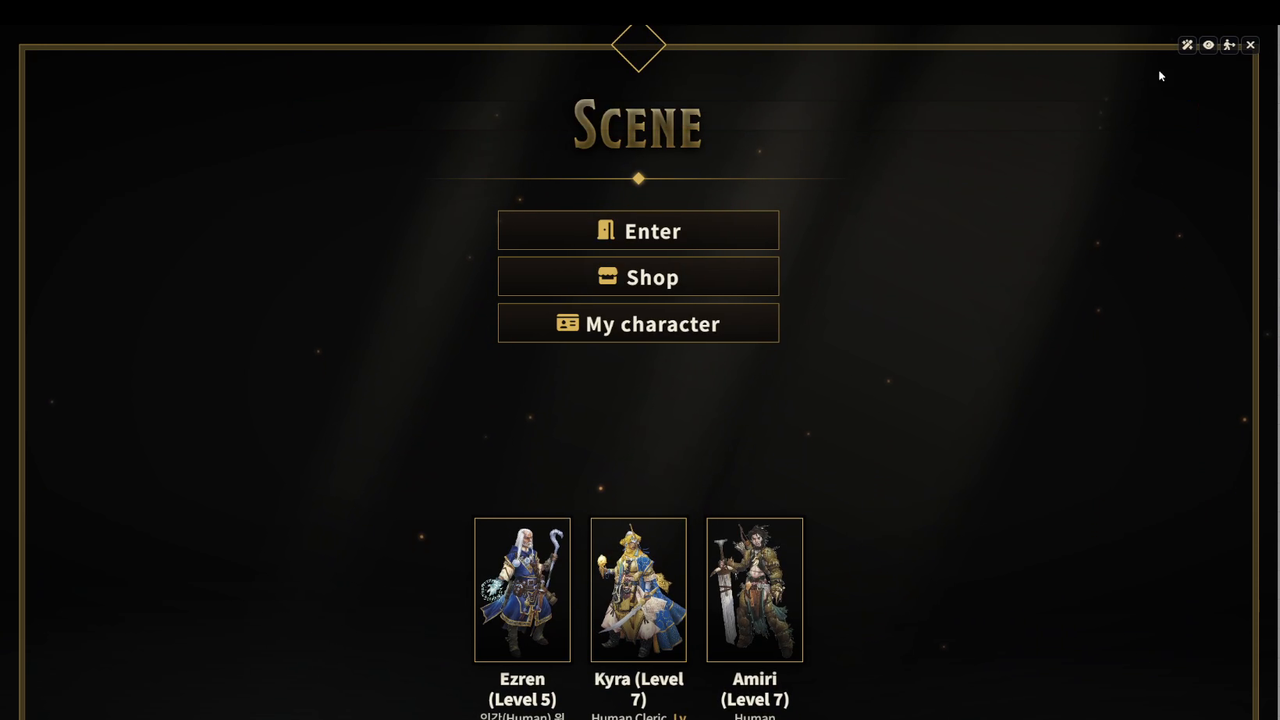
- Title screen — any scene becomes a title screen for your campaign (Cinematic or Dark Fantasy), with menu buttons and the party's cards.
- Each player chooses full motion, reduced motion or off on their own screen. Works on its own — no other module needed.
Patreon
More features, more modules and updates: find them on my Patreon.
Install
Foundry → Add-on Modules → Install Module → Manifest URL:
https://github.com/Rutz179/rutz-crit-cutin/releases/latest/download/module.json
Foundry VTT v13–v14 · Any system · English / 한국어 (follows Foundry's language)
Quick start
- Enable the module. Cut-ins play on their own when someone rolls a natural 20 or a critical success.
- Make one your own: Cut-in in a character sheet's header opens the editor.
- Voices: Configure Settings → Rutz's Cinematic Stage → Character voices, pick your voice folder, then Pick a voice for each character.
- Title screen: the Title screen button in the Rutz toolkit group of the scene controls.
Full guide: Wiki · Macro: game.rutzCutin.play(actor)
Questions and bug reports: Issues or Discord.
한국어
어떤 시스템에서든 쓰는 Foundry VTT용 JRPG풍 컷인입니다. 내추럴 20이나 치명적 성공이 나오면 그 캐릭터 그림으로 화면 가득 컷인이 뜹니다. 켜는 순간 바로 쓸 수 있어요. 템플릿을 그리거나 레이어를 짤 필요가 없습니다.
- 치명타 컷인 — 내추럴 20·치명적 성공이 나오면 그 캐릭터 그림으로 컷인이 뜹니다. PF2e는 성공 등급, D&D 5e는 치명타 범위, 크툴루의 부름 7판은 01 대성공을 읽고, 다른 d20 시스템은 내추럴 20을 봅니다. Dice So Nice 주사위가 멈춘 뒤 뜨고, Esc로 넘깁니다.
- 바로 쓰는 연출 — 움직임·색·타이밍·효과음이 이미 다 짜여 있습니다. 캐릭터 그림만 고르면 끝.
- 캐릭터별 편집 — 그림·위치·확대(끌기와 휠), 큰 글자, 대사, 내추럴 20 문구, 색, 효과음을 미리보기를 보며 정합니다. 효과음은 모듈이 직접 만들어서 소리 파일이 필요 없습니다.
- 움직이는 그림 — 동영상(webm·mp4)도 캐릭터 그림으로 쓸 수 있고, 반복 재생됩니다.
- 캐릭터 보이스 — 공격·피해·쓰러짐·주문 때 나는 짧은 외침. 모듈에는 보이스 파일이 없습니다. 보이스 팩은 저작권이 있어 함께 배포할 수 없으니, 인터넷에서 쓸 수 있는 팩을 찾아 Foundry 데이터 폴더에 넣고 그 폴더를 고르세요.
- 타이틀 화면 — 아무 장면이나 캠페인의 타이틀 화면으로(시네마틱, 다크 판타지). 메뉴 버튼과 파티 카드.
- 플레이어마다 자기 화면에서 전체 연출·움직임 줄이기·끄기를 고릅니다. 다른 모듈 없이 혼자 동작합니다.
더 많은 기능, 더 많은 모듈, 업데이트 소식은 Patreon에서 찾아 주세요.
자세한 안내: 한국어 위키

