


| Latest version | 1.3.0 |
|---|---|
| Minimum Core | 10 |
| Compatible Core | 11 |
| Last updated | 2 years ago |
| Created | 2 years ago |
| Authors | |
| Languages |
English |
| Systems | All systems |
| Project source | Project URL |
| Report bugs | Bug tracker URL |
| Read-me | Readme URL |
| Changelog | Changelog URL |
| License | License URL |

A FoundryVTT library that provides a way to insert and manage tags across almost all documents.
This is useful for storing simple data that can help module/macro developers create generic code and reuse it easily, it also allows some type of customization. The idea of tagging Items was born because I don't use English in my sessions, and relying on autodetect based on names to automate certain items was going to be too much for me to handle.
Go to the Documentation for more information about this library, including API reference
More features are planned, including a auto-tagger based on names with language support
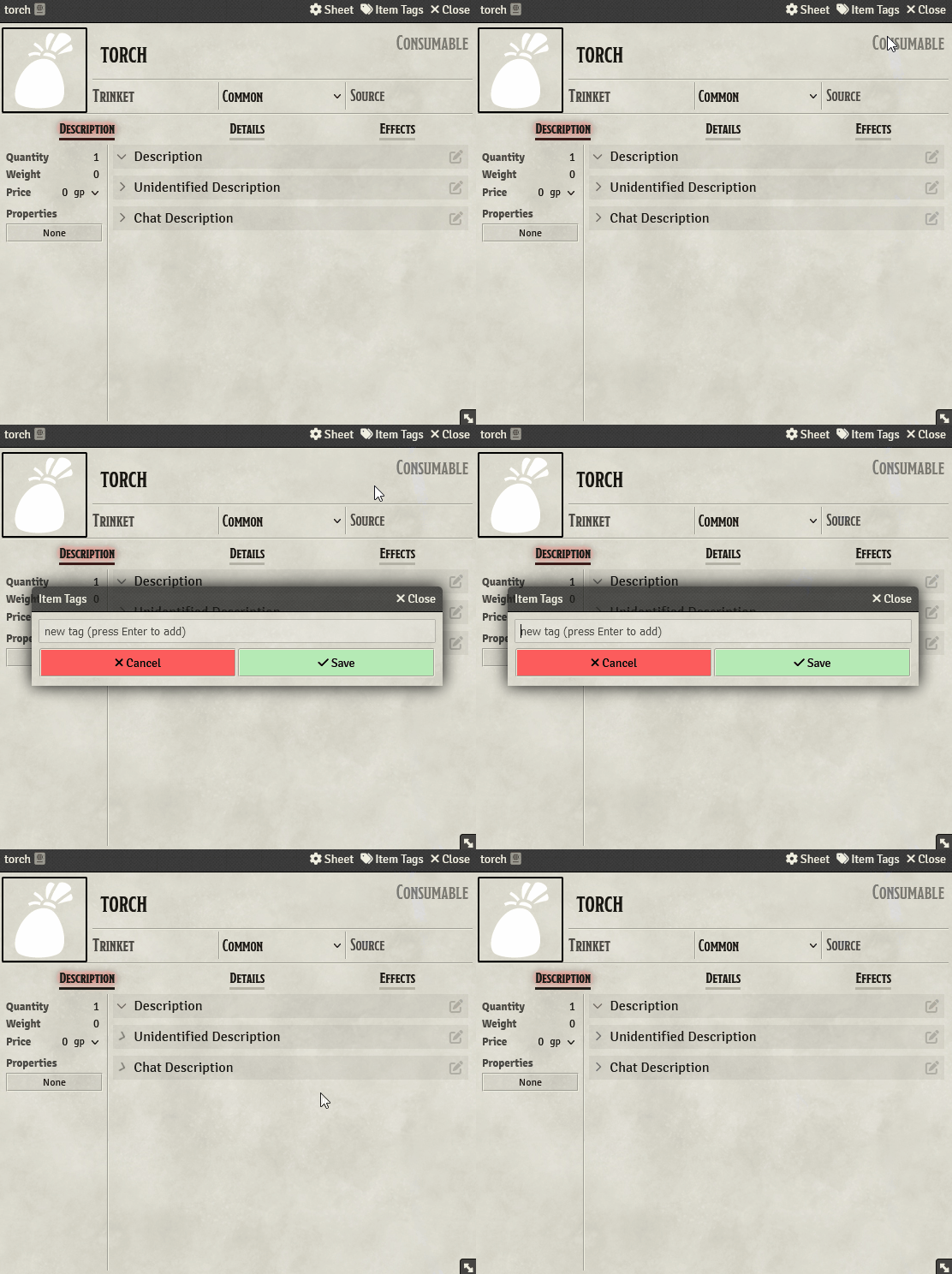
Adding Tags
Open a supported document and find the Tags button, click it and insert the tag. All the changes you do need to be confirmed, if you click on cancel the changes you made will be discarded.
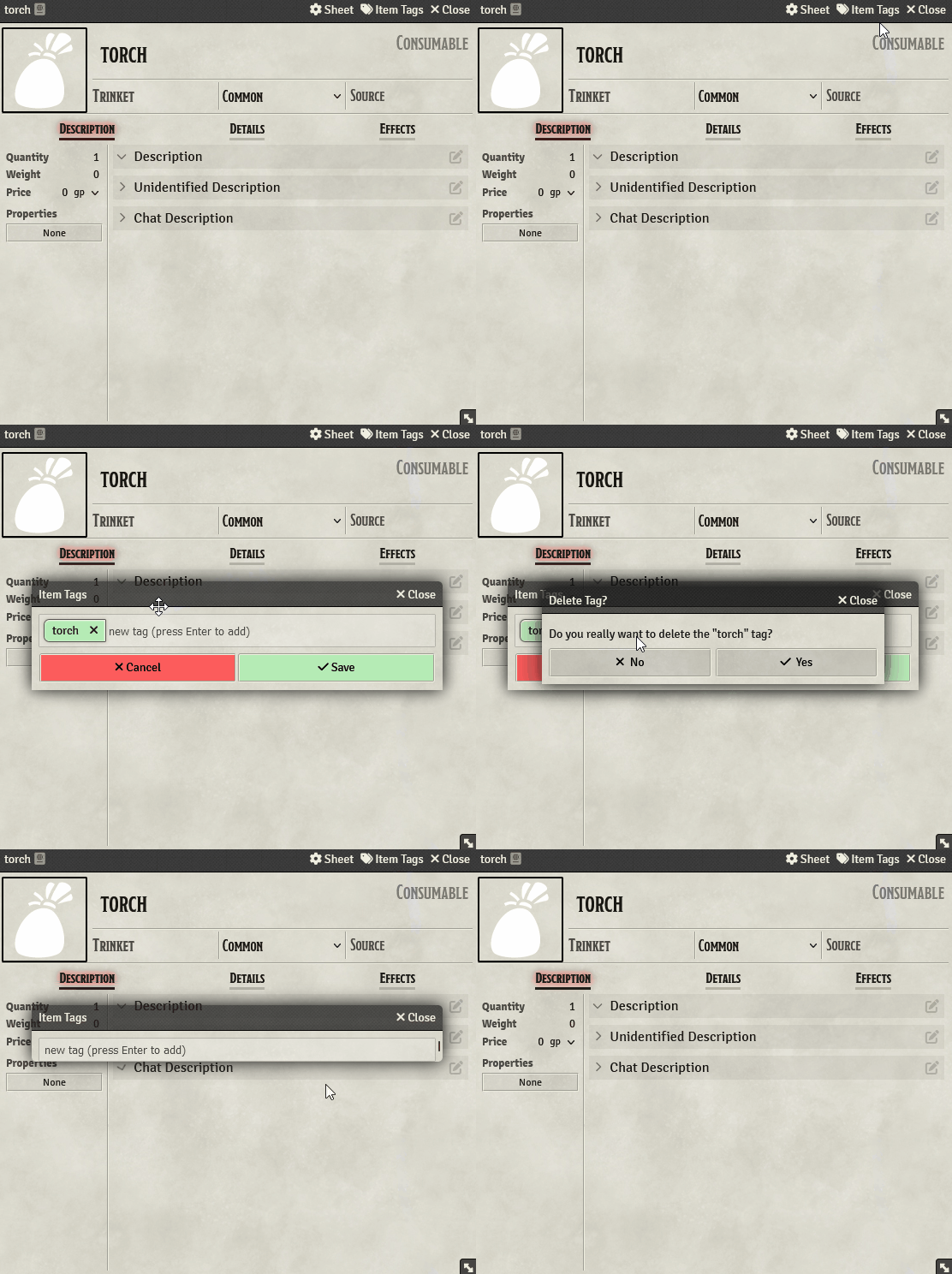
Removing Tags
Open the Tags window and click on the X on the tag you want to remove. You need to confirm when removing tags.
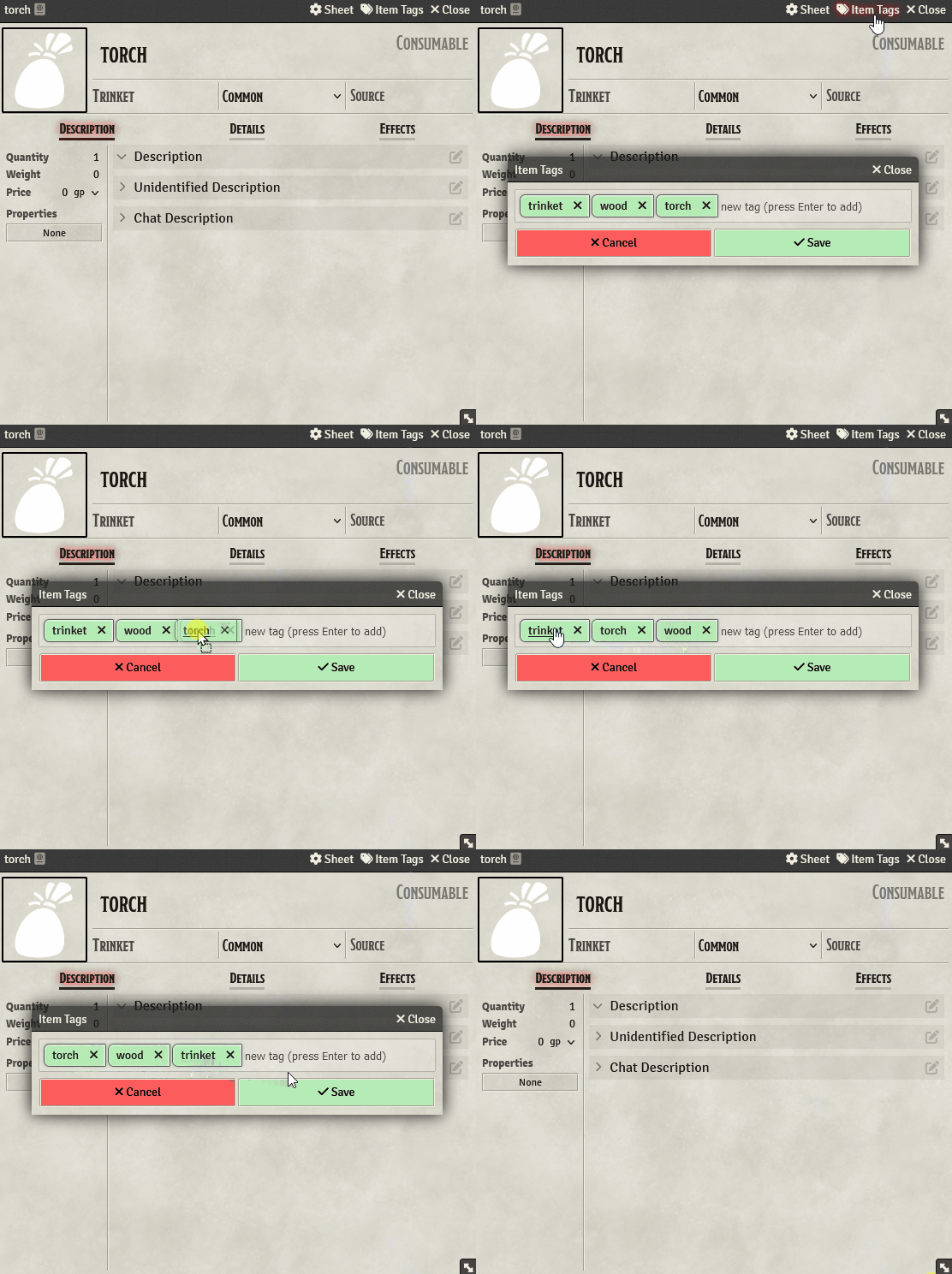
Reordering Tags
Open the Tags button and drag Tag to its new position.
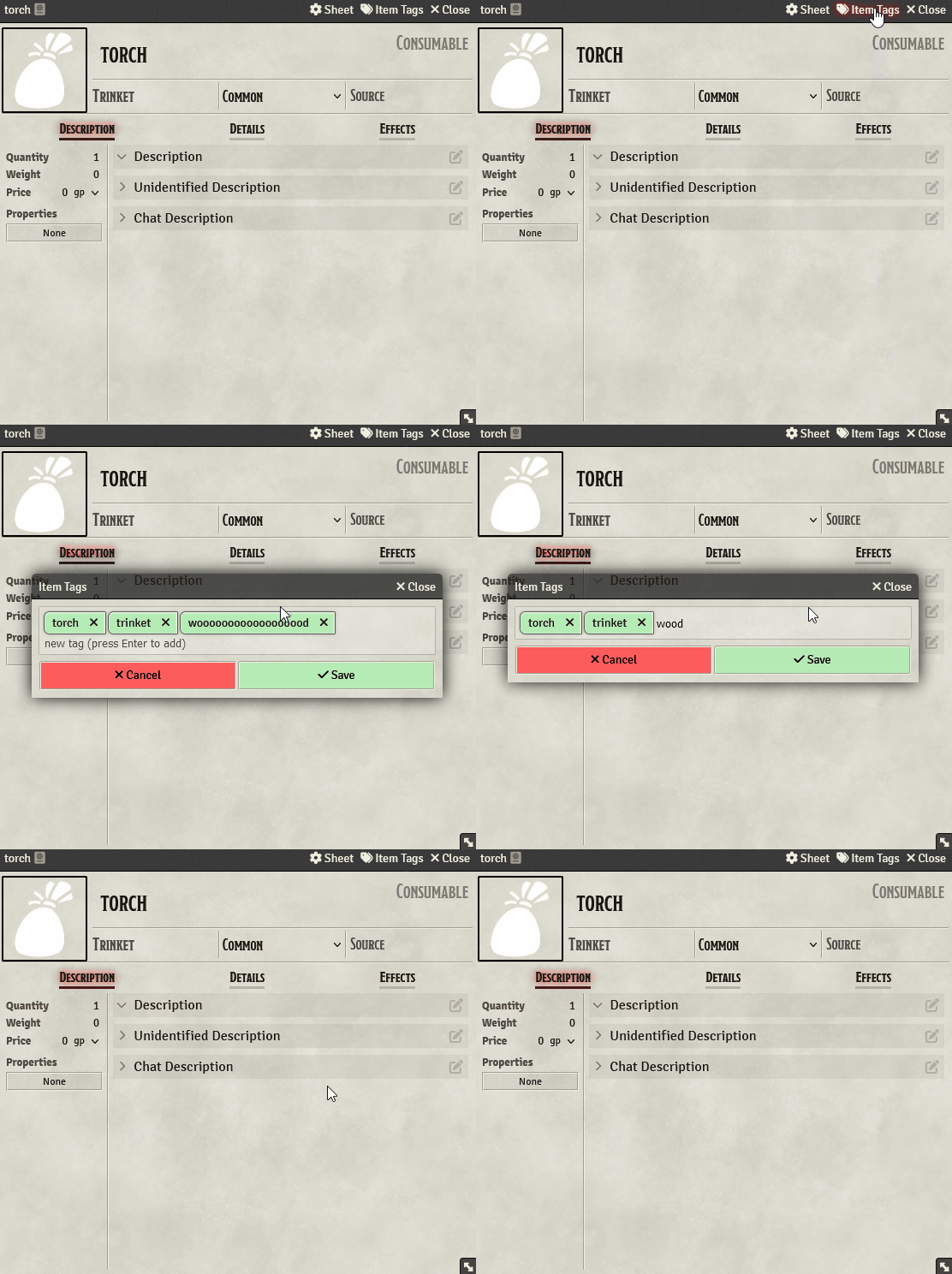
Editing Tags
Open the Tags button and double-click the name of a Tag, then press Enter to insert it again.
Subscribe
Login
Please login to comment
0 Comments

