


| Latest version | 0.4.3 |
|---|---|
| Minimum Core | 13 |
| Compatible Core | 14.369 |
| Last updated | 3 hours ago |
| Created | 3 hours ago |
| Authors | |
| Languages |
English Português (Brasil) |
| Systems | All systems |
| Project source | Project URL |
| Report bugs | Bug tracker URL |
| Read-me | Readme URL |
| Changelog | Changelog URL |
| License | License URL |



Give your sheet your table's look, with your own art, without losing your compendium's automation.
1. Customize what you're already used to
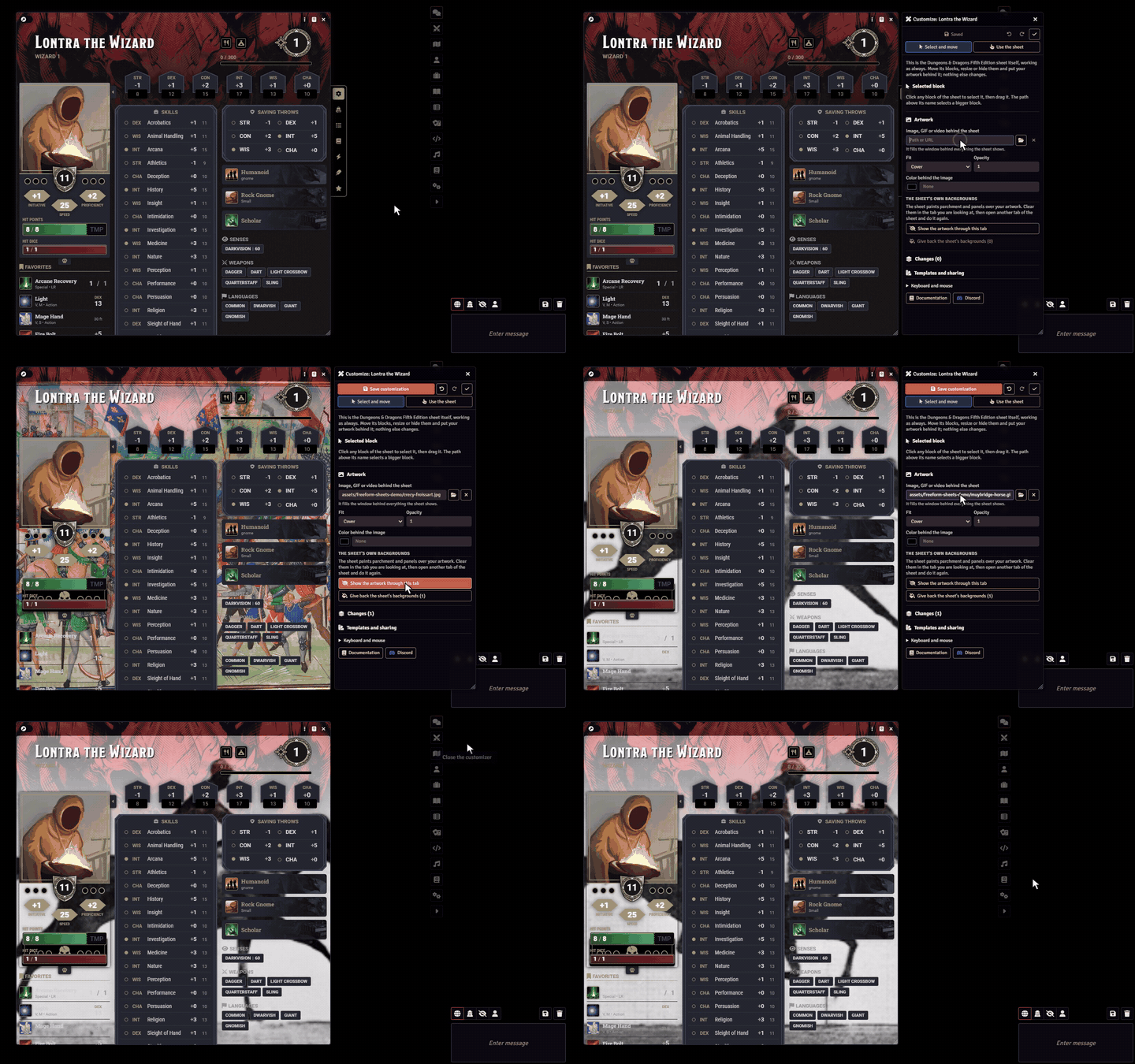
Open your sheet as usual in D&D 5e, Pathfinder 2e, FateX or another system and click Customize sheet. Drag the blocks wherever you want, change their size, hide what you don't use, and even put an image, GIF or video behind the sheet. It is still the system's sheet: rolls, fields and dragging items keep working the same way. The customization is saved, and everyone who can open the sheet sees it.
2. Your sheet is ready right away
In the character's Sheet option, choose Freeform Sheet. It opens complete, with everything the system sheet has, split into tabs: attributes, skills, attacks, spells, inventory and everything else. The rolls are the system's own, with the same dialogs and chat cards. The original sheet stays in the last tab and keeps working in case you need it.
3. Build the sheet on your art
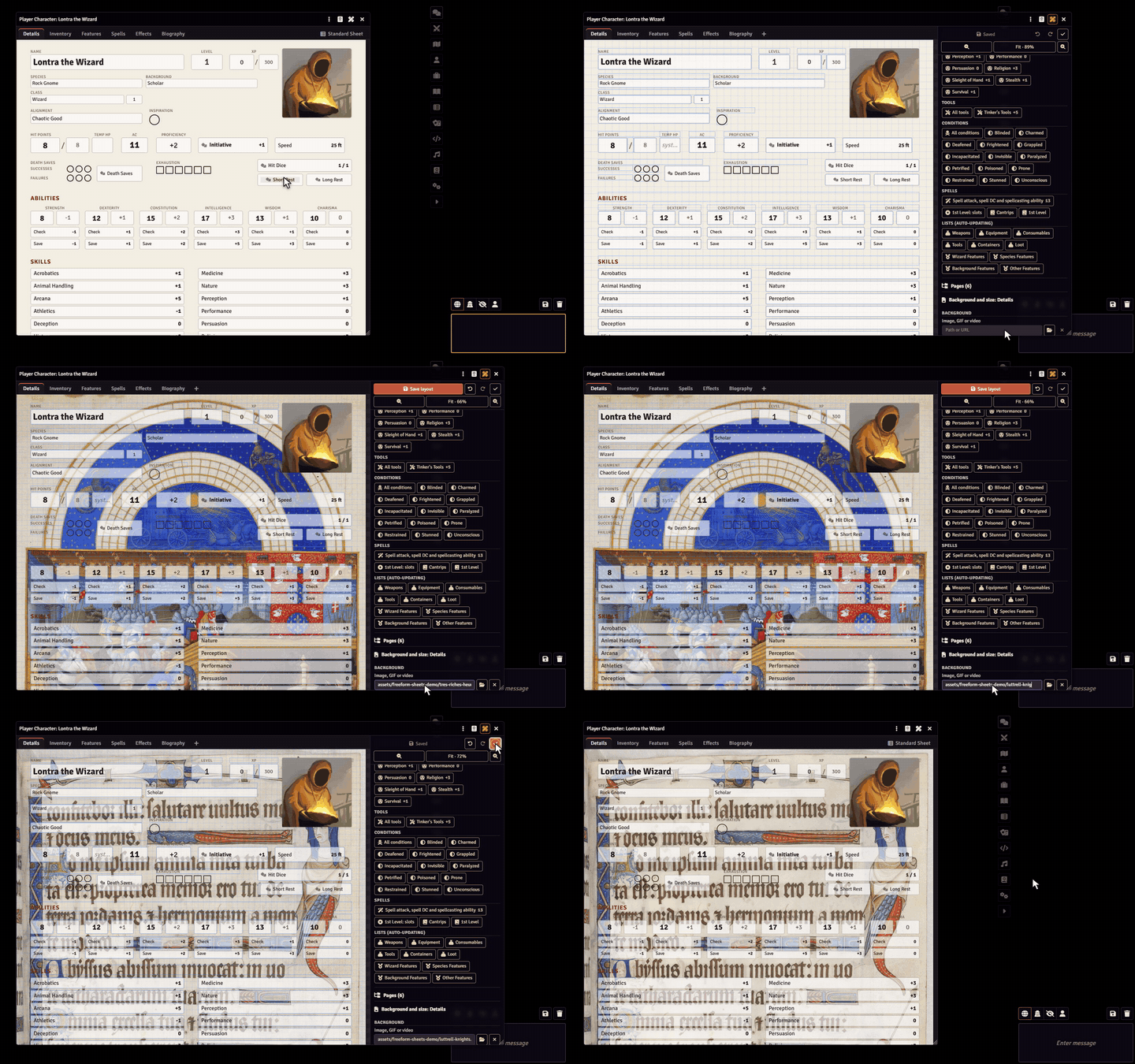
The ruler and pencil button opens the editor. You can choose an image, GIF or video for the page background, then drag the fields onto the spaces you drew. Each element stays linked to the right character data: you can type, tick boxes, roll and edit items right on your art. The sheet can have as many pages as you want, each one with the art you choose.
4. Animated sheets and layouts can be shared
A layout can be exported and imported as JSON, so you can pass your sheet on to a group or a community. Items are recognized by type and by name on the character that receives the layout.
5. Compatibility and installation
Tested on Foundry 13 (13.351) with D&D 5e 5.3.3, Pathfinder 2e 7.12.2 and FateX 1.5.4. In other systems, fields can be linked through the data path itself. The interface is in English and Portuguese.
If you find a problem, you can open an issue on GitHub with your Foundry version, the system and the steps you took, so I can reproduce the error. You can also join the Discord and send me your problem directly, in the group or in a private message.
Documentation (English and Portuguese): https://sheet-tailor.lontrathewizard.workers.dev
Issues: https://github.com/LucasChlz/Freeform-Sheets-Distribution/issues

