


| Latest version | 0.0.6 |
|---|---|
| Minimum Core | 9 |
| Compatible Core | 9 |
| Last updated | 4 years ago |
| Created | 4 years ago |
| Authors | |
| Languages |
|
| Systems | All systems |
| Project source | Project URL |
| Read-me | Readme URL |
| License | License URL |
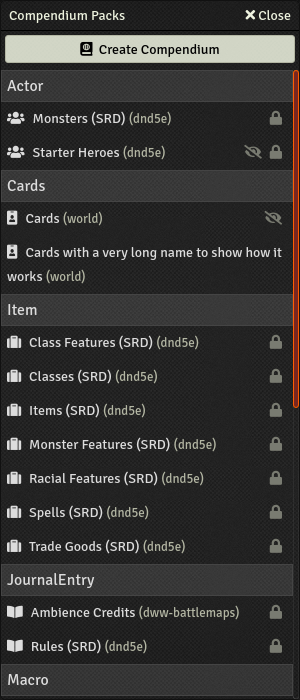
Better UI for the compendium packs tab. Clearer and more compact.
Screenshots
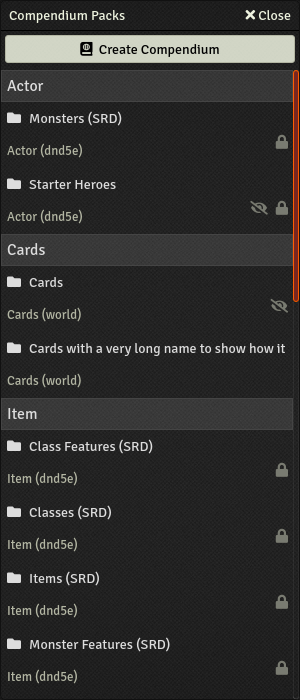
Normal compendium packs tab without this module
Compendium packs tab with this module
Why not only CSS?
This module could almost be without JS and be CSS only but, sadly, it's needed because the "lines" in the compendium tab have no CSS class (or attribute) saying what their type is. The only way to detect that is to use the title of the category which can't be done in CSS. So JS is used to detecte those category titles and add a appropriate CSS class that the CSS file can use after.
Compatibility
Compatible with version 2.4.1 of vtt-compendium-folders, others version are probably compatible but I haven't tested them.
Subscribe
Login
Please login to comment
0 Comments

