


| Latest version | 1.2.2 |
|---|---|
| Minimum Core | 14 |
| Compatible Core | 14.362 |
| Last updated | 4 months ago |
| Created | 5 months ago |
| Authors | |
| Languages |
English |
| Systems |
D35E |
| Project source | Project URL |
| Report bugs | Bug tracker URL |
| Read-me | Readme URL |
| Changelog | Changelog URL |
| License | License URL |
D35E Scent Sense
D35E Scent Sense adds conservative D&D 3.5e SRD Scent support for worlds running the D35E Foundry system. It helps GMs and token owners notice scent presence, request direction, handle 5 ft pinpoint cases, and manage scene Scent Sources that can leave visual trails without silently replacing table adjudication.
The module is built as a GM aid: it automates repeatable range and state checks where the mechanics are clear, then keeps judgment calls visible for the GM.
Support: If this module helps your table, donations are optional and support continued maintenance, compatibility testing, release packaging, and documentation.

Install
In Foundry, open Add-on Modules > Install Module, paste this into Manifest URL, and install:
https://github.com/SpencerZPoole/d35e-scent-sense/releases/latest/download/module.json
After installation, enable D35E Scent Sense in a D35E world and reload when Foundry asks.
Give An Actor Scent
Open the actor sheet, go to Attributes, scroll to Senses, click the pencil icon, enter the desired range in Scent, and click Submit. That D35E sheet value is the normal setup path for the module.
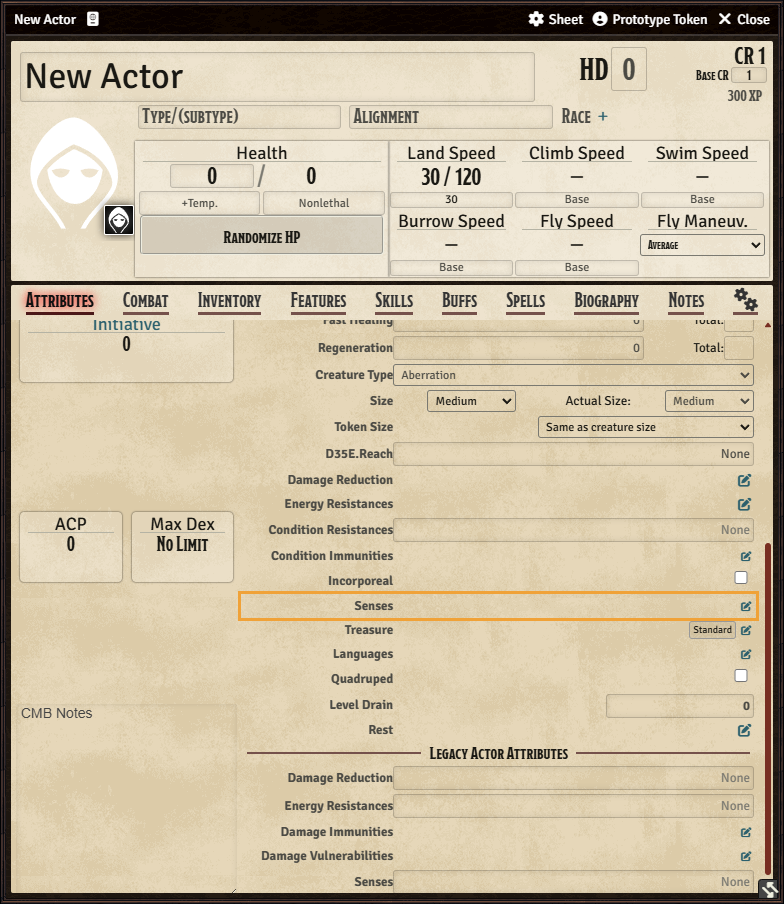
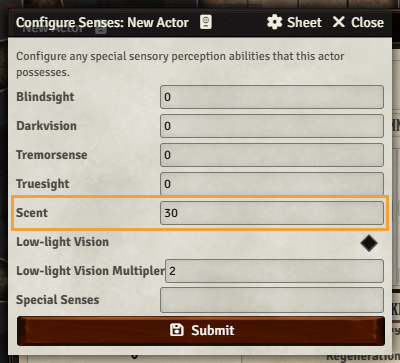
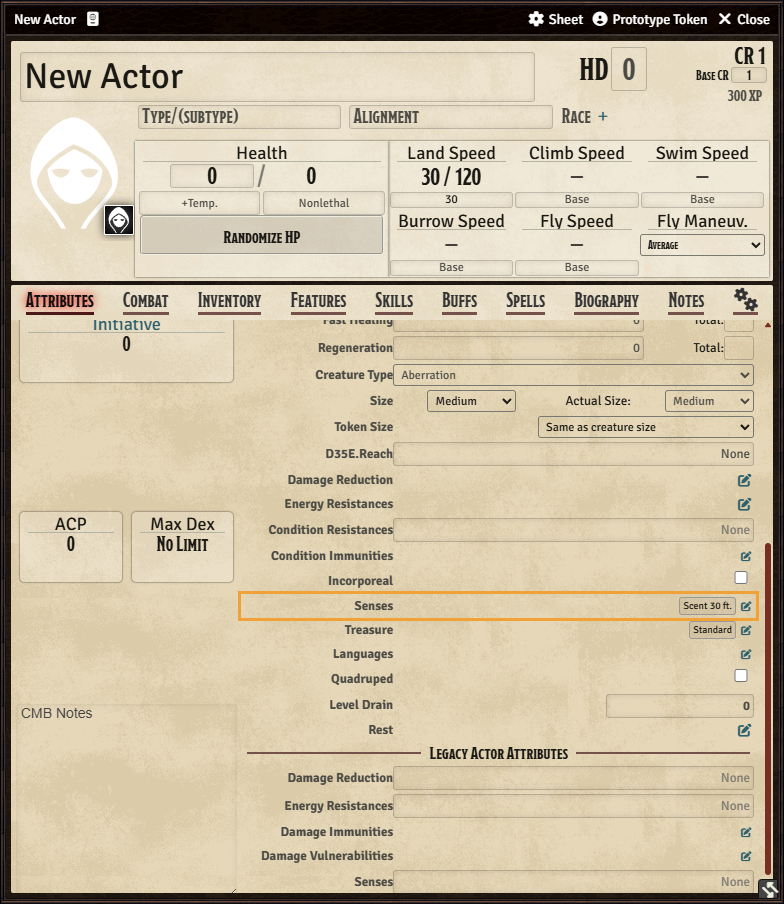
The module reads that value from system.attributes.senses.scent. D35E may also expose the prepared range at system.senses.scent; the module checks both paths and uses the highest valid positive range.
Screenshots
What It Adds
- Registers Scent as a D35E sense label when the D35E system is active.
- Reads Scent range from supported D35E actor sense data and eligible item sense data.
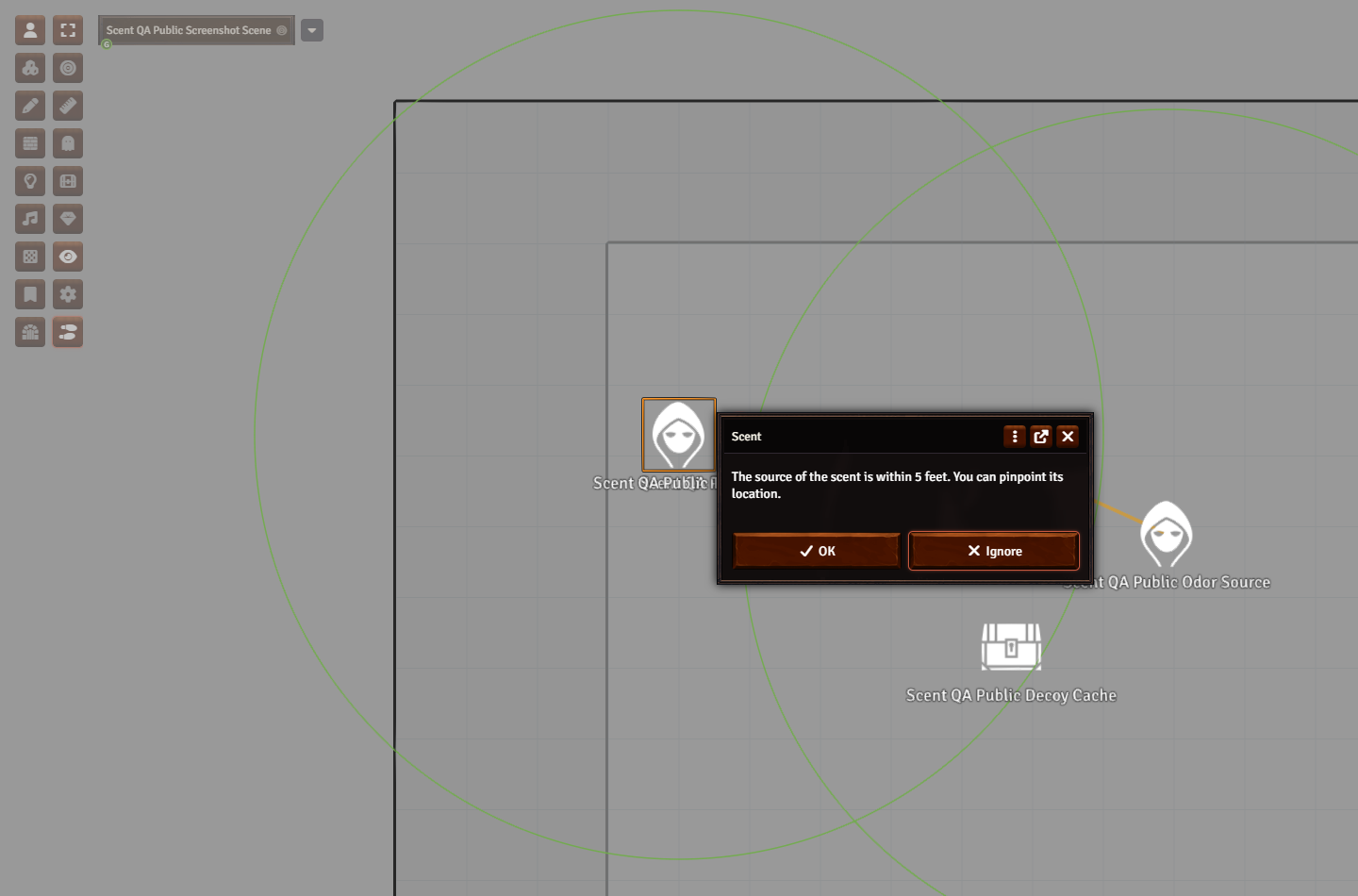
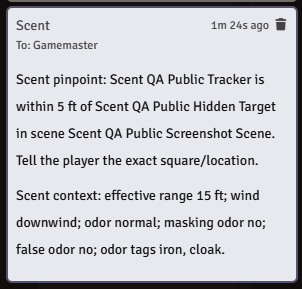
- Adds 5 ft Scent pinpoint handling through a module-managed token detection mode.
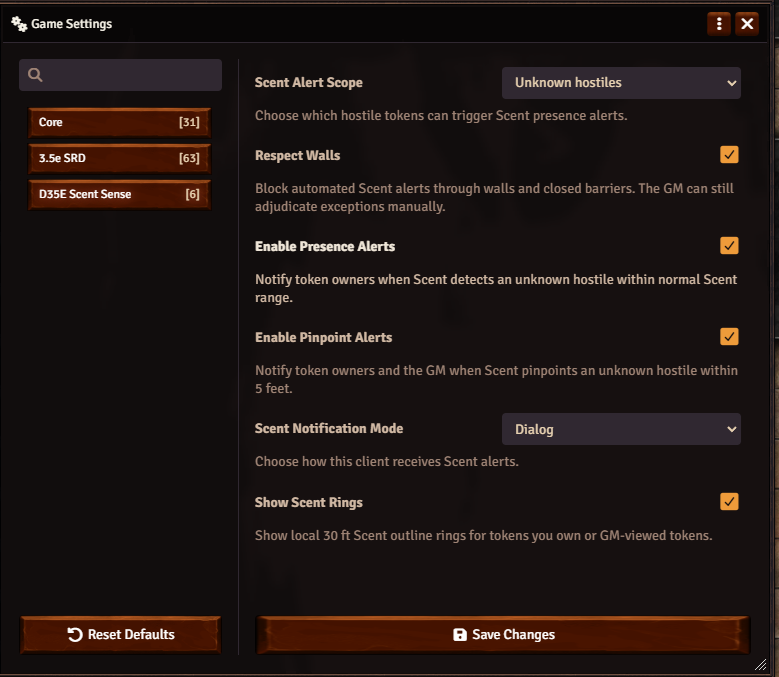
- Sends private owner+GM alerts for scent presence, direction requests, and pinpoint states.
- Keeps player-facing Scent cards anonymous while sending hidden target details only to GMs.
- Provides optional owner/GM-local Scent range rings for quick table visibility.
- Tracks Scent states such as presence, direction available, direction requested, direction revealed, and pinpoint.
Scene Scent Sources
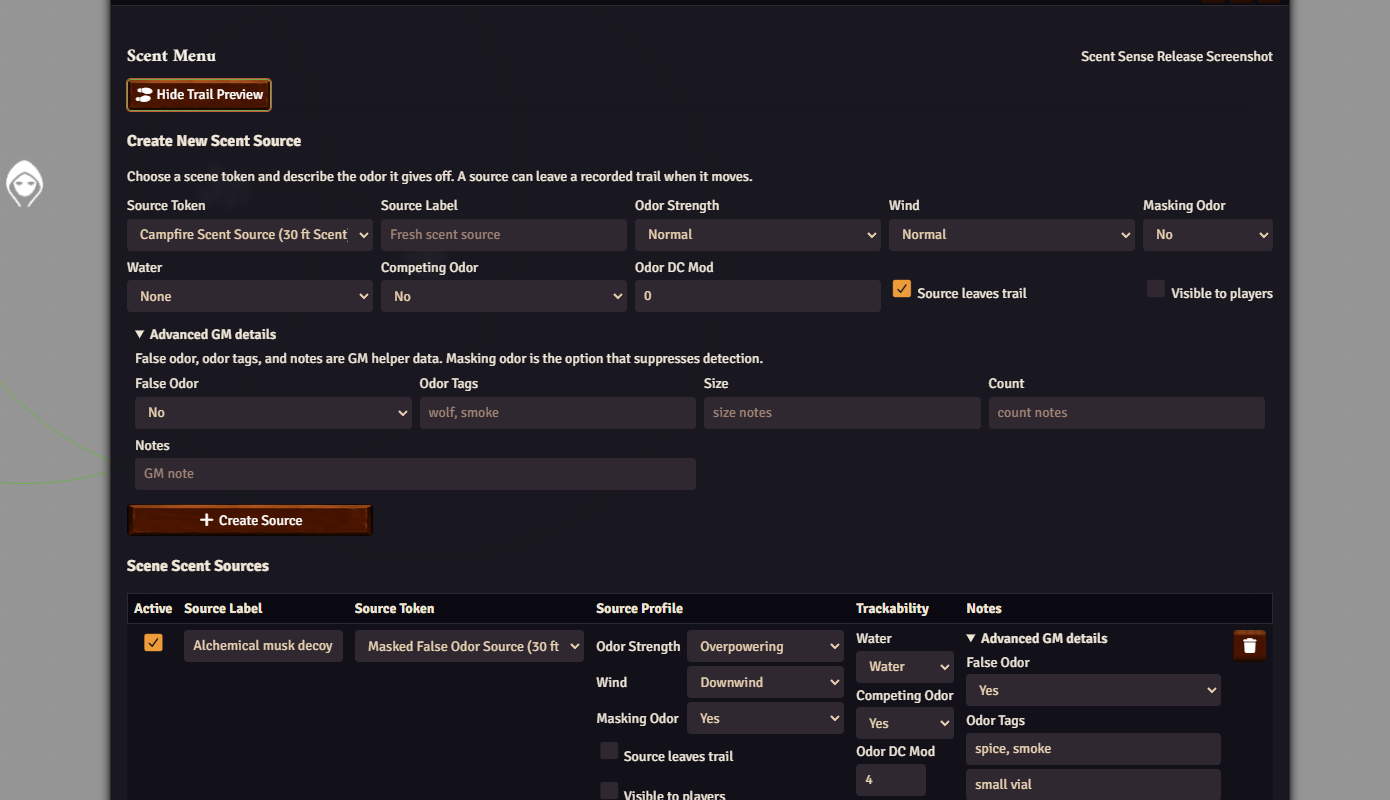
The GM-only Scent Menu is a single page for creating and editing scene Scent Sources. A source stores the token, label, odor strength, wind, masking odor, water state, competing odor, player visibility, and whether the source leaves a trail when it moves. Masking odor is the main mechanical suppressor. False odor, familiar odor tags, and private notes remain available under Advanced GM details instead of crowding the main workflow.
Odor profiles can mark targets as normal, strong, or overpowering, record masking odors, and store optional false-odor or familiar-odor helper tags such as wolf, smoke, or spice. False odor and tags do not identify creatures or mislead players automatically; they keep the GM's context organized.
Source Trails And Tracking
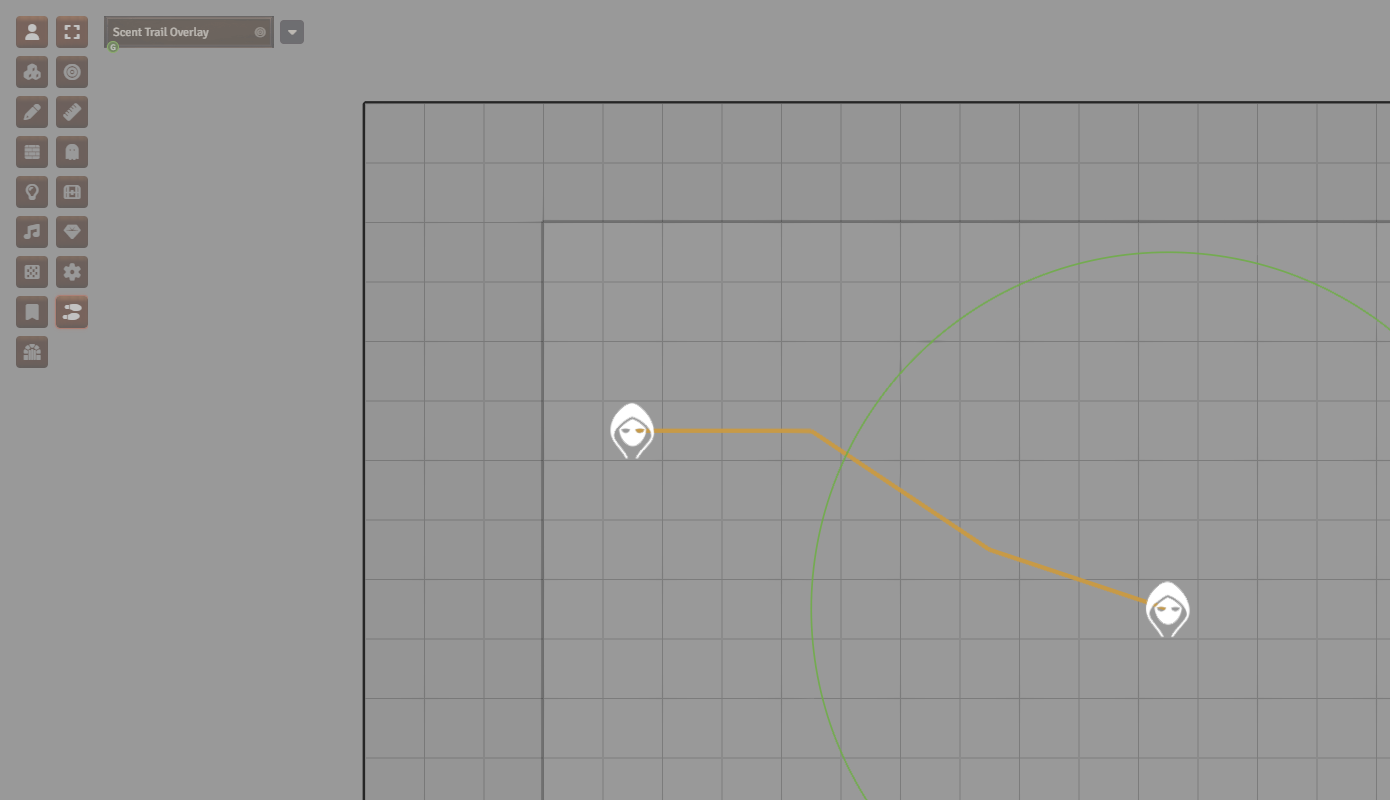
Sources can leave trails. When Source leaves trail is enabled, future token movement records visual path segments. A separate View Scent Trails token-control toggle shows or hides the path overlay without opening the menu. Tracking DC helper APIs remain available for macros and future UI work; the menu stays focused on source setup and source editing. Tracking prompts are private by default, with redacted owner cards and GM-only detail cards.
Diagnostics And Support
The public API is exposed at game.d35eScentSense. Useful diagnostics include:
game.d35eScentSense.getScentRangeBreakdown(canvas.tokens.controlled[0])
game.d35eScentSense.evaluateScentState(sourceToken, targetToken)
game.d35eScentSense.migrateFlags({ dryRun: true })
For full documentation, see the User Manual, Quick Start Guide, and API Reference.
Compatibility
- Foundry VTT: minimum 14, verified 14.362.
- D35E system: minimum 3.0.2, verified 3.0.2.
- Module version: 1.2.2.
Boundaries
This module does not spend actions, decide every direction call, identify hidden creatures for players, backfill trail movement before the GM creates a trail, reveal trail paths to players unless the GM allows it, or replace GM rulings. Respect Walls blocks automated alerts through walls; if the wall collision check cannot be verified, the module suppresses the automated alert rather than risk revealing a hidden source. It is meant to make Scent easier to run at the table while keeping the GM in control.
This is independent community tooling for Foundry VTT and D35E. It does not include copied rulebook prose, stat blocks, adventure text, setting lore, compendium data, artwork, audio, fonts, or private campaign material.

