


| Latest version | 2.1.6 |
|---|---|
| Minimum Core | |
| Compatible Core | |
| Last updated | 1 month ago |
| Created | 11 months ago |
| Authors | |
| Languages |
English Русский |
| Systems | All systems |
| Project source | Project URL |
| Read-me | Readme URL |
| License | License URL |
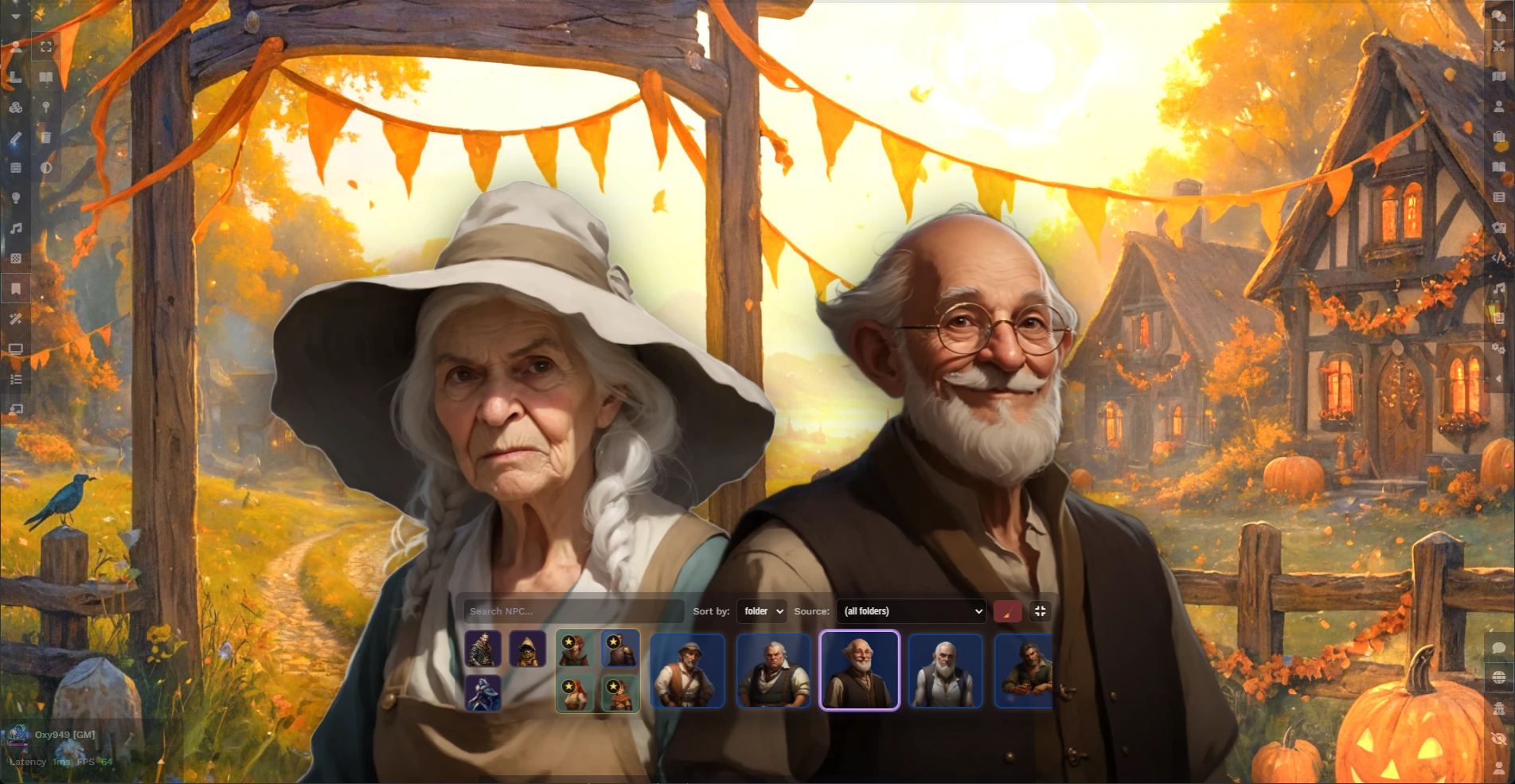
"Ginzzzu's Portraits & NPC Dock" brings a cinematic layer to your Foundry VTT games.
It displays character and NPC portraits directly on screen — much like a visual novel or dialogue-driven RPG.
The module provides:
🎭 Dynamic portraits for PCs and NPCs with smooth animation transitions.
💬 NPC Dock, a visual panel bar for managing and displaying characters on screen that remembers sorting between worlds, supports folder-based sorting etc.
⚙️ Customizable layout, including sliders for portrait size, spacing, and screen offsets.
✨ Stylized UI with glass panels, glowing edges, and adaptive transparency.
This module integrates seamlessly with other Foundry features and can be used both for roleplay storytelling and combat visualization for any gaming system.
USAGE:
After installing, you’ll find a PC/NPC control panel at the bottom of your screen — an intuitive way to manage all your character portraits right on the tabletop:
Check out YT Video to see how it works!
PANEL CONTROLS:
- Left-click — add or remove portraits on the screen.
- Right-click — open the character sheet for any PC or NPC.
- Middle-click — add PCs or NPCs to Favorites to keep important characters at the front.
- Drag actor cards from the dock onto the canvas to create tokens.
- Scroll the mouse wheel to browse portraits.
- Clear the screen by pressing the Clear All button (red, top-right).
- Toggle panel visibility by pressing the Show/Hide Panel button (gray, top-right).
- Folder selection: use the folder dropdown to select an actors folder with portraits.
- Quick search: use Search field to filter portraits by name or folder path.
PORTRAIT CONTROLS:
- Middle-click a portrait to highlight it and dim the others (adjustable in settings).
- Move cursor over portrait to see character's name (can switch to permament visibility in settings).
- Right-click to flip portrait horizontally (players can flip their characters if allowed in settings).
EMOTION PANEL
You can now assign expressive emotional states to any portrait. Check settings to switch on/off and allow players to use it. Supported emotions include: 😊 Joy • 😢 Sadness • 😠 Anger • 😱 Fear • 💖 Love • 🤕 Hurt • 😪 Tired
Each emotion applies: color-grade filter, glowing highlight, a unique animated behavior (shake, tilt, bob, pulse, etc.).
How to use:
- Hover over a portrait to reveal the Emotion Panel
- Click an icon to apply an emotion
- Click the same icon again to remove it
- All connected users see the emotion and animation immediately
CHARACTER SETTINGS:
- Change displayed name in Player/NPC Sheet > Settings (3 dots in top right) > Configure Character Portrait.
USEFUL TIPS:
- Folder colors match each portrait’s background or outline for quick visual grouping.
- Filter player characters by placing them in different folders and choose certait folder in the module settings. Drag the actor into the selected folder so it will instantly appear in the dock — no reload required.
- Use the (Scene) option to show portraits only for characters with tokens on the current scene.
- Dynamic lighting support: portraits dim with scene darkness for deeper immersion (adjustable in Settings).
- Right-click an actor in the Actors list (top-right panel) and select “Show portrait”, or use the top-right button in the character sheet to instantly display the portrait.
- Use Settings to configure the module to your preferences.
CREDITS:
- Ginzzzu - Original idea, core code and design
- Oxy949 - The module code, refactoring, bugfixes
- Threatre Inserts - Heavy inspiration (and little bit'o code's reference)

