


| Latest version | 2.6 |
|---|---|
| Minimum Core | 12 |
| Compatible Core | 12.331 |
| Last updated | 4 weeks ago |
| Created | 1 year ago |
| Authors | |
| Languages |
Deutschland English French Polski Svenska |
| Systems |
Dragonbane |
| Project source | Project URL |
Dragonbane - Item Browser
If you like my work consider left some tip Support Bartłomiej Bielecki
This module allows you to easily add items to character sheets. It searches for all items in the game World (Compendiums are not searched) with the following types:
- Item
- Armor
- Helmet
- Spell
- Ability
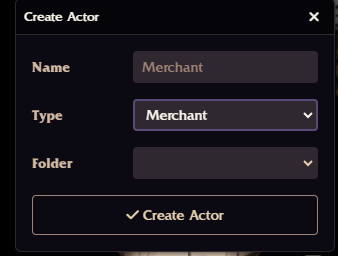
It also adds a new type of actor – Merchant.
Here is YouTube movie which show what is possible by this module video by Matthias Weeks
The module works with localization (any language other than English), as long as you use the exact names for gold, silver, and copper as in the Inventory tab under the coin section. Capitalization does not matter.
In the tabs for Heroic Abilities, Magic Tricks, Spells, Equipped Weapons, Equipped Armor, Equipped Helmets, and Items, you will find a magnifying glass icon:
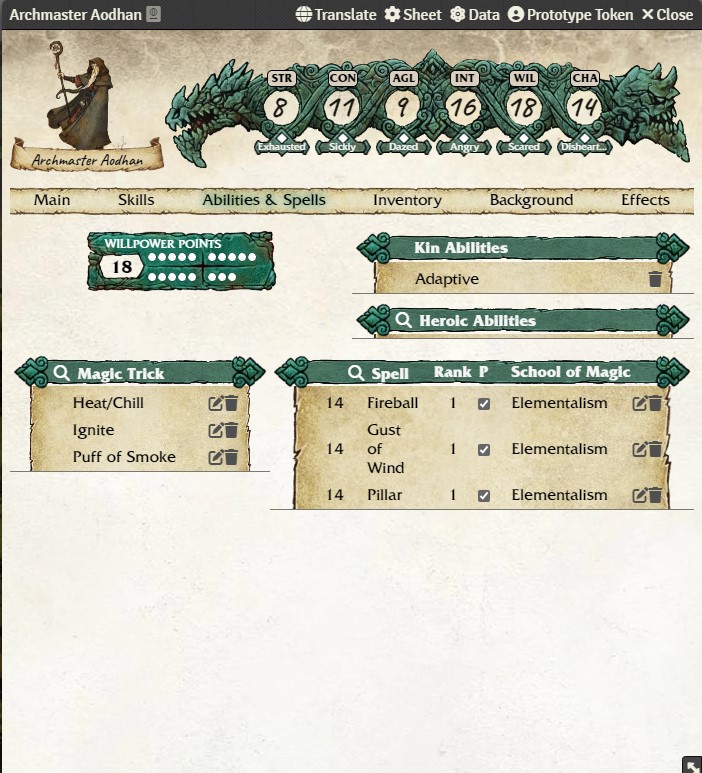
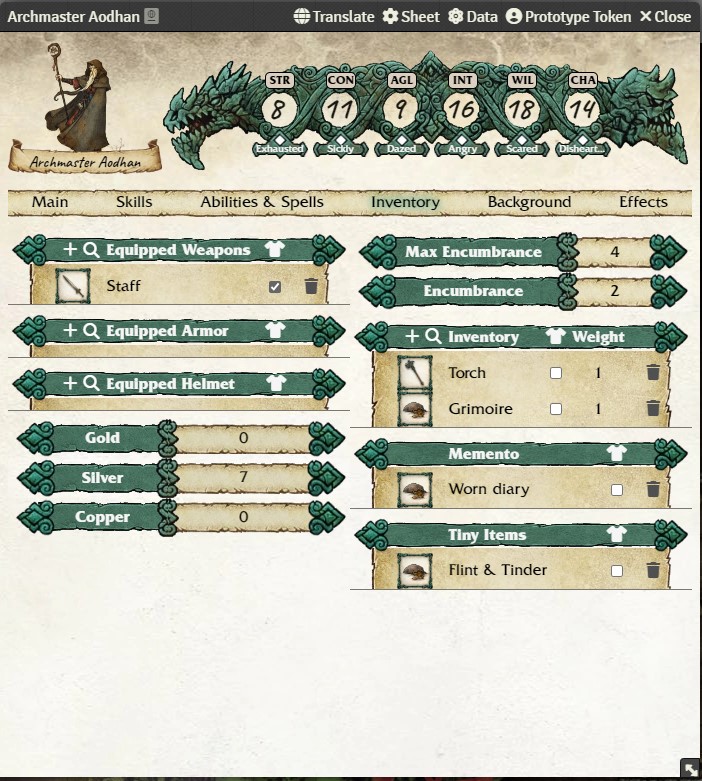
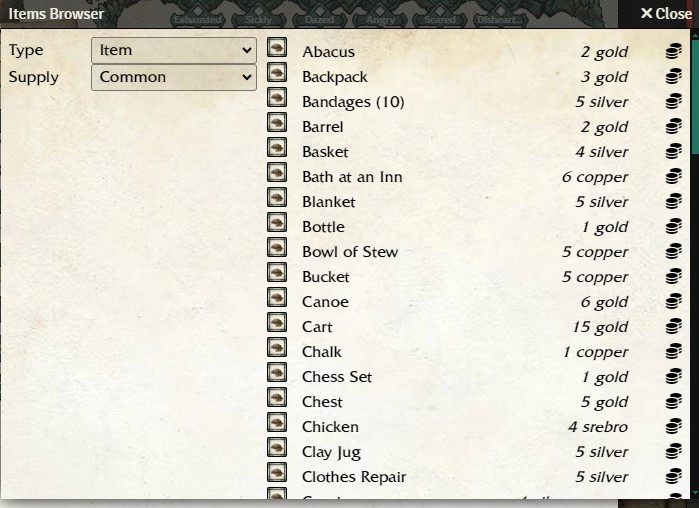
Clicking on it opens a browser dialog for the selected type. It looks like this:
Hovering over an item name will show its description:
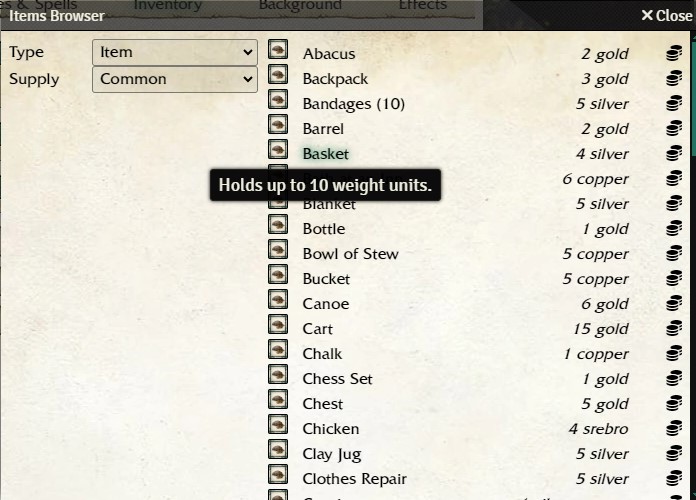
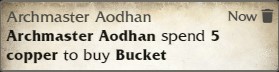
Clicking on an item name opens its sheet. If an item has a price, a coin icon appears next to it. Clicking the icon adds the item to the character sheet for which the Item Browser was opened. This works only if the character can afford the item or if the price is determined by the GM (e.g., poison).
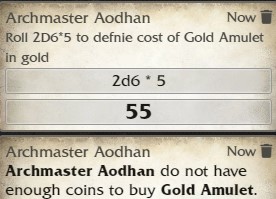
If the price is determined by a roll, it is calculated automatically, and the result is subtracted from available coins:
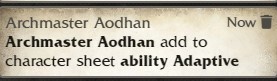
For spells and abilities, clicking the plus icon adds them to the character sheet and shows a message in the chat:
The Merchant actor has three tabs:
- Settings – only for GMs
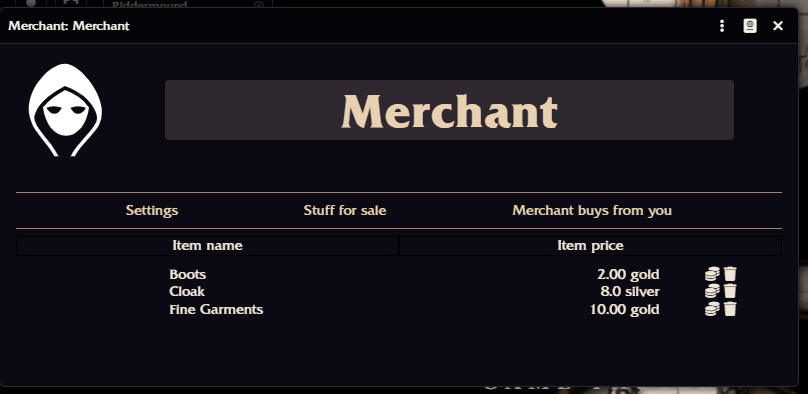
- List of items that the Merchant sells
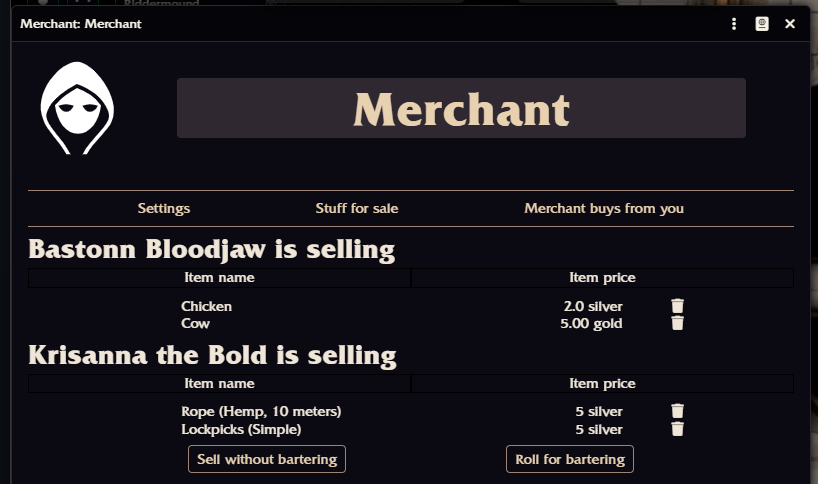
- List of items that characters want to sell
The GM can configure three things:
- The percentage of the original item cost for buying items from characters
- The percentage of the original item cost for selling items to characters
- The maximum rarity of items the Merchant is willing to buy
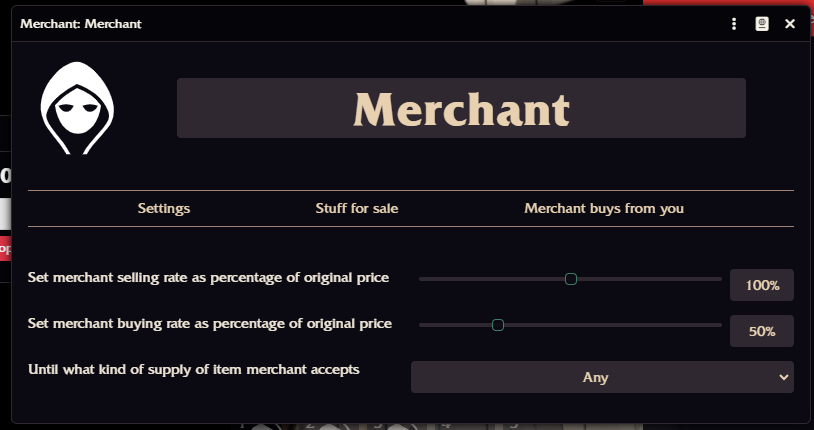
The GM can drag and drop items to the Merchant from the world’s Item tab. Displayed prices are adjusted according to the settings. For example, if the selling rate is 200% and the original item cost is 1 gold, the displayed price will be 2 gold.
Players can also drag and drop items to the Merchant. Prices are modified by the Merchant’s buying rate. Each character can only sell their own items. If you place a Merchant token on the map, and a player double-clicks it, the module temporarily grants them ownership until the sheet is closed. Ownership is restored afterward.
Dragonbane - Przeglądarka Przedmiotów
Ten moduł pozwala na łatwe dodawanie przedmiotów do kart postaci. Wyszukuje wszystkie przedmioty w świecie gry (kompendia nie są przeszukiwane) o następujących typach:
- Przedmiot
- Zbroja
- Hełm
- Czar
- Zdolność
Dodatkowo moduł dodaje nowy typ aktora – Kupiec.
Moduł działa również z lokalizacją (języki inne niż angielski), pod warunkiem że używasz dokładnie tych samych nazw dla złota, srebra i miedzi, które znajdują się w zakładce Ekwipunek w sekcji monet. Nie musisz martwić się o wielkość liter.
W zakładkach Zdolności Heroicznych, Magicznych Sztuczek, Czarów, Wyposażonej Broni, Wyposażonej Zbroi, Wyposażonych Hełmów i Przedmiotów znajdziesz ikonę lupy:
Kliknięcie ikony otwiera okno przeglądarki dla wybranego typu przedmiotów. Wygląda ono tak:
Najechanie na nazwę przedmiotu spowoduje wyświetlenie jego opisu:
Kliknięcie nazwy przedmiotu otworzy jego kartę. Jeśli przedmiot ma cenę, obok niego pojawi się ikona monety. Kliknięcie ikony dodaje przedmiot do karty postaci, dla której otwarto Przeglądarkę Przedmiotów. Działa to tylko wtedy, gdy postać może sobie pozwolić na zakup przedmiotu lub gdy cena musi zostać określona przez MG (np. w przypadku trucizn).
Jeżeli cena jest ustalana przez rzut kością, zostanie ona obliczona automatycznie, a wynik rzutu zostanie odjęty od dostępnych monet:
W przypadku czarów i zdolności kliknięcie ikony plusa dodaje je do karty postaci i wyświetla wiadomość na czacie:
Aktor Kupiec ma trzy zakładki:
- Ustawienia – tylko dla MG
- Lista przedmiotów, które sprzedaje Kupiec
- Lista przedmiotów, które postacie chcą sprzedać
MG może ustawić trzy rzeczy:
- procent wartości oryginalnego przedmiotu, za który Kupiec kupuje przedmioty od postaci
- procent wartości oryginalnego przedmiotu, za który Kupiec sprzedaje przedmioty postaciom
- maksymalną rzadkość przedmiotów, które Kupiec jest gotów kupić
MG może przeciągać i upuszczać przedmioty do Kupca z zakładki Przedmioty w świecie. Wyświetlana cena zostanie dostosowana zgodnie z ustawieniami. Na przykład, jeśli współczynnik sprzedaży wynosi 200%, a oryginalna cena przedmiotu to 1 złoto, wyświetlana cena wyniesie 2 złota.
Gracze również mogą przeciągać i upuszczać przedmioty do Kupca. Podobnie jak w powyższym przykładzie, cena zostanie zmieniona zgodnie z współczynnikiem kupna przez Kupca. Każda postać może sprzedawać tylko swoje własne przedmioty. Jeśli umieścisz token Kupca na mapie, a gracz dwukrotnie kliknie na niego, moduł tymczasowo przyzna mu własność Kupca do czasu zamknięcia arkusza postaci. Po zamknięciu własność zostanie automatycznie przywrócona do poprzedniego stanu.

