


| Latest version | 1.4.0 |
|---|---|
| Minimum Core | 11.311 |
| Compatible Core | 11 |
| Last updated | 2 years ago |
| Created | 3 years ago |
| Authors | |
| Languages |
|
| Systems | All systems |
| Project source | Project URL |
| Report bugs | Bug tracker URL |
| Read-me | Readme URL |
| Changelog | Changelog URL |
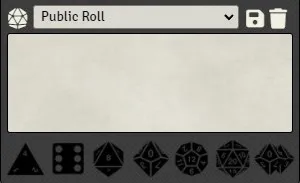
This module offers the ability to roll dice with as little as one click and more.
A series of dice buttons have been added bellow the chat, they can be used in different fashions.
- a regular click on a die will make a roll and display it in the chat right away.
- if the ctrl key is held, the roll will be blind instead.
- if the shift key is held and nothing is present in the chat box, a new roll sequence will be started in the form of /r 1dx.
- if the shift key is held and a roll sequence exists (from a previous shift + click or manually typed), more will be added to it, updating existing dice if needed.
- if the shift key is being held while any text is present in the chat box, a new inline sequence will be added at the end of the text in the form of [[1dx]]
- if the shift key is being held while an inline sequence is present at the end of the chat box text, more will be added to it, updating existing dice if needed.
NOTE: Only basic dice are handled by the module d4, d6, d8, d10, d12, d20 and d100

