


| Latest version | 0.8.3 |
|---|---|
| Minimum Core | 12 |
| Compatible Core | 12 |
| Last updated | 1 year ago |
| Created | 3 years ago |
| Authors | |
| Languages |
|
| Systems |
Swade |
| Project source | Project URL |
Savage Pathfinder - Enhanced
Macros and other resources for Savage Pathfinder.
Enchantments

Masterwork Forge

Scroll Craft

Better Rolls Integration
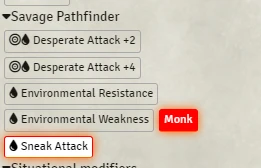
Better Rolls Global Actions List:
- Desperate Attack +2
- Desperate Attack +4
- Environmental Resistance
- Environmental Weakness
- Monk Edge
- Pounce, core p249
- Sneak Attack
- Power Modifiers Generic, Power Modifiers for Core Powers and APG Powers, Extra Power Points group
- and more!
Legendary Boss
Add material from Zadmar to make bosses more powerful.

Torch Integration
Torch module allow the player to turn on/off lights. If the player have a torch item, he can light it on to provide illumination.

There is a configuration JSON file which will auto load with Savage Pathfinder default light items.
Automated Animations Integration
Make attacks and trigger animations! You must have JB2A. Read documentation inside the module.
Actions
You can find actions ready to use in a compendium.

Magic Items Location
You can use the image model to set the FFS module to allow your players to visually organize their magic items.

How To
There is a Journal in the compendium. Read it! All instructions in there.
Subscribe
Login
Please login to comment
0 Comments

